MailsDaddy ZohoMail Backup Tool
Download emails from Zoho Mail account by using the most trusted solution Zoho Mail Backup Tool without tempering original content. Quickly export Zoho emails into PST, EML, MSG, MBOX, HTML, and other formats. Even with the Zoho email backup tool, users can save emails from Zoho Mail accounts to a hard drive or any other storage device. It can easily backup emails from business zoho account.
- Trusted solution for users to backup Zoho Mail without any hard effort.
- Download Zoho emails to PST, MBOX, MSG, EML, and HTML format.
- Helpful to securely extract Zoho emails with connected attachments.
- Allows users to download Zoho emails without any file size restrictions.
- Use the date range filter option to backup the required date Zoho Mail.
- Enable users to backup selected folders from Zoho Mailbox.
- Offers to install this solution on all Windows OS supported systems.
- Perfectly import the converted PST file into all Outlook editions.
Certified & Highly Reviewed By Leading Software Authorities
Award-Winning & Recommended by Independent Editors
TopShareware – Export Zoho Emails in One Click
MailsDaddy Zoho Mail Backup Tool can effortlessly save all Zoho emails into PST format. Using this outstanding solution, users can backup Zoho emails into PST, EML, MSG, MBOX, HTML and other given formats. Moreover, most of the users liked this tool and give 5 stars rating for its best performance.
Best MailsDaddy Zoho Mail Backup Tool – Download CNET
MailsDaddy Zoho Mail Backup software is the best performing solution to archive Zoho email without any trouble. As per the CNET expert’s, this is a single trusted solution to securely download Zoho emails. Apart from this, users can also download the trial version pack of Zoho Mail backup tool from CNET official website and enjoy the features before purchase.
Features of the ZohoMail Backup Tool
Enterprise-grade recovery and conversion, packed into a simple desktop app — no technical expertise or Exchange server required.
Easy User Interface
The software is designed by professional software developer so that users can easily get the impressive result. Even a non-technical can quickly extract Zoho emails without technical expertise.
Download Complete Emails
With the help of this Zoho Mail backup tool, users can quickly extract emails without any alteration. Here users can download compete Zoho business account emails with full accuracy.
Backup in Multiple Formats
It enables users to smoothly export particular date Zoho emails without any changes in original content. For this users just need to mention the start and end dates between which user want a backup.
Date Filter Option
It enables users to smoothly export particular date Zoho emails without any changes in original content. For this users just need to mention the start and end dates between which user want a backup.
Maintain Email Status
The program always keeps maintaining the original status of emails while taking the backup of Zoho account emails. The application perfectly preserves the read and unread status of all emails.
Extract Log Report
This tool offers users to download the log report of complete migration process. The software contains the information of the backup start & end tine and how many emails and files are exported.
Preserves Folder Structure
The Zoho backup solution is compatible to save Zoho email with the same folder structure as the parent folder. The program has the ability to save complete Zoho mailboxes in the structured format.
Maintains Email Properties
This outstanding application can easily maintain overall metadata properties (To, Cc, Bcc, Time, Subject, From, etc) without any interruption. It keeps safe all text formatting without any alteration.
Backup Selected Mailbox
By utilizing this Zoho Mail backup software, users easily select and backup single or multiple important folders into PST and other file formats with full security. It never loses a single bit of information.
Zoho Mail to Outlook
With the help of this Zoho Mail Backup Tool, users export Zoho messages into Outlook PST format. It can import the backup PST files into Outlook 2021, 2019, 2016, 2013, 2010, 2007, 2003 and other earlier edition
Zoho Mail to MBOX
Using this Zoho Mail backup software, users can smartly backup Zoho Mail into MBOX format. The backup MBOX file can be imported in Apple Mail, Thunderbird, Eudora, entourage, and other MBOX file supported emails clients platform.
Zoho Mail to EML
It offers users to easily save Zoho emails to EML/EML format. The exported emails can be quickly import in all EML/EMLX file supported email client platform, like- Mozilla Thunderbird, Apple Mail, IncrediMail etc.
Eye-Catching Features of MailsDaddy ZohoMail Backup Tool software
Helpful Filter Option Available
The Zoho Mail Backup tool facilitates users to backup those date emails which are required for users. Using this solution user can also extract the required Zoho Mail mailboxes in the local system.
- Search and filter emails by Date Range, Subject, Sender, or Recipient.
- Quickly isolates critical messages without parsing full mailbox folders.
- Allows exporting only targeted search results directly to output formats.
Export Emails in Different File Formats
This economical solution can easily save Zoho emails into PST and without affecting original emails data content. The application can export Zoho messages into most common and useful formats with maintain all emails structure.
- Maintains 100% original directory layout (Inbox, Sent, Drafts, custom folders).
- Preserves rich text formatting, inline graphics, and nested metadata.
- Keeps unread/read message statuses and importance flags intact.
Compatible with All Outlook and Windows OS
This outstanding solution enables users to save Zoho emails into PST format and the converted PST files can be import in Outlook 2021, 2019, 2016, 2013, 2010, 2007, and other editions. The Zoho Mail Backup Tool can be installed on Win 10, Win 8, Win 7, Win XP, Win Vista, and other Windows Operating system-supported systems.
- Compatible with Windows 11, 10, 8.1, 8, 7, and Windows Server (32/64-bit).
- Supports all Microsoft Outlook editions without requiring Outlook pre-installed.
- Independent standalone utility engineered for high enterprise stability.
Create Log Files for User's Help
Apart from backup Zoho account emails, this trustworthy solution lets users to generate the log report of the complete Zoho Mail Backup process. Using this, users will confidently know how many emails are extracted from their Zoho Mail account. Here users can also know below listed things:
- Generates a detailed summary log recording items converted and duration.
- Records start time, total message counts, and destination paths.
- Provides a verifiable audit trail for enterprise IT compliance.
We Convert All Data From Zoho Mail
Every folder hierarchy, email header, embedded attachment, contact attribute, and calendar recurrence is processed with 100% bit-exact fidelity.
Emails & Its Properties
featured Zoho Mail Backup Tool can extract complete Zoho emails w...
featured Zoho Mail Backup Tool can extract complete Zoho emails without any changes in email properties. Some of the most popular email components are-
Supported Elements & Formats:
Backup ZOHO-MAIL Mailboxes in 4 Simple Steps
No technical skills needed. Watch each step in the live software interface or click any step below.
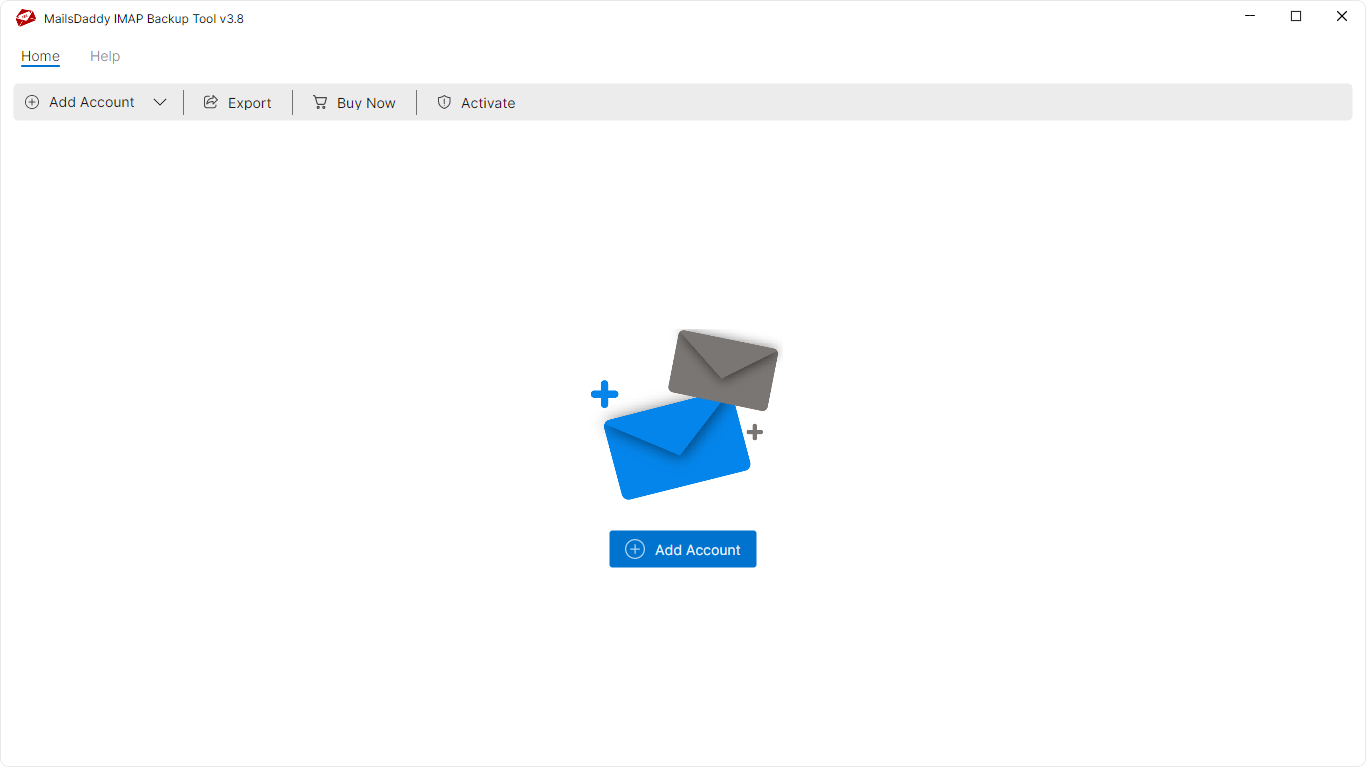
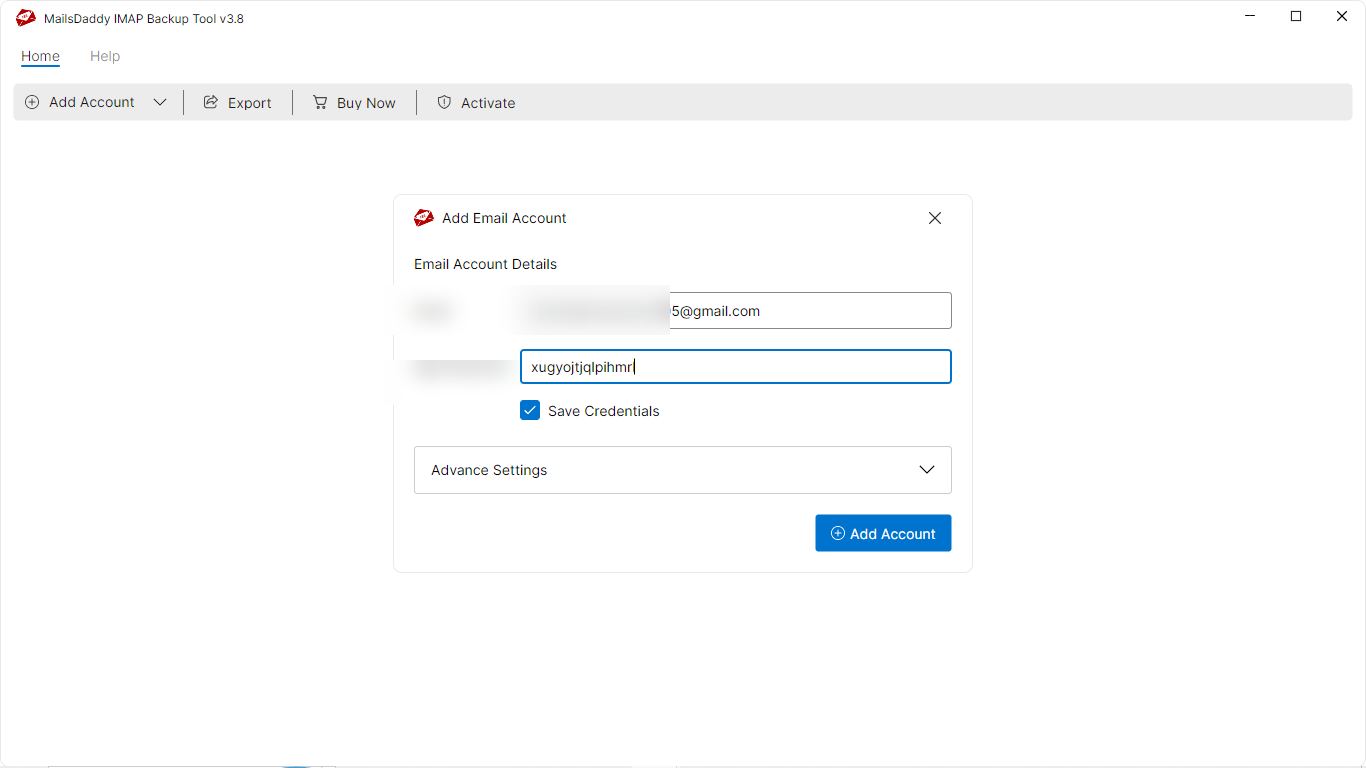
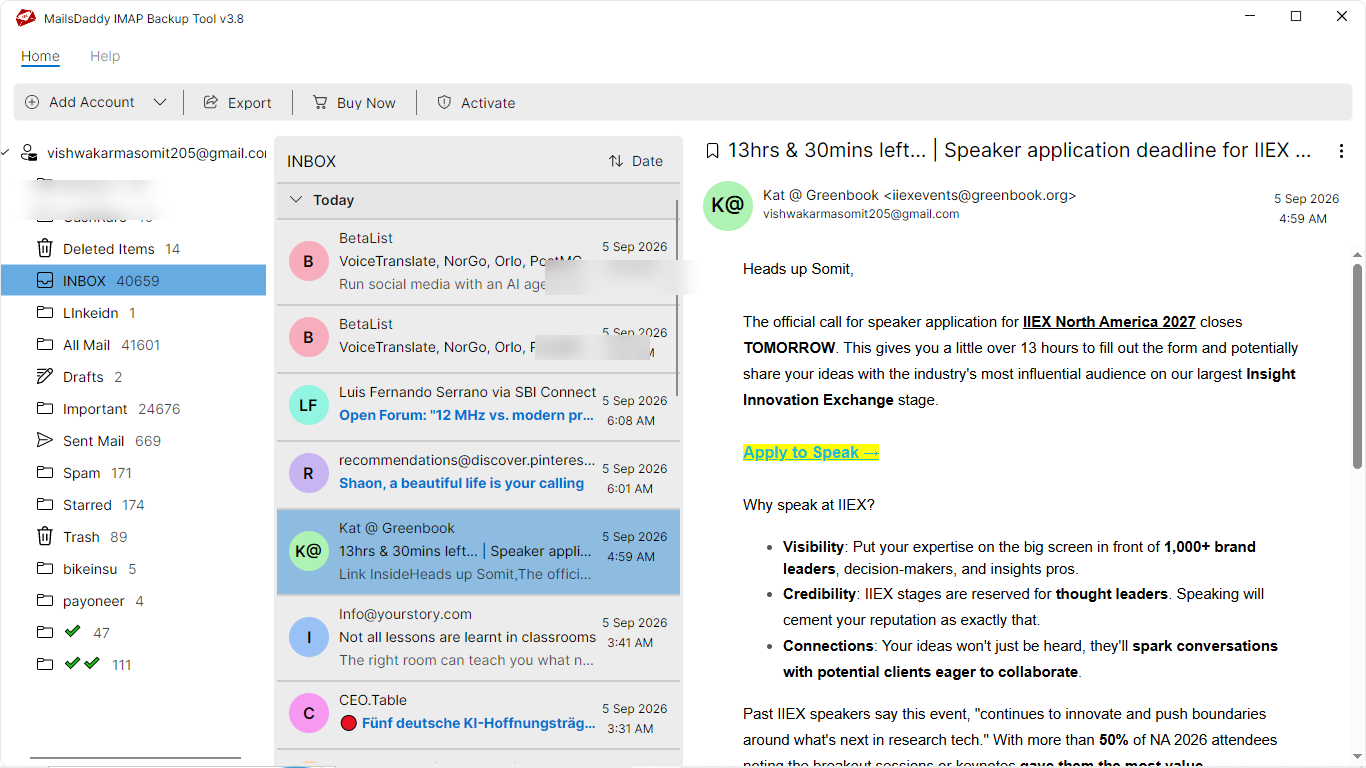
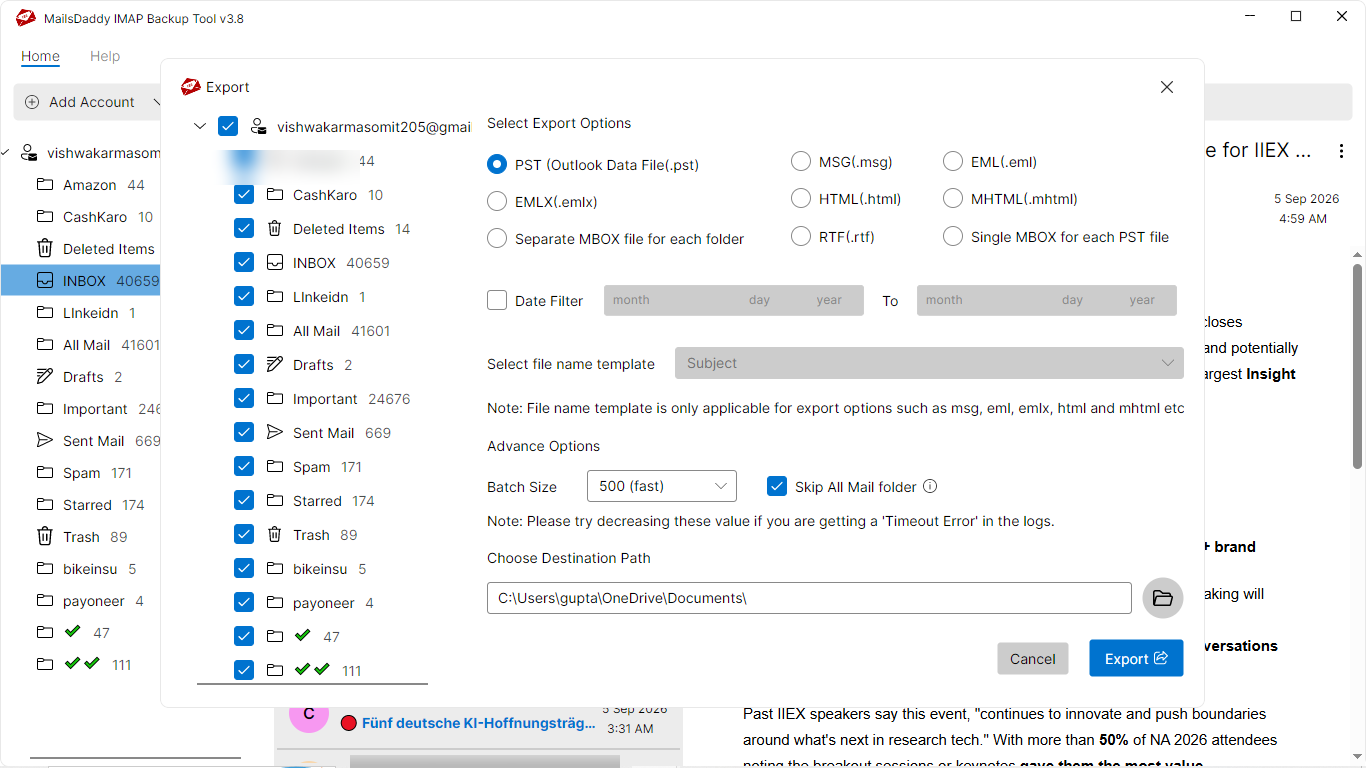
Looking for the complete user manual and working guide?
Explore comprehensive guides for standard PST conversion, search & filter migration, and Live Exchange Server export.
Technical Specifications
Engineered for lightweight footprint, standalone execution, and broad enterprise compatibility for MailsDaddy ZohoMail Backup Tool.
System Requirements
Full support for Windows Server 2022, 2019, 2016, 2012, 2008 & 2003 (32/64-bit)
Platform Support
Modern OAuth 2.0, App Password, SSL/TLS encrypted IMAP & POP3 connection
Supported Formats
ZOHO-MAIL (Healthy, Corrupted, Orphaned, Large Archives)
Retains 100% attachments, inline images, headers, and metadata
Preserves complete folder hierarchy, read/unread flags, and timestamps
100% Offline & Private
Zero cloud uploads or telemetry. Processing happens strictly within your local machine.
No Outlook Required
Completely standalone engine. Processes ZOHO-MAIL files without requiring host email clients.
No File Size Limits
Tested on massive 50GB, 100GB, and 500GB+ enterprise mailboxes with zero crash.
Full Windows Support
Native execution across Windows 11 down to Windows XP & all Windows Server editions.
Trusted by IT teams and professionals worldwide
Explore our client testimonials to see why users trust and recommend our solutions.
“MailsDaddy Zoho Mail Backup Tool is a awesome solution easily download safe and secure Zoho emails in PST format. Using this application, I effortlessly backup Zoho mails into PST format and imported them in Outlook 2013. I can confidently give 5 stars for its best performance.”
Chloe Gong
“For some personal reason I decided to move all my Zoho emails into Outlook. For this I used MailsDaddy Zoho Mail Backup Tool. Using this solution I effectively backup Zoho emails into PST format. This is an awesome utility to backup Zoho Account emails without any hard effort.”
Bhavika Shah
“Recently I was searching for an effective tool to backup Zoho mails into MBOX format. My friend Tom Carry suggested me to use MailsDaddy Zoho Mail Backup tool. Using the personal license of application I moved all Zoho messages into Apple Mail platform without any alteration.”
Justin Lucero
Need Help with ZohoMail Backup Tool?
Our dedicated 24/7 technical team is available to assist you with any migration or recovery challenge.
The free demo version lets you preview all items and export up to 20 emails per folder.
Frequently Asked Questions
Find clear answers regarding the ZohoMail Backup Tool conversion process, file compatibility, and recovery features.
To save Zoho emails into PST format, follow these steps:
Start migrating with ZohoMail Backup Tool today.
Download the free trial and inspect your recovered mailbox in minutes.