MailsDaddy NSF to MBOX Converter
NSF to MBOX Converter tool is specially designed for the conversion of Lotus Notes emails into the MBOX format in simple clicks without any effort. The Migrator software is typically developed in such a manner that it will help to retain the email attachments as well as metadata properties of IBM Notes file into MBOX supported by many email clients like Apple Mail, Thunderbird, Microsoft Entourage, Qualcomm Eudora etc.
- An Independent Migrator tool to export NSF emails into MBOX format.
- Supports selected or bulk conversion of Lotus Notes to MBOX.
- Preserve the email formatting and metadata of NSF file after the conversion as well in MBOX file.
- Search the NSF files and export them in MBOX format with all images.
- Easy to browse and load the NSF files for the MBOX migration.
- Easy to use and error-devoid Lotus Notes to MBOX Converter.
- Lotus Notes should be install and configured with a profile to convert NSF to MBOX.
- The NSF to Apple Mail MBOX converter tool is compatible with Windows OS (32-bit & 64-bit).
Certified & Highly Reviewed By Leading Software Authorities
Award-Winning & Recommended by Independent Editors
Suggest Software Review – MailsDaddy NSF to MBOX Converter
An advanced mechanism driven MailsDaddy NSF to Thunderbird MBOX Converter tool easily completes the whole process without any data alteration and keeps all properties and formatting intact throughout and after completing the migration process. As per our expert testing regarding this utility, we are happy to declare it as the best performer and provides 4.9 stars out of 5 stars for its working strength.
TopShareWare - NSF to MBOX Migration Tool
This DIY solution makes a quick and result-oriented Lotus Notes to Apple Mail Migration process and transfers NSF email data in MBOX supported platform. As per our expert’s reviews, the tool is well organized and structured to execute a quick and error-free process to convert NSF to MBOX. The tool is enough capable to conduct a complete satisfaction to the users for the conversion of Lotus Notes to Eudora MBOX format.
Features of the NSF to MBOX Converter
Enterprise-grade recovery and conversion, packed into a simple desktop app — no technical expertise or Exchange server required.
Easy to find NSF files
With this hassle-free solution, a novice user can find the single or multiple NSF files from the local directories easily. The tool facilitates the user to choose the file using the Open, Add a folder, and Search file option. 'Open' allows choosing an NSF file from a known location, and the search file finds the files from an unknown location.
Search and Load Complete NSF files at once
Using the 'Open' option, a novice user can add single or multiple NSF files of Domino Server/IBM Notes environment at once. In case you don’t know the exact NSF file saving location then you need to locate only the local directory location where you think the file may be stored.
Preview the complete NSF data
The MailsDaddy NSF to MBOX Migration solution generates a clear preview of the selected data item. It does so, due to the presence of an advanced mechanism that enables it to show a clean and complete preview of the NSF mailbox file in a readable format with their respective properties.
Date Range Filter to export NSF data
This is an advanced inbuilt feature of the migration tool. It will help the user to convert the Domino mailbox data of a selected specific date range after providing the “To” and “From” fields inputs given in the software panel.
Exclude “All” folder option
This option permits the user to convert complete NSF email data without losing its HTML formatting and removes the All folder data if the option is checked. By default, this option is enabled that reduces the conversion process timing and saves local storage.
Maintains the Mapping structure
The versatile solution is able enough to maintain the file mapping structure of the NSF file in MBOX format throughout and after completing the process to convert NSF to MBOX.
Selected NSF to MBOX conversion
Sometimes the user needs to convert only selected data from the large NSF file then the NSF to MBOX converter tool will help you to do so in a single click and it is accessible on a different platform like Opera Mail, Eudora etc.
Preserve Original Mail Formatting
The Lotus Notes to MBOX converter tool preserves the original mail formatting like Hyperlinks, Subjects, Date, To, From, Body, etc. in MBOX format as same it was in NSF email and it is supported by various email platforms.
Search and Export NSF mail
It is an advanced feature of the conversion tool. If you want to export some emails from an NSF file then this option will help you to do so. For this, you need to provide the inputs in the fields as per your requirements.
Keeps Attachments and Images
The Domino mailbox to MBOX converter is able to keep all the images attached within an email and also supports Inline Images of the Lotus Notes NSF email. The tool also preserves all the DocLinks of the NSF email.
User Friendly
The Graphical User Interface of the Lotus Notes to MBOX Conversion software is interactive and user-friendly and the software is designed in such a manner that it is easy to use and understandable to the professional and novice layman.
Create Process Registry file
After the completion of the NSF to MBOX conversion process, the tool creates a log file at the user ends if the “Create Logfile” option was checked in the Export Window at the starting of the process.
Maintain Folder Structure
After the completion of the NSF to MBOX conversion process, the exporter software maintains the same folder structure in MBOX and compatible with Thunderbird, Apple Mail, Entourage, Eudora etc.
Provides Secure Migration
During the IBM Notes to MBOX conversion, the software maintains the security of the process and provides a safe, secure and 100% accurate migration process result without any error.
Compatible with Windows
The migration software runs only on Windows operating system so it supports all the editions of Windows like 10, 8.1, 8, 7, XP and earlier versions of 32-bit and 64-bit system type.
Eye-Catching Features of MailsDaddy NSF to MBOX Converter software
Vast Supportability
The Lotus Notes to MBOX Converter tool is advanced and single enough to export the NSF data in various platform supported file format (MBOX) in a single approach without any data loss. The tool supports 32+ email clients to export NSF to MBOX format.
- Compatible with Windows 11, 10, 8.1, 8, 7, and Windows Server (32/64-bit).
- Supports all Microsoft Outlook editions without requiring Outlook pre-installed.
- Independent standalone utility engineered for high enterprise stability.
Multiple data file conversion process
Conversion of Lotus Notes to MBOX one by one is a tiresome and lengthy process for a professional or tyro user and it takes time. So use the NSF to MBOX converter tool to migrate Lotus Notes emails into MBOX format in some clicks. If you are facing a problem regarding the Lotus Notes to MBOX Conversion then this utility allows conducting a hassle-free process to import NSF data. With this solution, you can move single as well as multiple NSF email files to MBOX format.
- Conversion of Lotus Notes to MBOX one by one is a tiresome and lengthy process for a professional or tyro user and it takes time.
- So use the NSF to MBOX converter tool to migrate Lotus Notes emails into MBOX format in some clicks.
- If you are facing a problem regarding the Lotus Notes to MBOX Conversion then this utility allows conducting a hassle-free process to import NSF data.
Zero-loss Data Conversion factor
The availability of Windows OS-compatibility in the tool allows the novice user to export the NSF data in MBOX format exactly without any data item loss and it retains all properties and elements intact. With this NSF to MBOX migration tool, one can generate an MBOX file with a complete database of the email of Notes data.
- The availability of Windows OS-compatibility in the tool allows the novice user to export the NSF data in MBOX format exactly without any data item loss and it retains all properties and elements intact.
- With this NSF to MBOX migration tool, one can generate an MBOX file with a complete database of the email of Notes data.
- Engineered specifically for optimal zero-loss data conversion factor workflows.
What NSF to MBOX Converts?
Every folder hierarchy, email header, embedded attachment, contact attribute, and calendar recurrence is processed with 100% bit-exact fidelity.
Emails
Executing an NSF to MBOX migration makes the user able to import ...
Executing an NSF to MBOX migration makes the user able to import the complete or selected emails of Lotus Notes/Domino Server platform. For this technical approach, the tool conducts a hassle-free approach and retains the following properties intact in MBOX format.
Supported Elements & Formats:
Convert NSF to MBOX in 4 Simple Steps
No technical skills needed. Watch each step in the live software interface or click any step below.
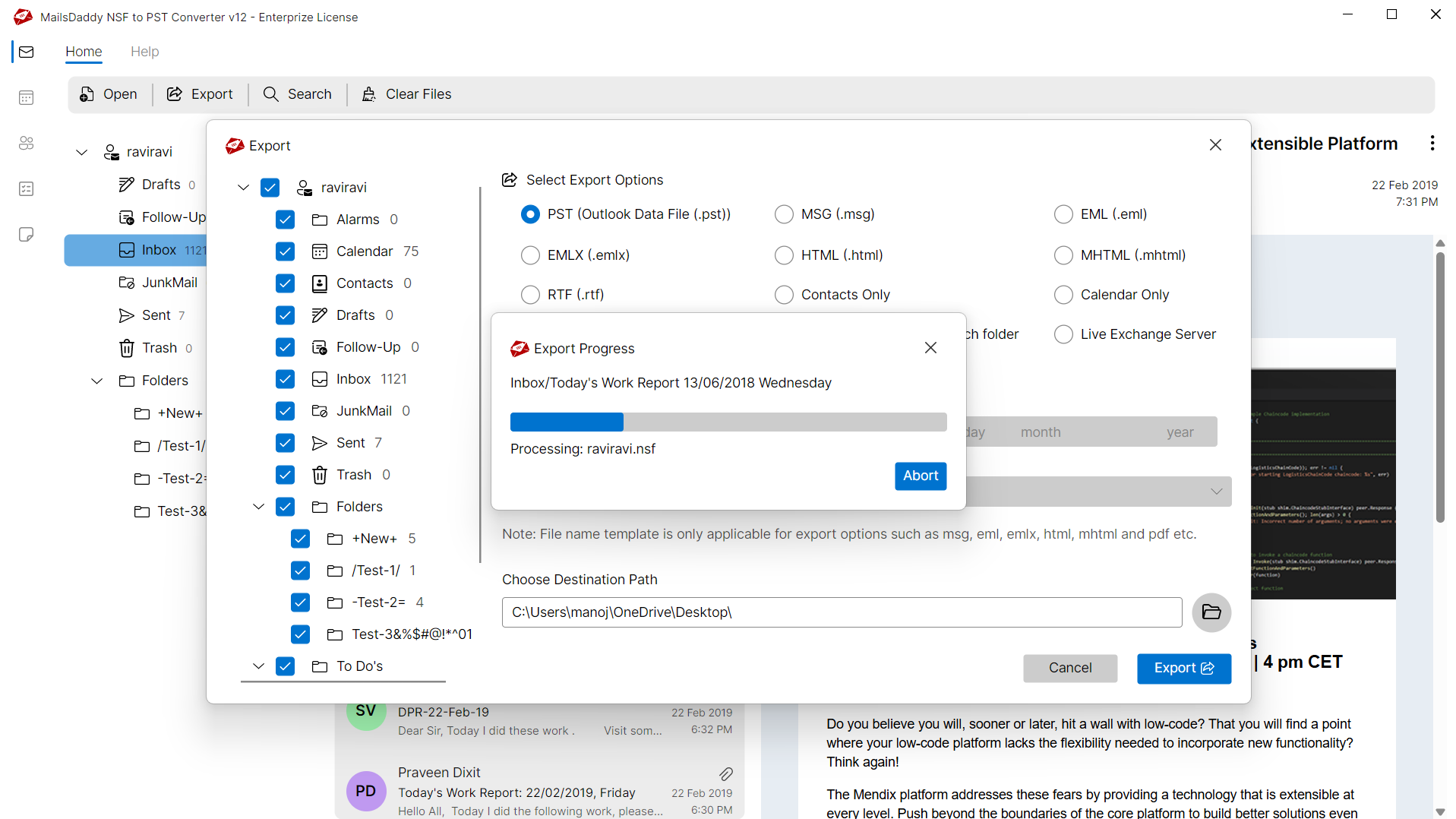
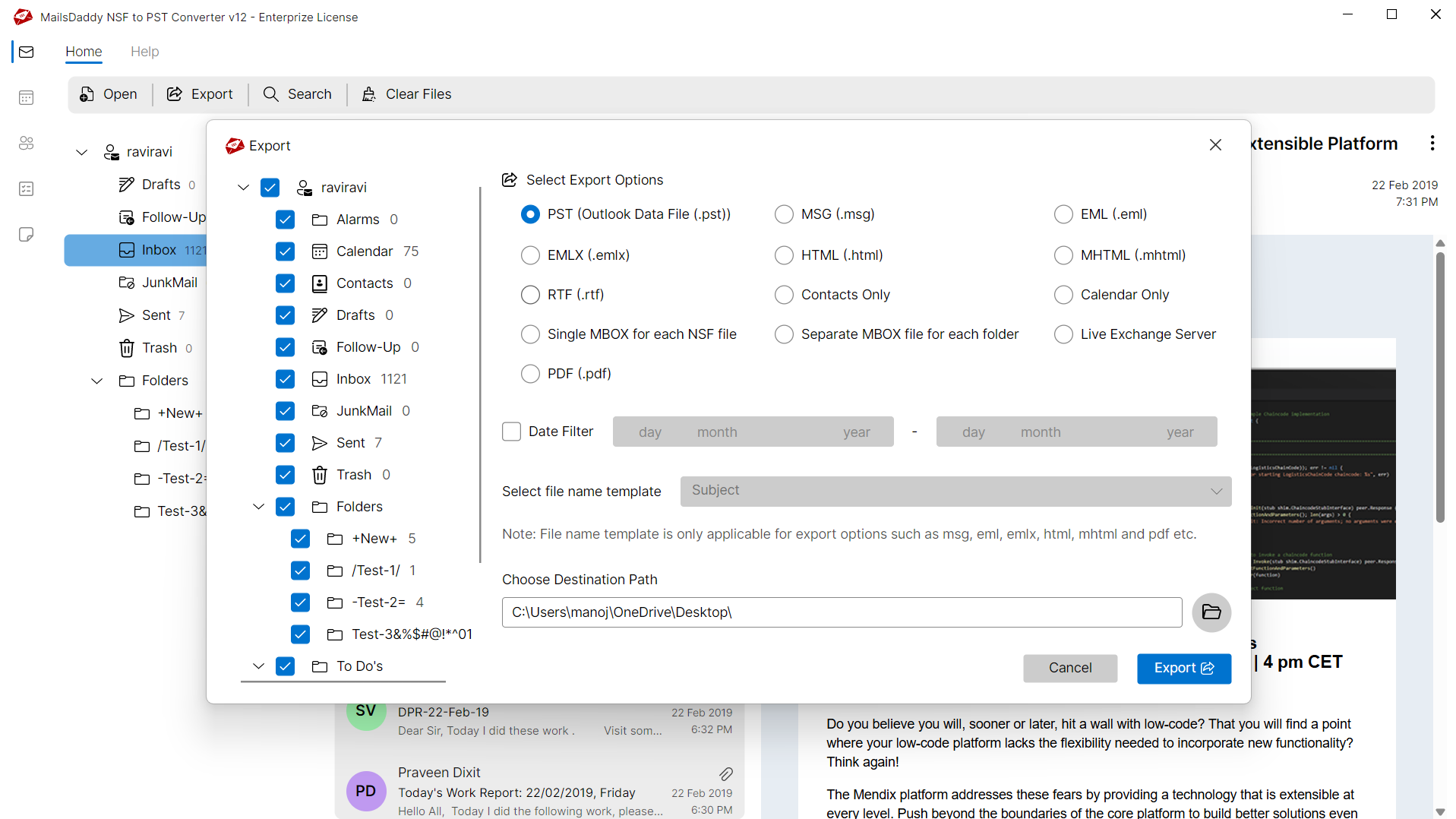
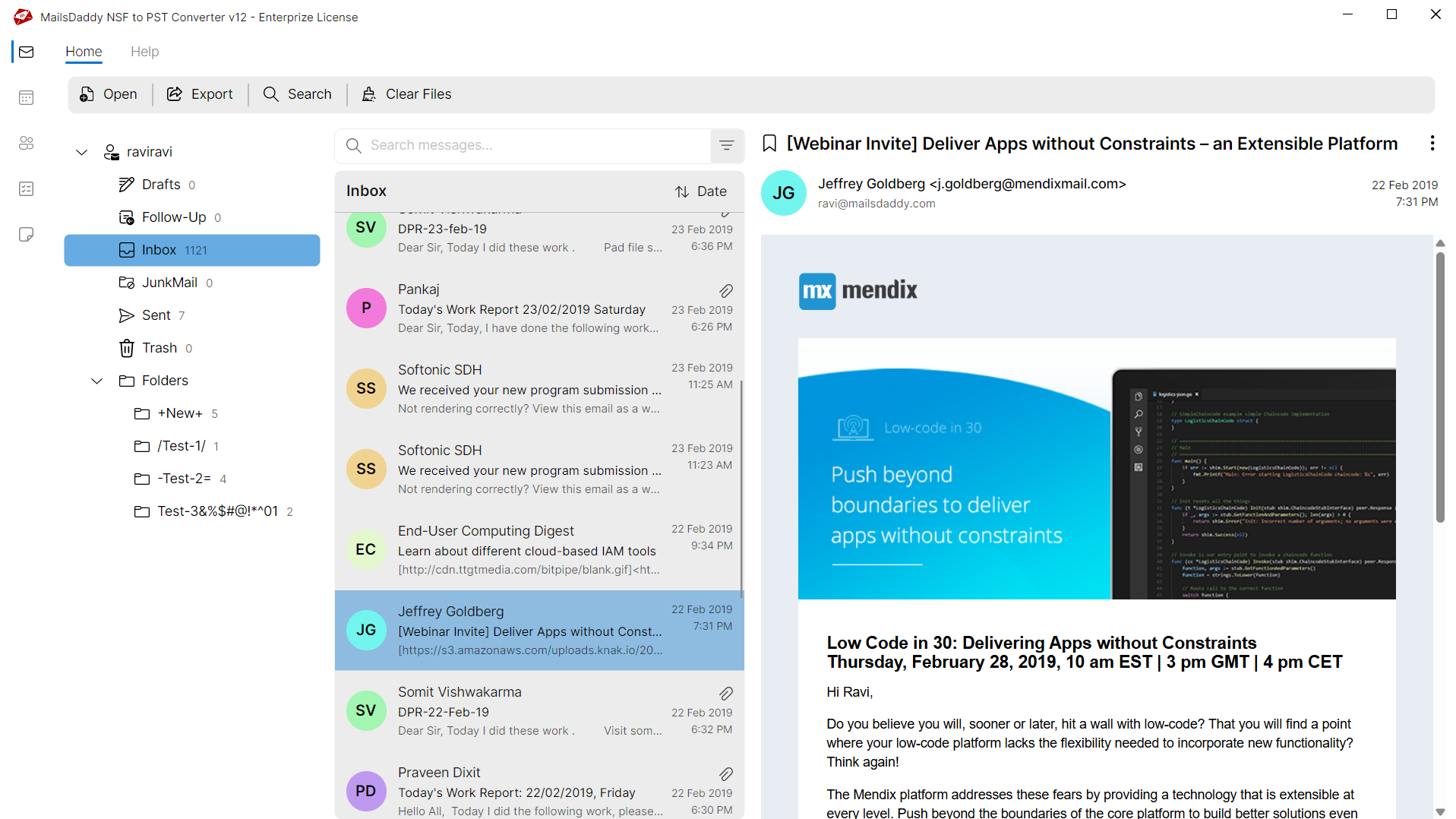
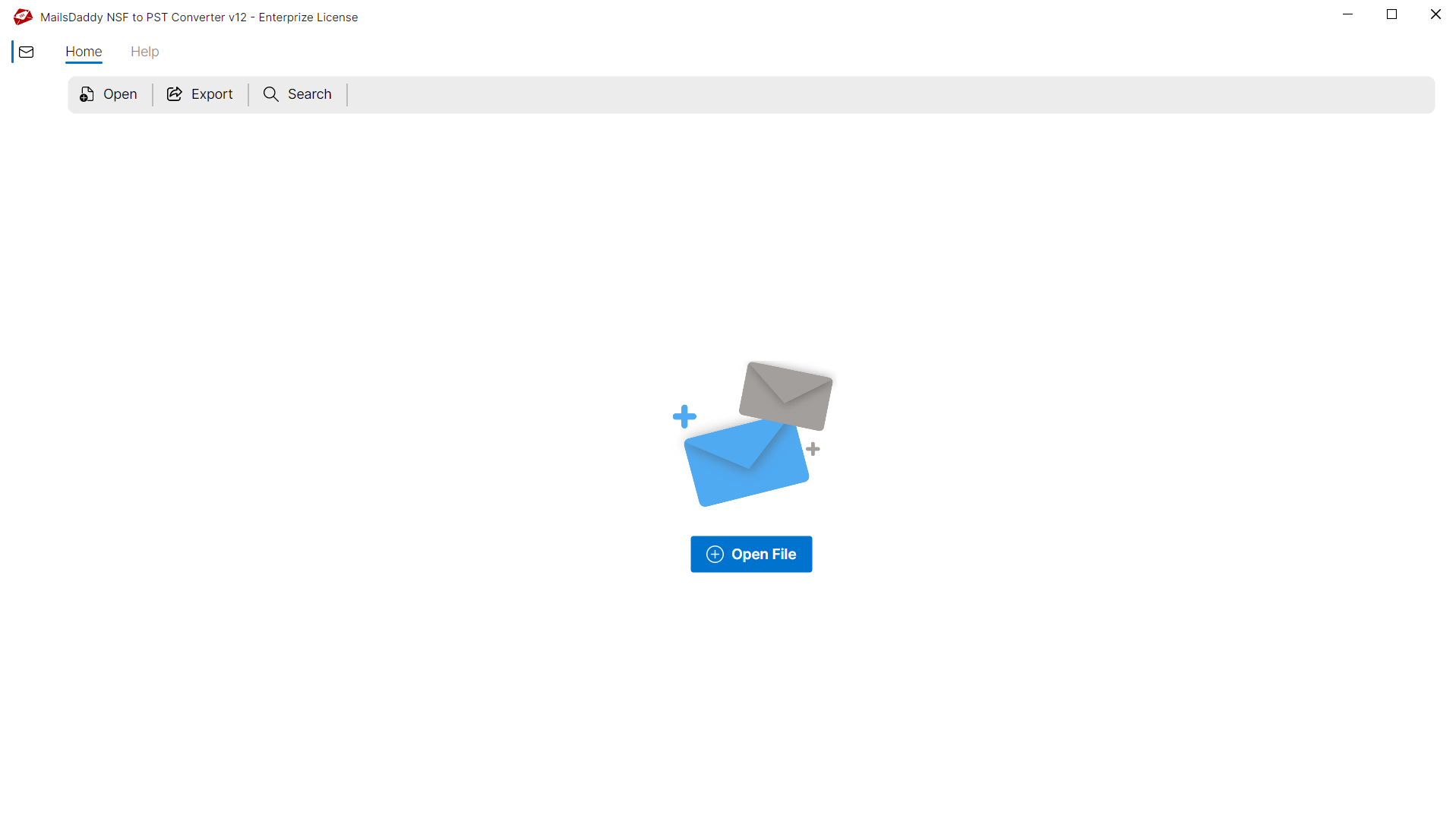
Looking for the complete user manual and working guide?
Explore comprehensive guides for standard PST conversion, search & filter migration, and Live Exchange Server export.
Technical Specifications
Engineered for lightweight footprint, standalone execution, and broad enterprise compatibility for MailsDaddy NSF to MBOX Converter.
System Requirements
Full support for Windows Server 2022, 2019, 2016, 2012, 2008 & 2003 (32/64-bit)
Platform Support
Supported Formats
NSF
Retains 100% attachments, inline images, headers, and metadata
Preserves complete folder hierarchy, read/unread flags, and timestamps
100% Offline & Private
Zero cloud uploads or telemetry. Processing happens strictly within your local machine.
No Outlook Required
Completely standalone engine. Processes NSF files without requiring host email clients.
No File Size Limits
Tested on massive 50GB, 100GB, and 500GB+ enterprise mailboxes with zero crash.
Full Windows Support
Native execution across Windows 11 down to Windows XP & all Windows Server editions.
Trusted by IT teams and professionals worldwide
Explore our client testimonials to see why users trust and recommend our solutions.
“This NSF to MBOX Converter tool was unbelievable and helpful for me when I was searching for the best tool and my search comes to end at MailsDaddy. They provided me the best support with this awesome tool…..Thank you”
Sandy
“I wanted to thank you for making this admirable tool which helped me a lot for the conversion from Lotus Notes to Thunderbird…..Thank you”
James Williamson
“A tool like MailsDaddy NSF to MBOX converter enables us to take our business to a different level by migrating our NSF data…You nailed it, guys………Keep it on”
Gary Evans
Need Help with NSF to MBOX Converter?
Our dedicated 24/7 technical team is available to assist you with any migration or recovery challenge.
The free demo version lets you preview all items and export up to 20 emails per folder.
Frequently Asked Questions
Find clear answers regarding the NSF to MBOX Converter conversion process, file compatibility, and recovery features.
Yes, the software comes with a free demo version and has some limitations such as it exports the first 20 items from each folder only.
Start migrating with NSF to MBOX Converter today.
Download the free trial and inspect your recovered mailbox in minutes.