MailsDaddy NSF to PST Converter
MailsDaddy NSF to PST Converter ensures secure NSF to PST conversion with consistent performance. It preserves all mailbox data, including attachments and formatting, during the conversion process. It also enables users to convert NSF to PST, EML, MSG, and MBOX formats with complete precision and zero data loss.
- Migrate all your mailbox data from HCL Domino/Notes to Outlook with ease.
- Preserves folder hierarchy, email formatting, read/unread flags, and calendar recurrence etc.
- Converts multiple NSF files to PSTs at a time and support all IBM/HCL Notes editions.
Certified & Highly Reviewed By Leading Software Authorities
Award-Winning & Recommended by Independent Editors
WeSuggest Software Review – MailsDaddy NSF to PST Converter
When moving away from IBM Lotus Notes to Microsoft Outlook, then there may be several challenges that you may have to face. MailsDaddy NSF to PST converter makes this migration very easy and effective. You will be able to export NSF to PST format in a few simple clicks. Our editor found this tool appropriate for Lotus Notes to Outlook migration and given this tool to 5 star ratings out of five. The best part of this tool is that you may convert selected folders or emails from NSF to Outlook PST format. Find more details like awards, features, pricing, pros & Cons.
How Efficient is this NSF Converter - CompareCamp Review
It is the best NSF to PST converter that has been reviewed by a well popular B2B platform CompareCamp. Editor of the CompareCamp has awarded this NSF Converter with Great User Experience and Rising Star awards. We almost got an 81% quality score which describes how beneficial this tool is for converting Lotus Notes NSF files to Outlook PST format. The tool is capable to convert multiple NSF files at one go and also provides a date filter option which is very useful for exporting data of specific date range. You can check its features, ratings, awards, pricing, Pros & Cons, etc.
Features of the NSF to PST Converter
Enterprise-grade recovery and conversion, packed into a simple desktop app — no technical expertise or Exchange server required.
Quick Scan of NSF Database File
NSF converter has the easiest approach to scan the single or multiple NSF files without escaping a single character of the Notes data file within a seconds and generate a clean preview in a readable format.
Preview All Items of NSF Database Files
The software previews of all mail items (Mails, Contacts, To-Do list, Calendars, Notes, and Personal Journal, etc.) which help you in selective conversion of NSF to Outlook PST file format
Convert Multiple NSF Files at Once
This is a very helpful feature of NSF to PST converter which lets users export multiple NSF files (database.nsf, names.nsf and notebook.nsf) to a single PST or create individual PST for each NSF file.
Selective Item Export
With the help of this NSF file Converter software users can select and convert only desired folders such as Inbox, Sent Items, Contacts, or custom folders, making the migration fully customizable and efficient.
Convert in Different Formats
The HCL Notes to Outlook migration tool aloows users to NSF data not only to PST but also to EML, MSG, MBOX, and other formats, giving users flexibility to access their data across different email platforms.
Different Data Filter Options
This solution offer smart filter options to conver NSF to PST file format. Here users will get muliplte meta data filter option (To, Form, Time, Subject. etc) to easily convert specific email databases to Outlook PST format.
Preserve Original Folder Structure
The nsf to pst migration utility maintain folder hierarchy while converting NSF file database to Outlook PST format. You will get all Lotus notes folders in your MS Outlook sequentially.
Maintain the Original Formatting
This Lotus Notes to Outlook converter tool maintains the priority status, category, read/unread status, key elements, text formatting, HTML formatting intact throughout the conversion process.
Convert Emails Along with Attachments
The software easily converts all e-mails along with their corresponding attachments to Outlook PST format. You can also save any particular attachment by right-clicking on the attachment icon.
Split Converted PST Files
The NSF to Outlook Migration tool automatically splits a large PST into multiple smaller Unicode PST files based on the size you specify. This process ensures smooth conversion without losing a single data item.
Export Addresses Books
This is a unique feature among all other NSF to PST converters by using which you can browse multiple names.nsf files and export all contacts to .vcf (vCard) file format which is accepted globally.
Export Calendar Entries
Another helpful option that is used to export calendar items only from Lotus notes database to most common .ics file format. You can add multiple NSF files and export all calendars to ICS file format in a single click.
Search and Convert Needed E-mails
By using the Search Mail(s) feature of the NSF to Outlook converter tool you can filter e-mails according to specific categories (To, From, Subject, Date, and Attachments) and covert to PST or MSG formats.
Friendly User-Interface
MailsDaddy NSF to PST converter includes a simple, interactive, and user-friendly interface. You will get detailed instructions at every step of the operation. The software provides an easy-to-use platform to convert the nsf file to pst file format.
Supports Domino Server & Lotus Notes Versions
This NSF file converrter toool is fully compatible with every version of IBM/HCL Lotus Notes and Domino Server, ensuring smooth NSF data conversion regardless of the platform’s age or edition.
Quickly Export NSF to PST Format
Easily converts the Lotus Notes file into a PST file, which can be directly open in Microsoft Outlook 2016, 2013, 2010, and 2007, etc. The converted PST file keeps the whole Lotus Notes items in their original format.
Compatibility with Windows OS
The tool is designed in such a manner that makes it supportable with all Windows Operating System platforms such as Win 10, Win 8, Win 7, Win XP, Win Vista, and its previous editions.
Allows Saving Particular Items
If you need to save a particular message, contact, calendar then just right-click over that item and choose a saving option. The software saves the individual message to MSG, contact to VCF, and Calendar to ICS formats.
Eye-Catching Features of MailsDaddy NSF to PST Converter software
Multiple options to Convert NSF data
Lotus NSF to PST Conversion tool facilitates the user to change the NSF data in other file formats. It transfers the NSF emails in EML, EMLx, MSG, MBOX, RTF, HTML, and MHTML format. NSF contacts in .vcf format only and calendar data in .ics format.
- Lotus NSF to PST Conversion tool facilitates the user to change the NSF data in other file formats.
- It transfers the NSF emails in EML, EMLx, MSG, MBOX, RTF, HTML, and MHTML format.
- NSF contacts in .vcf format only and calendar data in .ics format.
Support Batch NSF to PST Conversion
NSF to PST tool has the essential way to migrate the single or multiple Lotus NSF data in PST format for Outlook 2021, 2019, 2016, 2013, 2010, etc. It exports the complete data within a seconds as per the file size and their respective attachments. Throughout the conversion process, the tool maintains the key elements, formatting, and properties of the NSF file.
- Compatible with Windows 11, 10, 8.1, 8, 7, and Windows Server (32/64-bit).
- Supports all Microsoft Outlook editions without requiring Outlook pre-installed.
- Independent standalone utility engineered for high enterprise stability.
Migrate NSF data separately
The MailsDaddy NSF to PST Converter tool removes difficulties to convert the NSF data in other formats. It has the easiest technical approaches to convert NSF archives and other databases to PST format with ease. For Example names.nsf, mail.nsf, etc. It maintains the CN values and one is able for defining the SMTP name format.
- The MailsDaddy NSF to PST Converter tool removes difficulties to convert the NSF data in other formats.
- It has the easiest technical approaches to convert NSF archives and other databases to PST format with ease.
- For Example names.nsf, mail.nsf, etc.
Import NSF data to Live Exchange Server
The MailsDaddy NSF to PST Converter tool removes difficulties to convert the NSF data in other formats. It has the easiest technical approaches to convert NSF archives and other databases to PST format with ease. For Example names.nsf, mail.nsf, etc. It maintains the CN values and one is able for defining the SMTP name format.
- Direct cloud mailbox migration into Live Exchange Server.
- Zero downtime migration preserving full folder trees and meta properties.
- Supports primary mailboxes, archive mailboxes, and custom folder trees.
What NSF to PST Converter Migrates?
Every folder hierarchy, email header, embedded attachment, contact attribute, and calendar recurrence is processed with 100% bit-exact fidelity.
Emails & Its Properties
MailsDaddy NSF to PST Converter tool export the Notes email archi...
MailsDaddy NSF to PST Converter tool export the Notes email archive data items in PST format with all key elements, HTML formatting, and properties as written below:
Supported Elements & Formats:
Convert NSF to PST in 4 Simple Steps
No technical skills needed. Watch each step in the live software interface or click any step below.
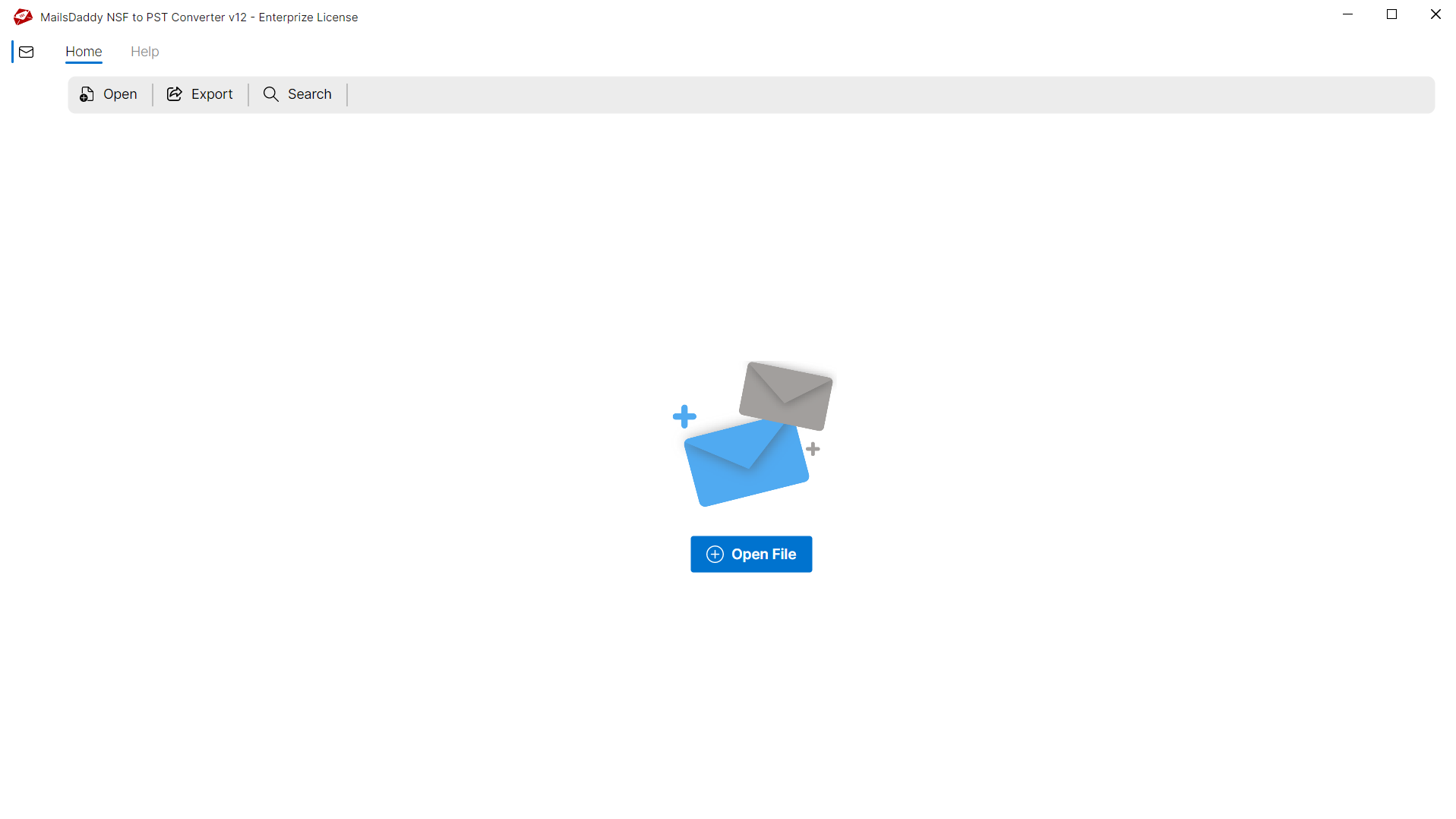
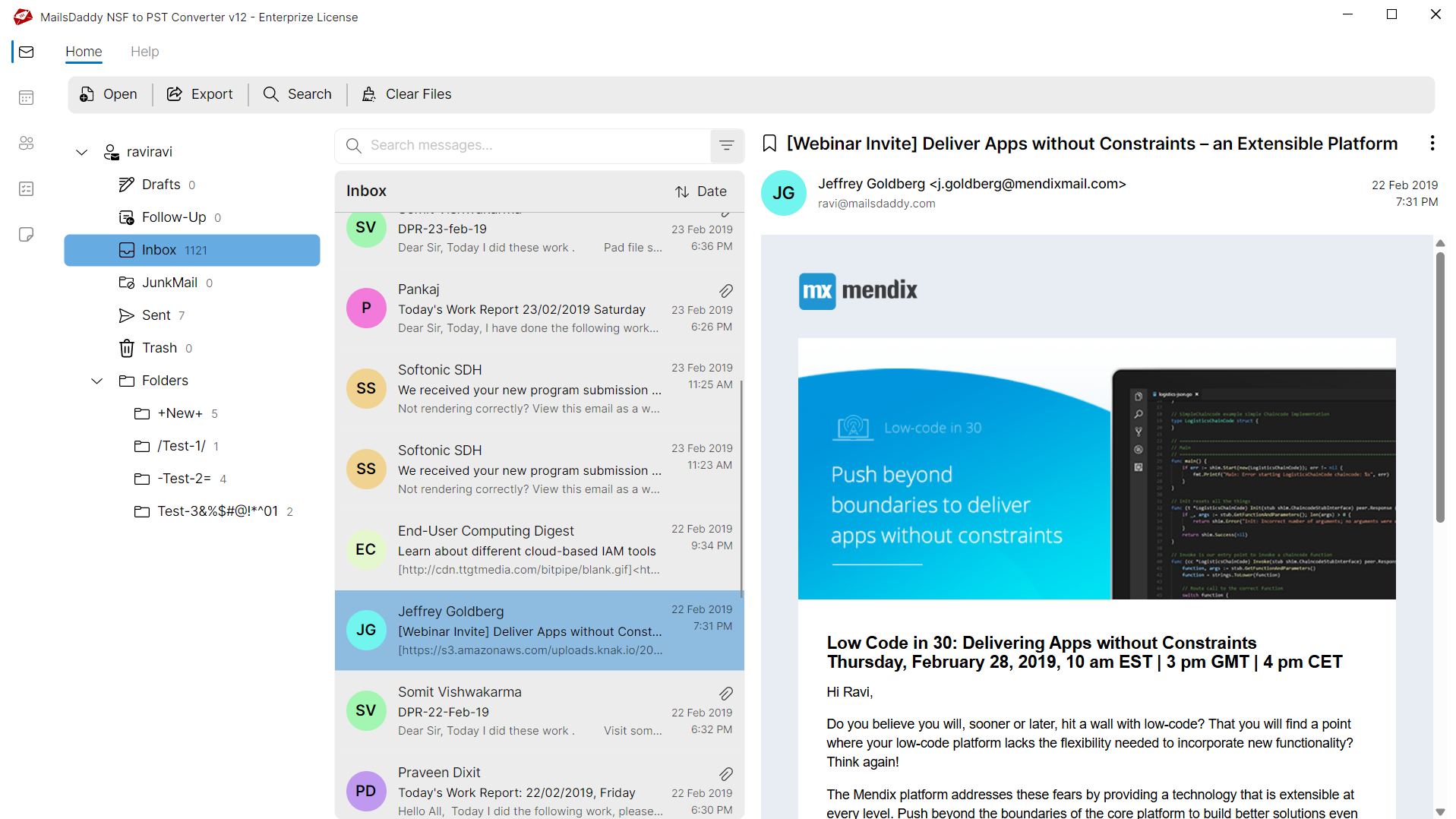
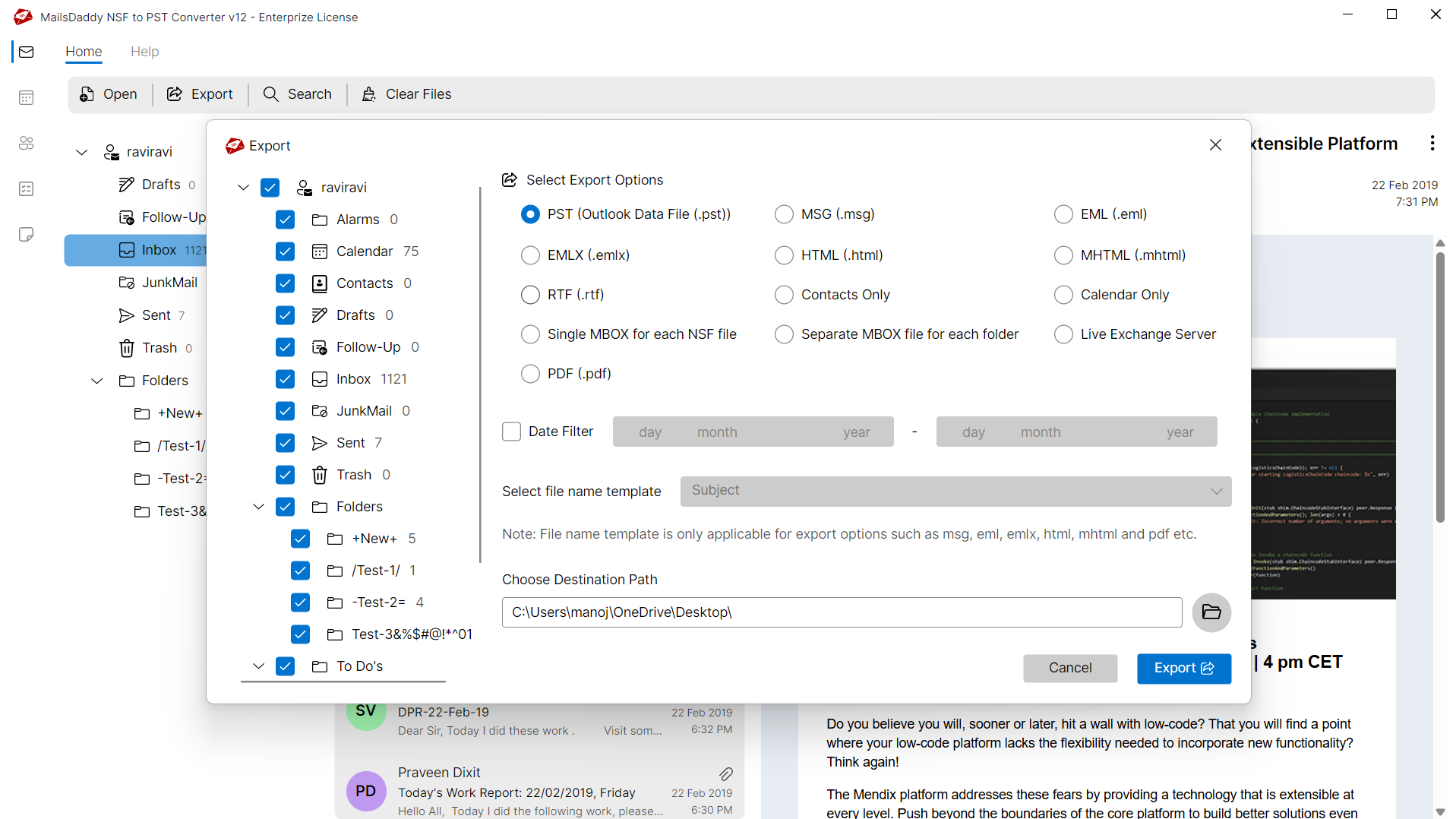
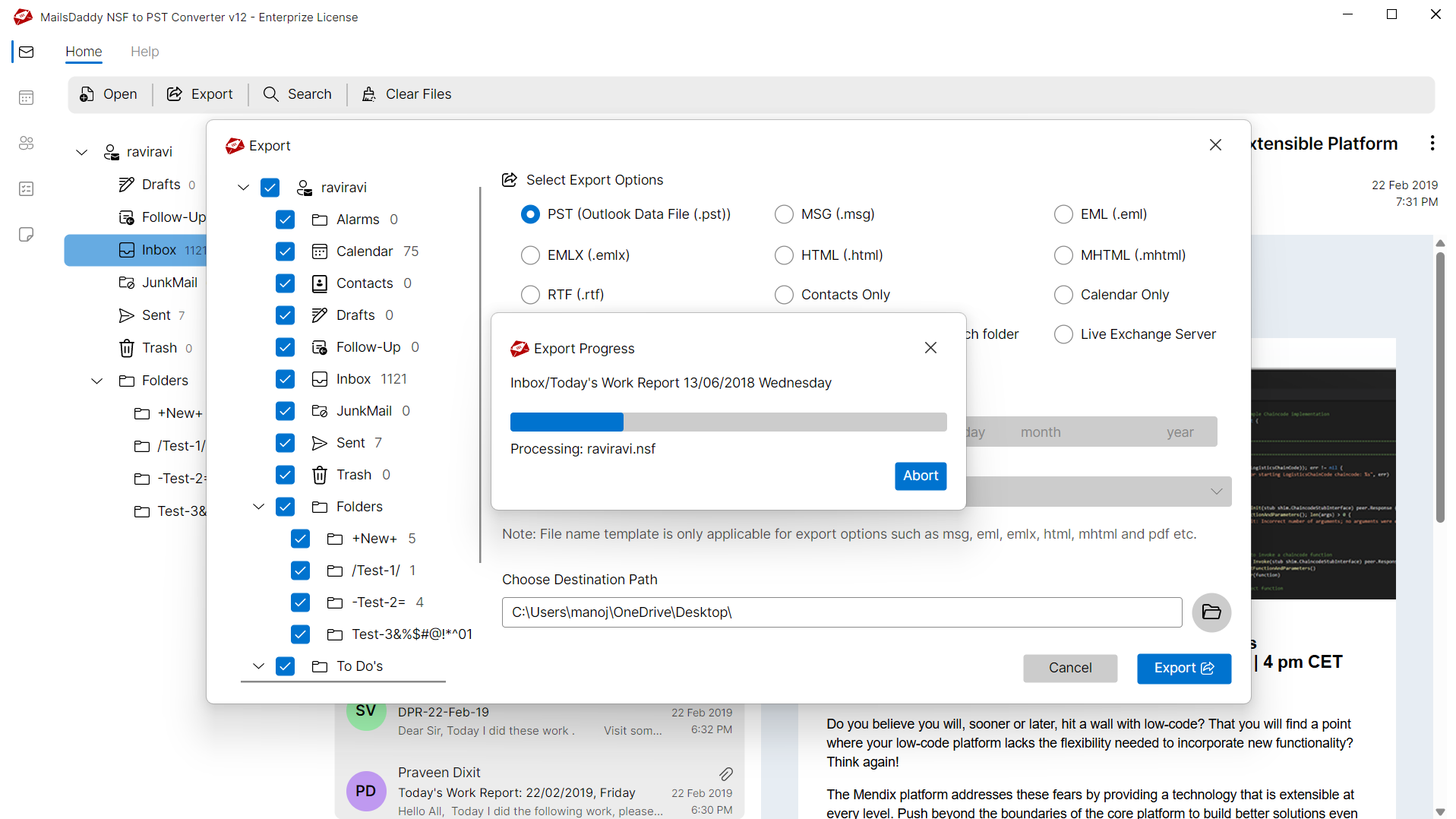
Looking for the complete user manual and working guide?
Explore comprehensive guides for standard PST conversion, search & filter migration, and Live Exchange Server export.
Technical Specifications
Engineered for lightweight footprint, standalone execution, and broad enterprise compatibility for MailsDaddy NSF to PST Converter.
System Requirements
Full support for Windows Server 2022, 2019, 2016, 2012, 2008 & 2003 (32/64-bit)
Platform Support
HCL Notes 12, 11, 10, 9.0, 8.5 & earlier versions without Domino Server
Supported Formats
NSF (Healthy, Corrupted, Orphaned, Large Archives)
Retains 100% attachments, inline images, headers, and metadata
Preserves complete folder hierarchy, read/unread flags, and timestamps
100% Offline & Private
Zero cloud uploads or telemetry. Processing happens strictly within your local machine.
No Outlook Required
Completely standalone engine. Processes NSF files without requiring host email clients.
No File Size Limits
Tested on massive 50GB, 100GB, and 500GB+ enterprise mailboxes with zero crash.
Full Windows Support
Native execution across Windows 11 down to Windows XP & all Windows Server editions.
Trusted by IT teams and professionals worldwide
Explore our client testimonials to see why users trust and recommend our solutions.
“Great experience with MailsDaddy NSF to PST Converter!! I like its Export all calendar and selective folder conversion features. With this software, I converted Lotus notes database files to Outlook 2013 with 100 % success results. Thank you MailsDaddy for amazing software!!!”
Kimberley Williams
“We recently planned to migrate our all employee's mailboxes from the IBM Notes server to Outlook 2016. We think this will be a time-consuming task because the size of the NSF file was very large. But MailsDaddy NSF to PST converter all set in very less time. Goodbye Lotus Notes!!”
Marc PapanIcola
“Ultimate Conversion solution! A handy Lotus Notes to Outlook converter, as it reduced my workload by converting 14 GB NSF file to PST format without losing a single e-mail. The software retains the same data intact with the same formatting as it was in the Lotus Notes NSF file.”
Gordy Pan
Need Help with NSF to PST Converter?
Our dedicated 24/7 technical team is available to assist you with any migration or recovery challenge.
The free demo version lets you preview all items and export up to 20 emails per folder.
Frequently Asked Questions
Find clear answers regarding the NSF to PST Converter conversion process, file compatibility, and recovery features.
Follow these steps to export IBM Notes NSF files to Outlook PST:
Start migrating with NSF to PST Converter today.
Download the free trial and inspect your recovered mailbox in minutes.