MailsDaddy Thunderbird to Office 365 Migration
An Automated solution that exports Thunderbird mailbox in Office 365 environment. The software helps to migrate multiple or batch mailboxes to Office 365 Primary, Shared and In-place Archive mailbox at once.
- Auto-load & Browse option to load multiple mailboxes into the app.
- Migrate Thunderbird to Exchange Online with complete mail properties and Attachments.
- Show preview of each selected email along with their attachments.
- An Independent tool to export Thunderbird to Office 365.
- Find particular email by using different search criteria: To, From, etc.
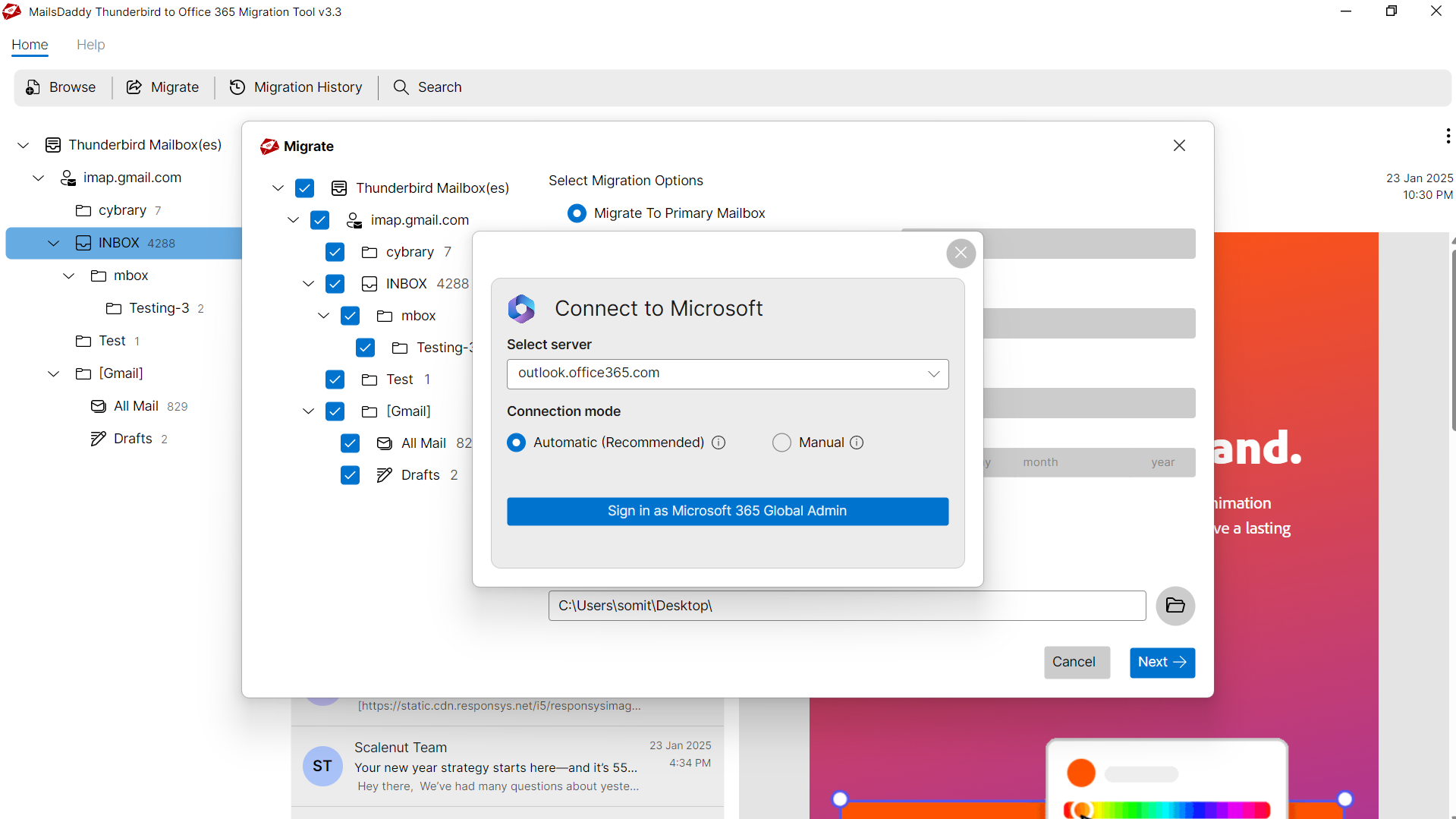
- Secure login Window for Office 365 & Exchange On-premise users.
- Export Thunderbird mail to Primary or Archive mailbox with the original folder structure.
Certified & Highly Reviewed By Leading Software Authorities
Award-Winning & Recommended by Independent Editors
Accurate Review - Thunderbird to Office 365/Live Exchange
Accurate Review has put MailsDaddy on its platform by searching in every corner of the tools. It is a high-quality comparative platform as demonstrated by its name. Through this, 9 for the usability of each software, also 9 for speed, 8 for features, and 8.5 for support and prizing. Its ability has also been judged by the expert to get successful results on Windows operating system, so you can be sure that you can easily import a large Thunderbird mailbox to Office 365 in a single go.
Best Migration Tool - Thunderbird to Office 365
Saashub is a decent platform for adding software and presenting a genuine review. In this, the MailsDaddy Thunderbird to Office 365 converter has been said to be a successful solution for the user by giving full points (5/5). In this, the dual-load option allows data to be loaded even in the absence of Thunderbird and can be processed for primary and In-place archives.
Read Review on CNet - Thunderbird to Exchange Online
If you go to the CNet review website, you can also see the review for the Thunderbird to Outlook 365 conversion tool. This platform displays votes for a large number of software. This solution has been awarded the Editor's Choice Award for 2019. Software testing has concluded that this solution is easy to migrate data of mailboxes as well as maintain their prior structure. If you want to know more about this review then you can find out its official website.
Features of the Thunderbird to Office 365 Migration
Enterprise-grade recovery and conversion, packed into a simple desktop app — no technical expertise or Exchange server required.
Automatically load Thunderbird files
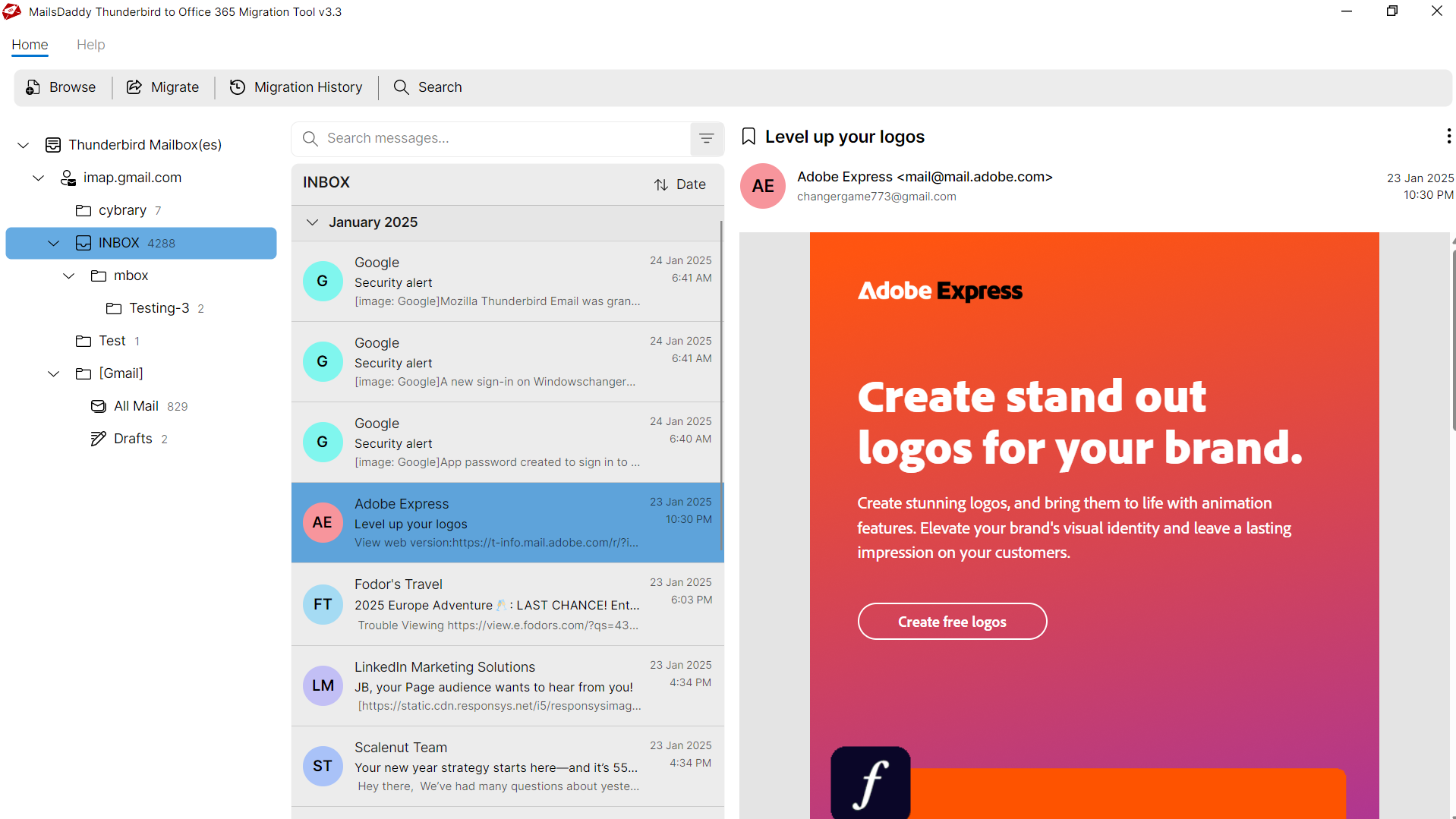
Thunderbird to Office 365 migration tool allows users to load multiple mailboxes into the application automatically. After adding the mailbox, it scans all the folders and generates the original folder structure in the left pane with the total number of count.
Convert Batch Thunderbird files to Office 365
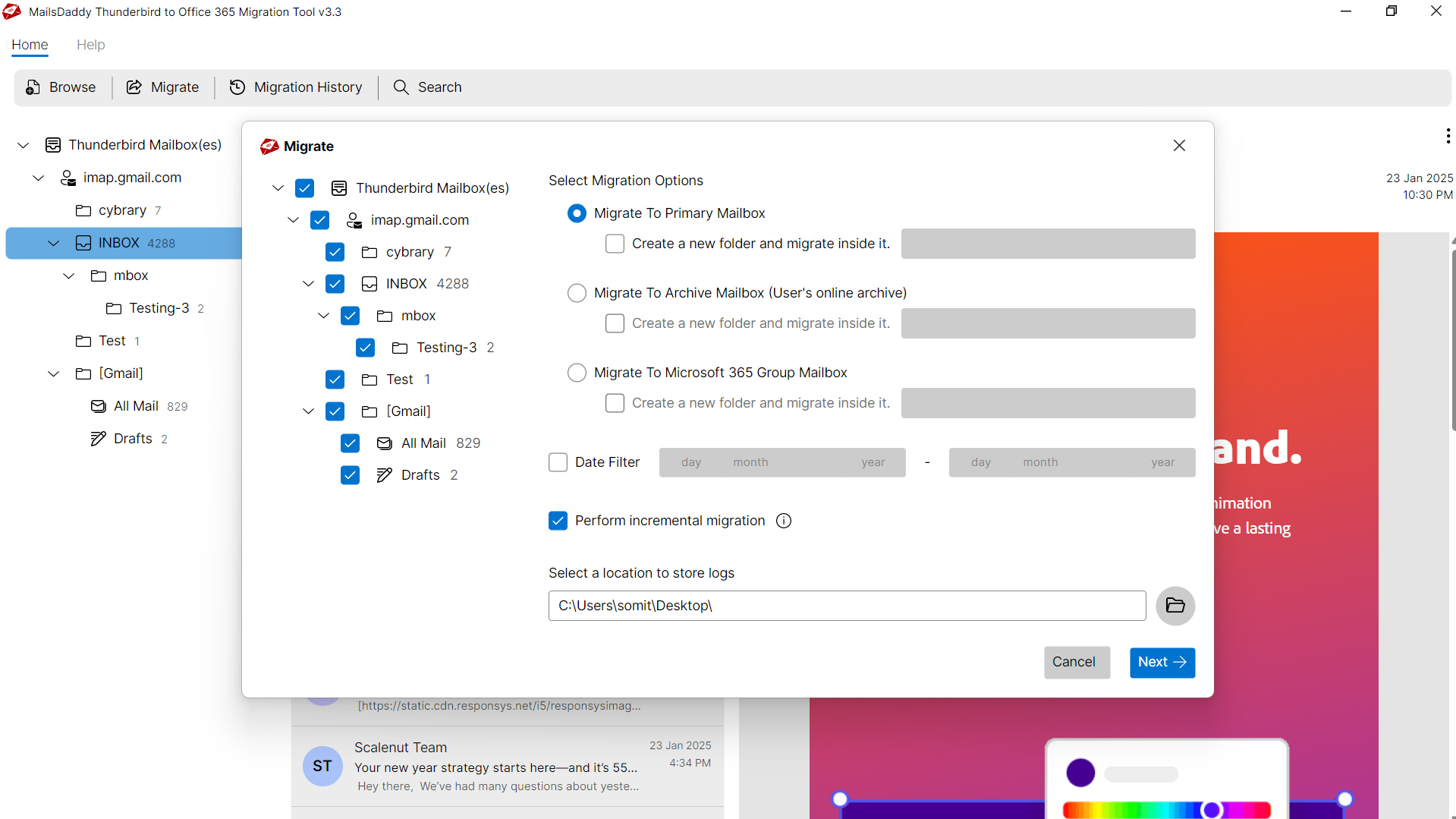
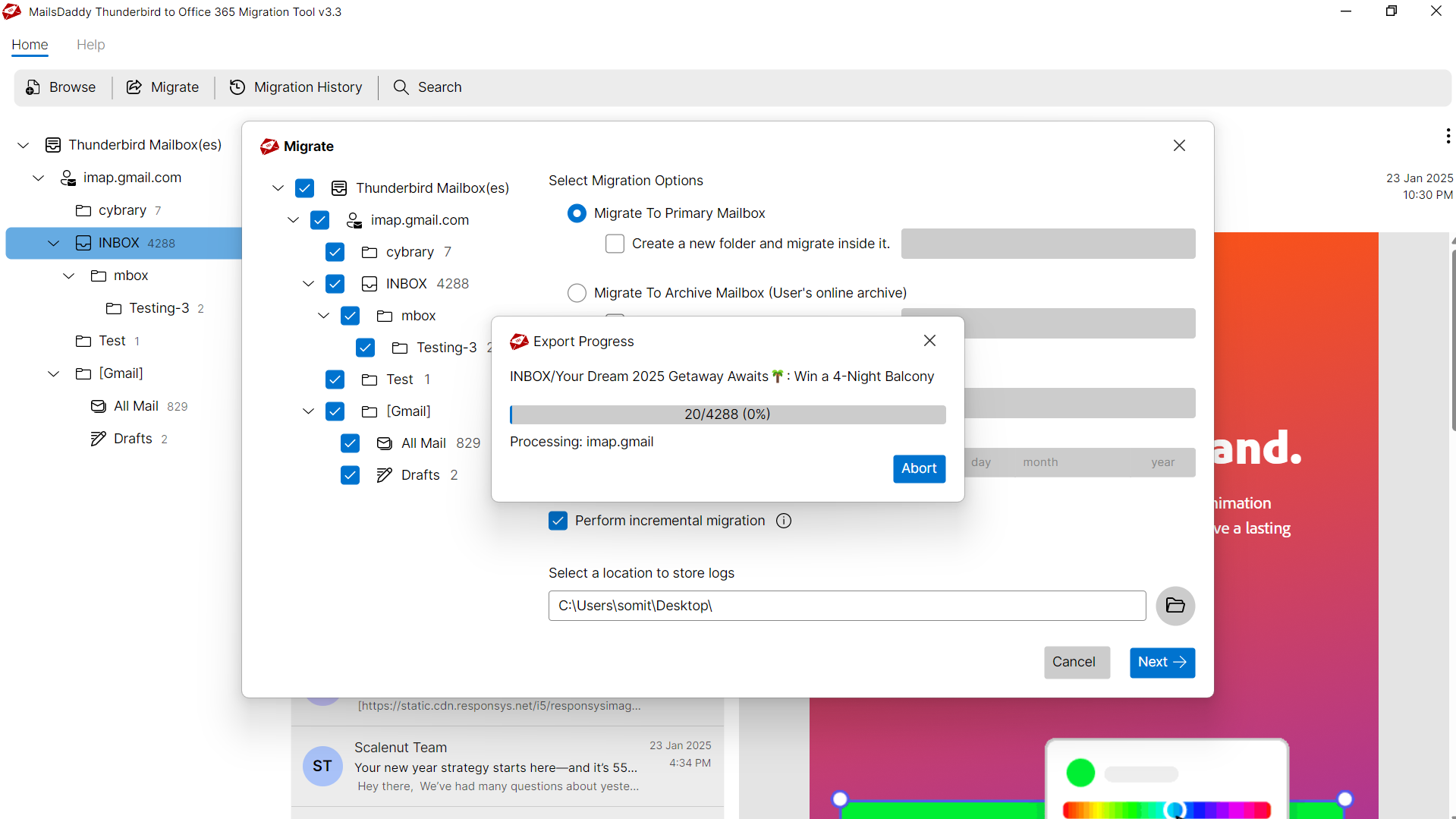
The utility allows the conversion of multiple Thunderbird mailboxes to Office 365 account. It's easy to load and select multiple mailboxes in the app, which you want to export to O365 or Exchange on-premise. After this, click the Export button to upload a mailbox to the cloud.
Keeps Folder Infrastructure & Attachments
Thunderbird to Exchange Online software always follows the programming algorithm so it maintains the folder hierarchy, rich text, headers, inline images, and attachments from the start point of conversion up to the end.
Show Preview of Thunderbird Mailboxes
Before migrating Thunderbird to Office 365, the application generates the original preview of loaded mailboxes or folders. Click on particular mail to view the information and related attachments in the right-side panel.
Open messages with attachments in O365
If you are looking at a solution that is to open Thunderbird emails to Office 365 cloud platform with the mail property and attachments, this application is a good match for your needs.
Migrate Thunderbird to Exchange On-premise
The tool facilitates actively transfer data from Thunderbird to Exchange on-Premises. It also keeps a similar folder structure, header, inline images, and attachments after importing Thunderbird to Exchange.
Import Thunderbird to Office 365 using Search feature
Thunderbird to Office 365 software has advanced features of search through which users can find the specific email. We sorted the search criteria in different areas such as, To, Cc, Subject, From, etc.
Upload Thunderbird to Outlook.com
The software is deployed in a much better way, it requires only credentials to import Mozilla Thunderbird email to Outlook.com so that Thunderbird emails can be transferred to Outlook.com with attachments and other details.
Export selected emails from Thunderbird to OWA
Via this solution, you can easily export the selected Thunderbird files to Exchange Online. For that just choose the contain mail folder that you want to export in O365 and click on the export button.
Move Thunderbird to Office 365 Primary Mailbox
With this powerful option, users can migrate Thunderbird data to Office 365 primary mailbox with a folder name and manage Inbox, Draft, Sent, Outbox folders, etc. in a single new folder.
Migrate Emails from Thunderbird to Office 365 Archive Mailbox
It does not export only in the primary mailbox rather user can export the data from Thunderbird to Office 365 archive mailbox. It also creates a new folder and imports all the data inside it.
No PowerShell is required to convert Thunderbird to Outlook 365
There is no need to learn any complex commands like PowerShell. The device is designed with an advanced algorithm that allows the user to migrate Thunderbird mailboxes to Office 365 platform without using any PowerShell command.
Eye-Catching Features of MailsDaddy Thunderbird to Office 365 Migration software
Migrate All TB mailbox to O365 at Once
The file number or size of the Thunderbird mailbox does not matter here. So users can easily migrate more than one mailbox at a time. Using the batch migration features of the Thunderbird to Office 365 tool, it does not take too long to export the entire selected mailbox to the Office 365 platform. This feature saves users time and effort without any shuffle and also gives quick results.
- The file number or size of the Thunderbird mailbox does not matter here.
- So users can easily migrate more than one mailbox at a time.
- Using the batch migration features of the Thunderbird to Office 365 tool, it does not take too long to export the entire selected mailbox to the Office 365 platform.
Preview & Safe Login panel
The facility of previews is to ensure the user that the mail is migrating to Office 365 with complete information. Folder structure, email, and previews are displayed in three panels here. Another special facility makes it safe to export data from Thunderbird to Office 365 via the secure login panel, allowing you to easily migrate mailboxes without saving login credential.
- Generates a detailed summary log recording items converted and duration.
- Records start time, total message counts, and destination paths.
- Provides a verifiable audit trail for enterprise IT compliance.
Export Everything you have in Thunderbird Mailbox
Every folder hierarchy, email header, MIME attribute, and embedded attachment is processed with 100% bit-exact fidelity.
Emails & Properties
TB mailbox holds data in MBOX or Maildir files format (as per use...
TB mailbox holds data in MBOX or Maildir files format (as per users requirement) in both situation, the software easily export the emails with relevant information like:
Supported Elements & Formats:
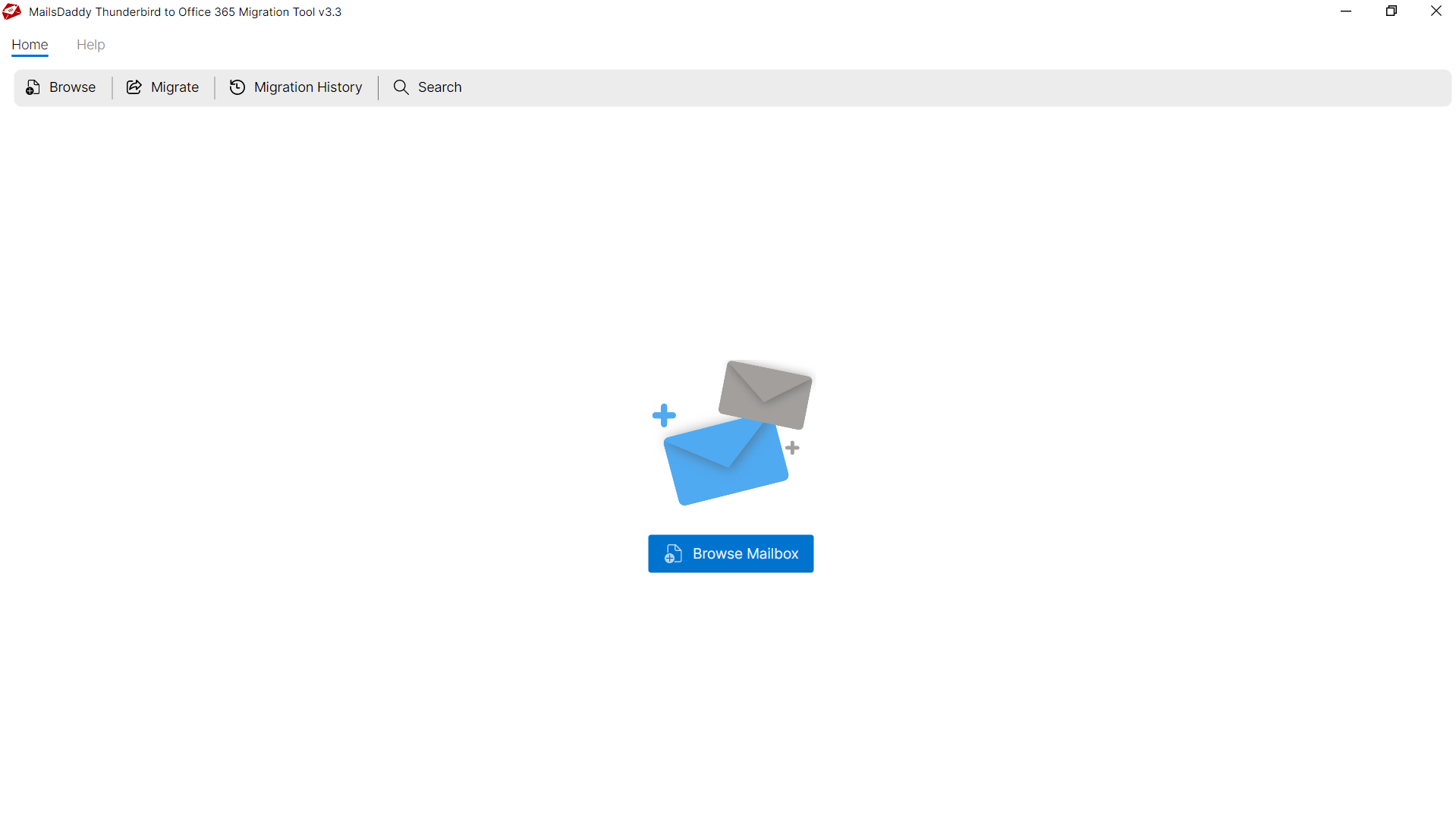
Convert THUNDERBIRD to OFFICE-365 in 5 Simple Steps
No technical skills needed. Watch each step in the live software interface or click any step below.
Looking for the complete user manual and working guide?
Explore comprehensive guides for standard PST conversion, search & filter migration, and Live Exchange Server export.
Technical Specifications
Engineered for lightweight footprint, standalone execution, and broad enterprise compatibility for MailsDaddy Thunderbird to Office 365 Migration.
System Requirements
Full support for Windows Server 2022, 2019, 2016, 2012, 2008 & 2003 (32/64-bit)
Platform Support
Mozilla Thunderbird 115+, 102+, 91+, and all legacy Windows/Mac profile exports
Supported Formats
THUNDERBIRD
Retains 100% attachments, inline images, headers, and metadata
Preserves complete folder hierarchy, read/unread flags, and timestamps
100% Offline & Private
Zero cloud uploads or telemetry. Processing happens strictly within your local machine.
No Outlook Required
Completely standalone engine. Processes THUNDERBIRD files without requiring host email clients.
No File Size Limits
Tested on massive 50GB, 100GB, and 500GB+ enterprise mailboxes with zero crash.
Full Windows Support
Native execution across Windows 11 down to Windows XP & all Windows Server editions.
Trusted by IT teams and professionals worldwide
Explore our client testimonials to see why users trust and recommend our solutions.
“Awesome solution guys, you made my day greate. I have successfully exported 30 mailboxes to Office 365 account. This is the best tool that i used. Thank you very much MailsDaddy.”
Jack
“I've used MailsDaddy products for the last two years and it's a long time. We are always grateful to you for providing such an accurate solution. And this solution Thunderbird to Office 365 Migration Tool is also a great solution.”
Ama Dwayn
“I used this tool twice and it always did a great job. Tell me how you did it; this is a perfect solution for Thunderbird user.”
Vik Ryan
Need Help with Thunderbird to Office 365 Migration?
Our dedicated 24/7 technical team is available to assist you with any migration or recovery challenge.
The free demo version lets you preview all items and export up to 20 emails per folder.
Frequently Asked Questions
Find clear answers regarding the Thunderbird to Office 365 Migration conversion process, file compatibility, and recovery features.
You can migrate Thunderbird to Office 365 with your existing huge data. Tool has no file size limit, it has been already tested on large mailboxes.
Start migrating with Thunderbird to Office 365 Migration today.
Download the free trial and inspect your recovered mailbox in minutes.