MailsDaddy PST Password Remover
Best and risk-free PST Password Remover solution that allows the Outlook user to break or unlock Outlook data file password in a few clicks with a hassle-free approach. It ensures how to remove the forgotten password of PST files and change its protection format.
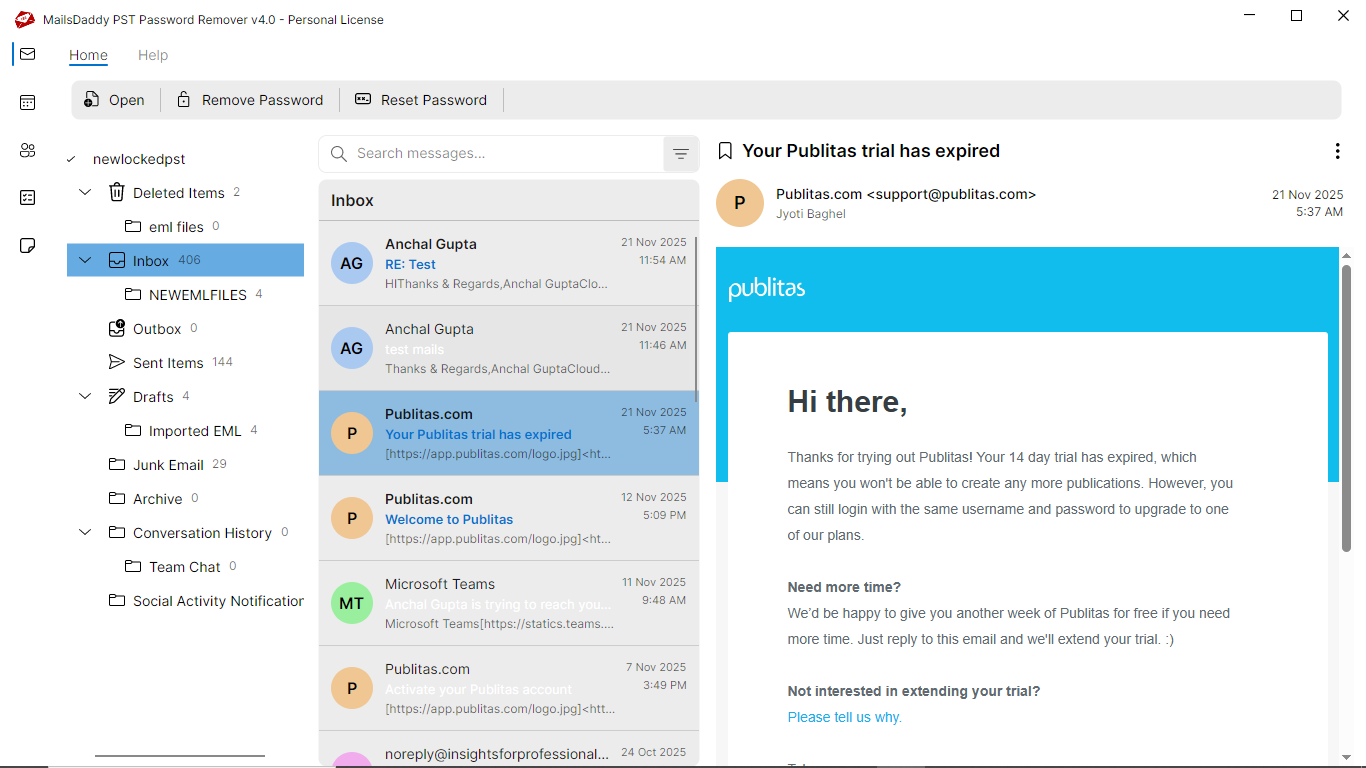
- Generate a clear preview of the folder structure of the PST file.
- Supports all PST files generated by any MS Outlook version.
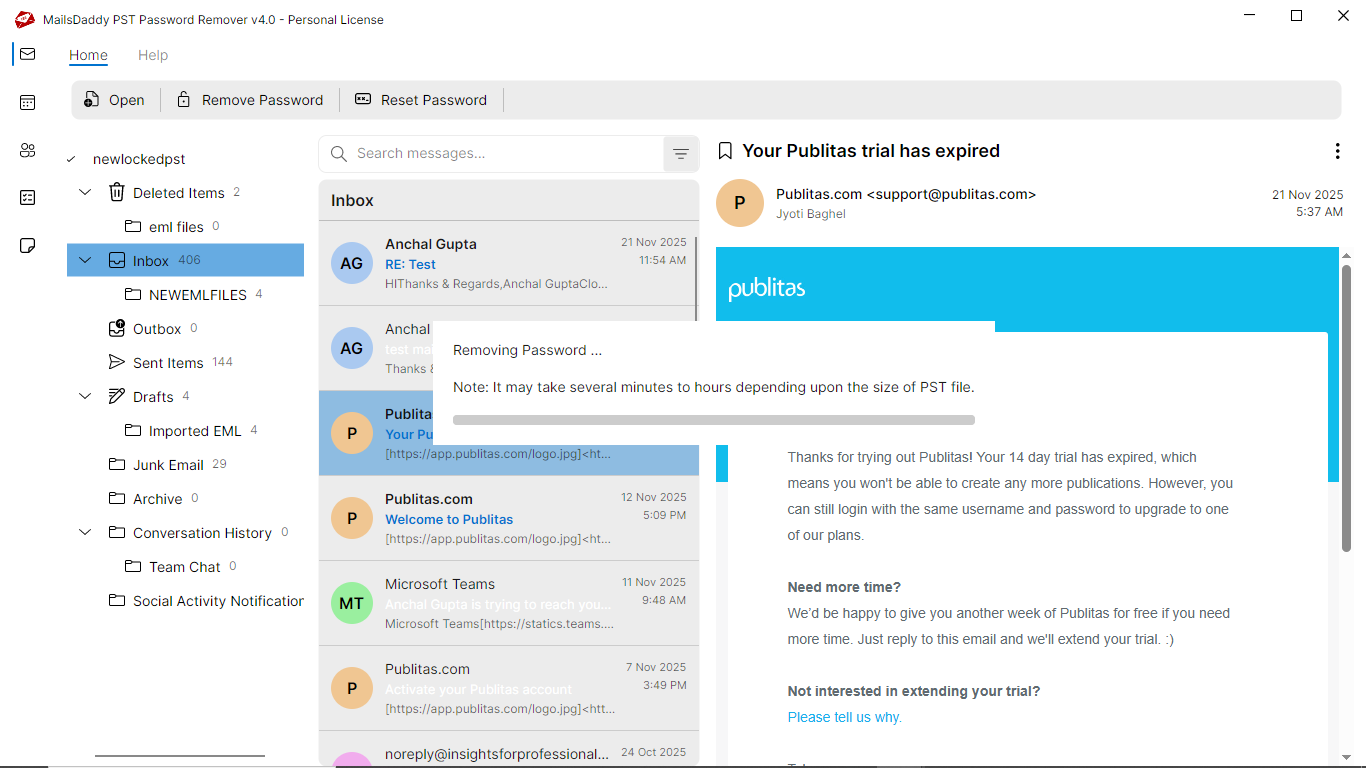
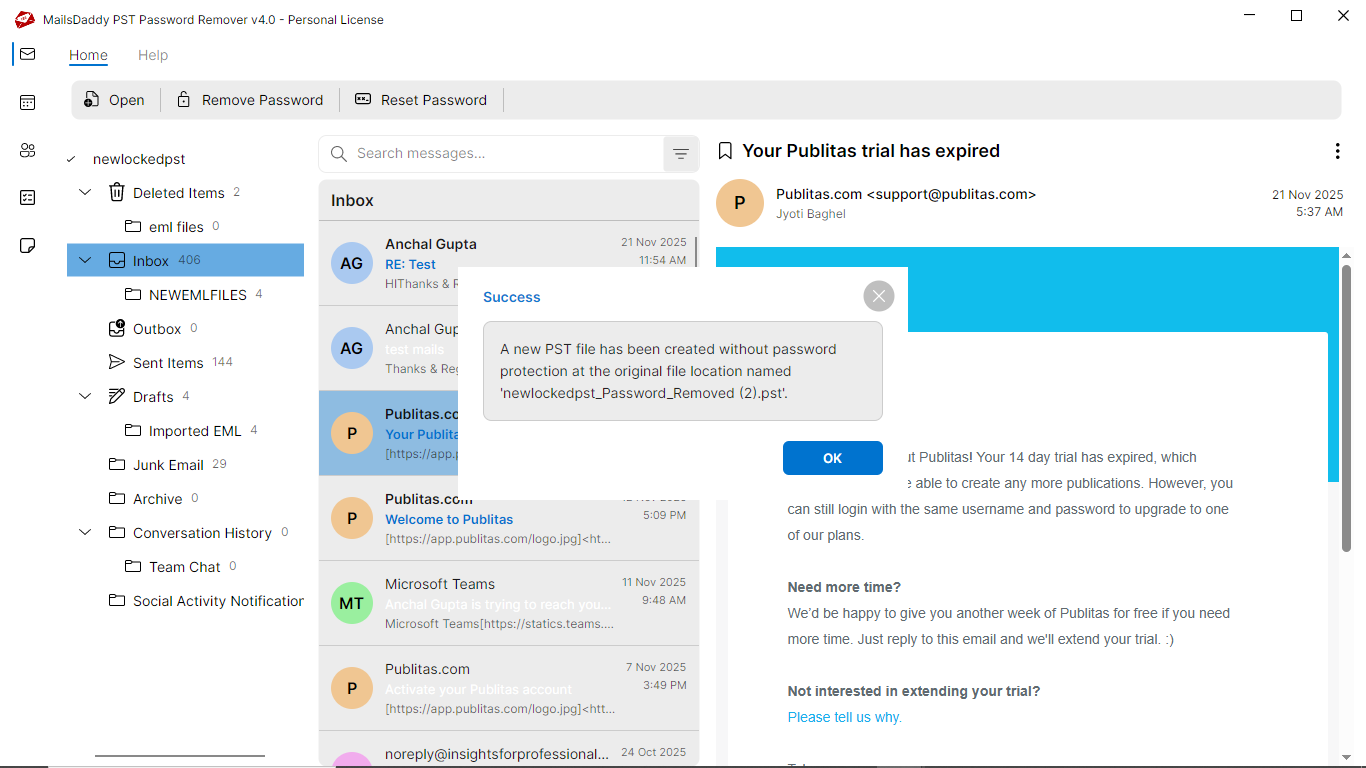
- Remove PST Password protection in a single click process.
- Allowing add new password in-place of a forgotten password.
- Unlock Outlook data file without using an old password in a single click.
- Supports all MS Outlook version as Outlook 2021, 2019, 2016, 2013, 2010, etc. for the quick PST password recovery.
- Outlook is not required to recover or reset the PST password.
- Compatible with all Windows Operating System including Windows 11.
Certified & Highly Reviewed By Leading Software Authorities
Award-Winning & Recommended by Independent Editors
TopShareWare Review – MailsDaddy PST Password Remover
The tool is best to unlock and reset the old PST password in such a manner that it retains its original formatting intact throughout the PST password removal process. It provides a complete result after changing the password from the Outlook data file without any data loss. The Password breaker is embedded with two options- Reset Password and Remove Password. The tool is quite helpful in the situations where you have lost and forgot your data file password of Outlook.
Best PST Password Recovery - SoftwareSuggest Review
Software Suggest rates the MailsDaddy PST Password Remover tool 100% safe and reliable password breaker solution in view of its advanced and highly technical mechanism and working. An efficient solution changes the Outlook data file (.pst) password and bypasses the PST files for accessing their mailbox with the same data properties. Our experts find this solution the best option for a hassle-free PST Password Recovery and given a 5-star rating out of five.
Features of the PST Password Remover
Enterprise-grade recovery and conversion, packed into a simple desktop app — no technical expertise or Exchange server required.
Remove PST Password for Outlook
The MailsDaddy PST Password Remover software easily change the password from the Outlook data file and has enough potentials to break complex password combination.
Reset the Password of PST Files
The PST Password Breaker has additional options that help to add PST file password. For that, one needs to just click on the reset button and then enter the new password without needing old password.
Search PST file from Local Drive
The PST Password Recovery application can find the PST files from your Local directories using the Browse or Search button. You only have to select the location from where you want to search the Outlook PST file.
Easily Unlock PST without MS Outlook
The Outlook Data File password removal Tool is a standalone application that can easily crack the forgotten password of Outlook PST file in a one-go approach without the installation of Microsoft Outlook.
No old PST Password is required
The tool is designed with an advanced algorithm in such a manner that the user can easily reset the PST file password without knowing the current, old or forgotten password input data.
Recovers Multilingual Password
The software has complete support for recovering a multilingual especially English, Dutch, German, & Russian. The tool recovers the password that is generated using alphanumeric characters & special symbols.
No 2GB PST File Size Limitation
There are no 2GB PST file size limits for any Outlook edition to use this solution. The PST Password Unlocker easily recovers the password of huge Outlook PST files. Just browse your large PST file and recover the password in a few clicks.
Maintains formatting
While executing the process to remove PST password the utility easily maintains the whole formatting of the Outlook data file such as folder, sub-folder hierarchy, rich text formatting, HTML formatting, contact details, calendar entries, etc.
Retains Original properties
The tool is enough capable to retain the original database and its key properties like data integrity, accuracy, meta-data properties, recurrence pattern, SMTP name, etc.
Keeps the data file unchanged
While processing the PST Password Recovery approach, the tool keeps all precious email items, calendar items, contact books, meeting timing, appointment schedule unchanged throughout the process.
Windows Operating System Compatibility
The software supports all major Windows editions, including Windows 11, 10, 8, 7, Vista, XP, 2003, 2000. Therefore, you can install the MailsDaddy PST password recovery tool in all earlier or later editions of Windows OS.
Supports All Microsoft Outlook Editions
The PST password reset application easily recovers the password of PST file created in any of the MS Outlook editions like Microsoft Outlook 2021, 2019, 2016, 2013, 2010, 2007, 2003, and 2000.
Eye-Catching Features of MailsDaddy PST Password Remover software
Highly Effective PST Password Recovery Solution
To change any PST file format password, the utility is the best and trustworthy option to opt and execute a process to crack Outlook data file password. It is quite simple to use for a non-professional. It is so effective that until the process is complete, the data in the file is not changed at all.
- Advanced deep scan engine recovers heavily damaged or corrupted mailboxes.
- Extracts healthy and orphaned messages without modifying original files.
- Restores complete folder hierarchy and all embedded attachments.
Integrated with Limitation less feature
Being a standalone application, the password recovery tool is embedded with many magnificent features. The tool amazed the MS Outlook 2013 user with an effective process to unlock the password of a huge PST file. For this tool, the length of password characters doesn't matter, it breaks them in a single approach.
- Being a standalone application, the password recovery tool is embedded with many magnificent features.
- The tool amazed the MS Outlook 2013 user with an effective process to unlock the password of a huge PST file.
- For this tool, the length of password characters doesn't matter, it breaks them in a single approach.
Accurate, Compatible and Supportive Solution
MailsDaddy PST Password Remover tool is an advanced solution that results in the error-free PST password with 100% accuracy and un-alteration. Being an Outlook supportive utility, it is compatible with all Windows OS platforms without any data file format issue and supports all MS Outlook editions.
- Compatible with Windows 11, 10, 8.1, 8, 7, and Windows Server (32/64-bit).
- Supports all Microsoft Outlook editions without requiring Outlook pre-installed.
- Independent standalone utility engineered for high enterprise stability.
Why only this PST Password Remover?
Every folder hierarchy, email header, embedded attachment, contact attribute, and calendar recurrence is processed with 100% bit-exact fidelity.
Data Security
Preserves complete Data Security with zero loss.
Supported Elements & Formats:
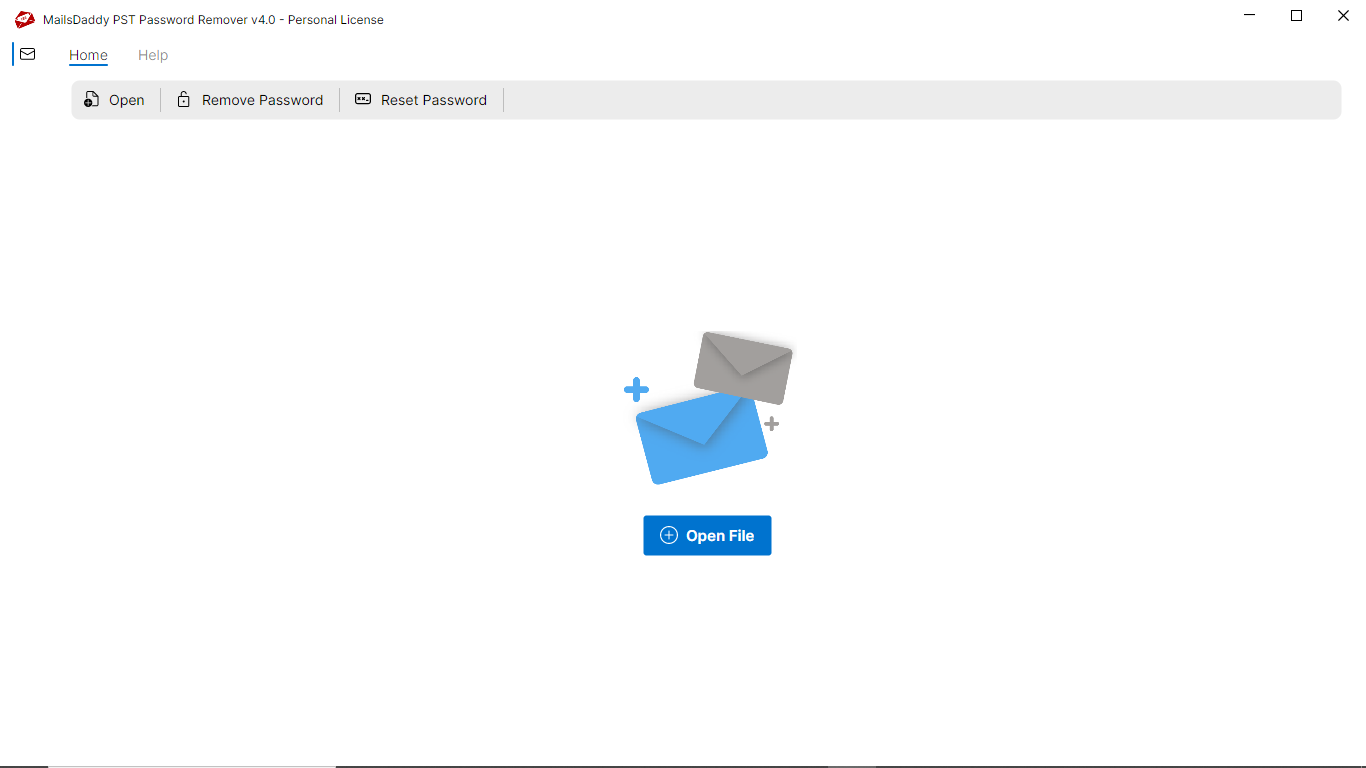
Remove PST Password in 4 Simple Steps
No technical skills needed. Watch each step in the live software interface or click any step below.
Looking for the complete user manual and working guide?
Explore comprehensive guides for standard PST conversion, search & filter migration, and Live Exchange Server export.
Technical Specifications
Engineered for lightweight footprint, standalone execution, and broad enterprise compatibility for MailsDaddy PST Password Remover.
System Requirements
Full support for Windows Server 2022, 2019, 2016, 2012, 2008 & 2003 (32/64-bit)
Platform Support
PST, Microsoft Outlook, Webmail & Desktop Clients
Supported Formats
PST (Healthy, Corrupted, Orphaned, Large Archives)
Retains 100% attachments, inline images, headers, and metadata
Preserves complete folder hierarchy, read/unread flags, and timestamps
100% Offline & Private
Zero cloud uploads or telemetry. Processing happens strictly within your local machine.
No Outlook Required
Completely standalone engine. Processes PST files without requiring host email clients.
No File Size Limits
Tested on massive 50GB, 100GB, and 500GB+ enterprise mailboxes with zero crash.
Full Windows Support
Native execution across Windows 11 down to Windows XP & all Windows Server editions.
Trusted by IT teams and professionals worldwide
Explore our client testimonials to see why users trust and recommend our solutions.
“Thanks a lot, MailsDaddy!! You have saved me from falling in the disaster situation. I don't know why I am not able to open my locked PST file. Maybe I have forgotten the password. Then I tried the MailsDaddy PST Password Removal Tool that worked like a charm for me.”
Amanda M Potter Cole
“The tool has saved me from losing all my important data as I have forgotten the password of my PST file and don't know How to unlock this PST file. After searching for a while on Google, I found the Tool that has unlocked my PST file within a single click.”
Nora Firestone
“Thumbs Up for the MailsDaddy PST File Unlocker Tool!! This is one of the simplest tools I have ever found to break the forgotten PST password. I am thankful to the development team for providing such a portable PST password recovery at affordable prices.”
John Barbuto
Need Help with PST Password Remover?
Our dedicated 24/7 technical team is available to assist you with any migration or recovery challenge.
The free demo version lets you preview all items and export up to 20 emails per folder.
Frequently Asked Questions
Find clear answers regarding the PST Password Remover conversion process, file compatibility, and recovery features.
Yes, The PST Password Remover supports the PST file of all MS Outlook editions.
Start migrating with PST Password Remover today.
Download the free trial and inspect your recovered mailbox in minutes.