Working Guide Of The Tool
Working Guide of the PST Attachment Extractor to perform save attachment of PST file in bulk
How to Extract Attachments from PST file? (5 Steps)
Click on any screenshot to view full resolution.
Launch the software
Launch the software

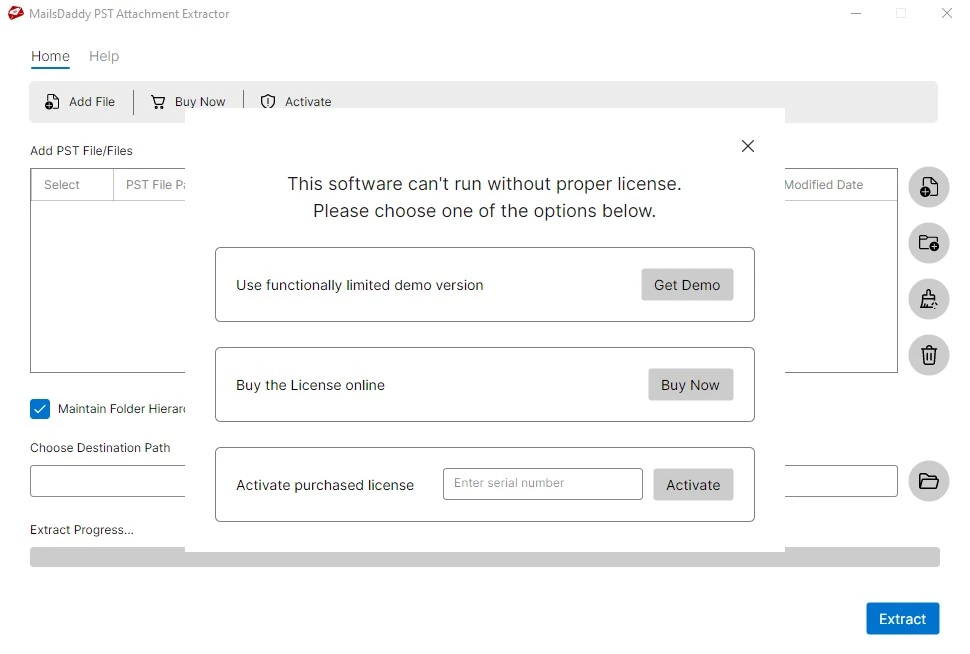
Activate free or full version of MailsDaddy PST Attachment Extractor
Activate free or full version of MailsDaddy PST Attachment Extractor
Step 3: Complete Operation
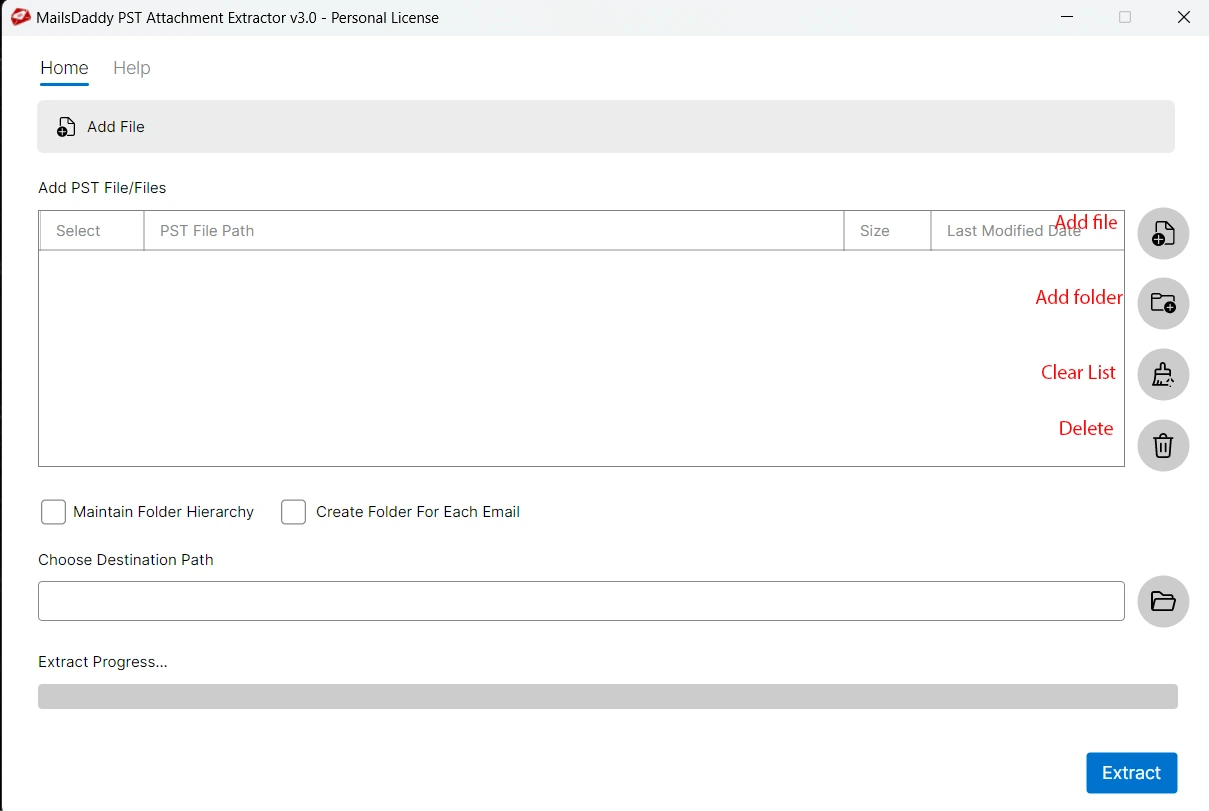
The software interface has multiple features like Add PST, Add Folder, Clear List, Maintain hierarchy etc. Note: If you want to add PST file then Click on 'Open' and if you want to add the folder where all PST file is saved, so click on Add Folder.
Step 3: Complete Operation
Once you add PST file then give the destination path where you want to Save the Attachments Note: If you want to save the all attachment in a single folder, then uncheck the Maintain Folder Hierarchy option. Another option is to save attachment by email folder.
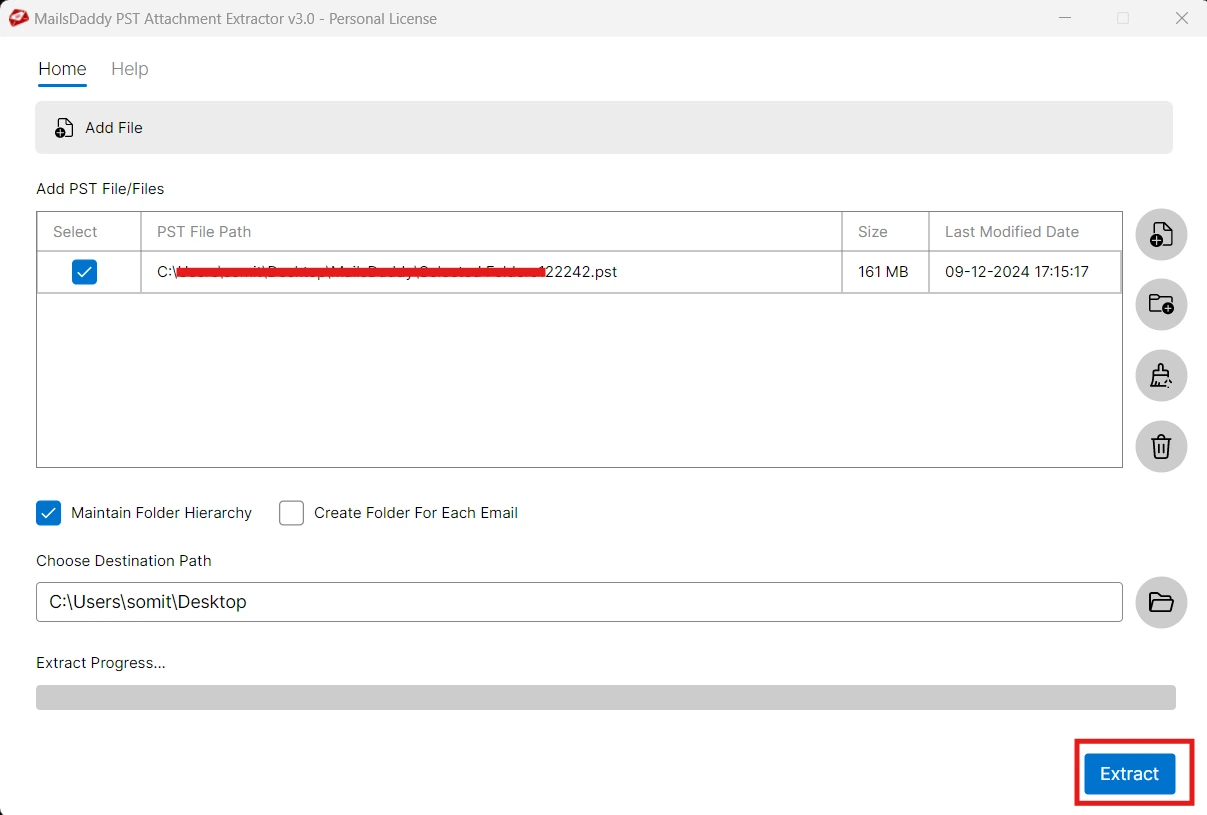
When you done, just click on Extract button to extract the selected PST files
When you done, just click on Extract button to extract the selected PST files
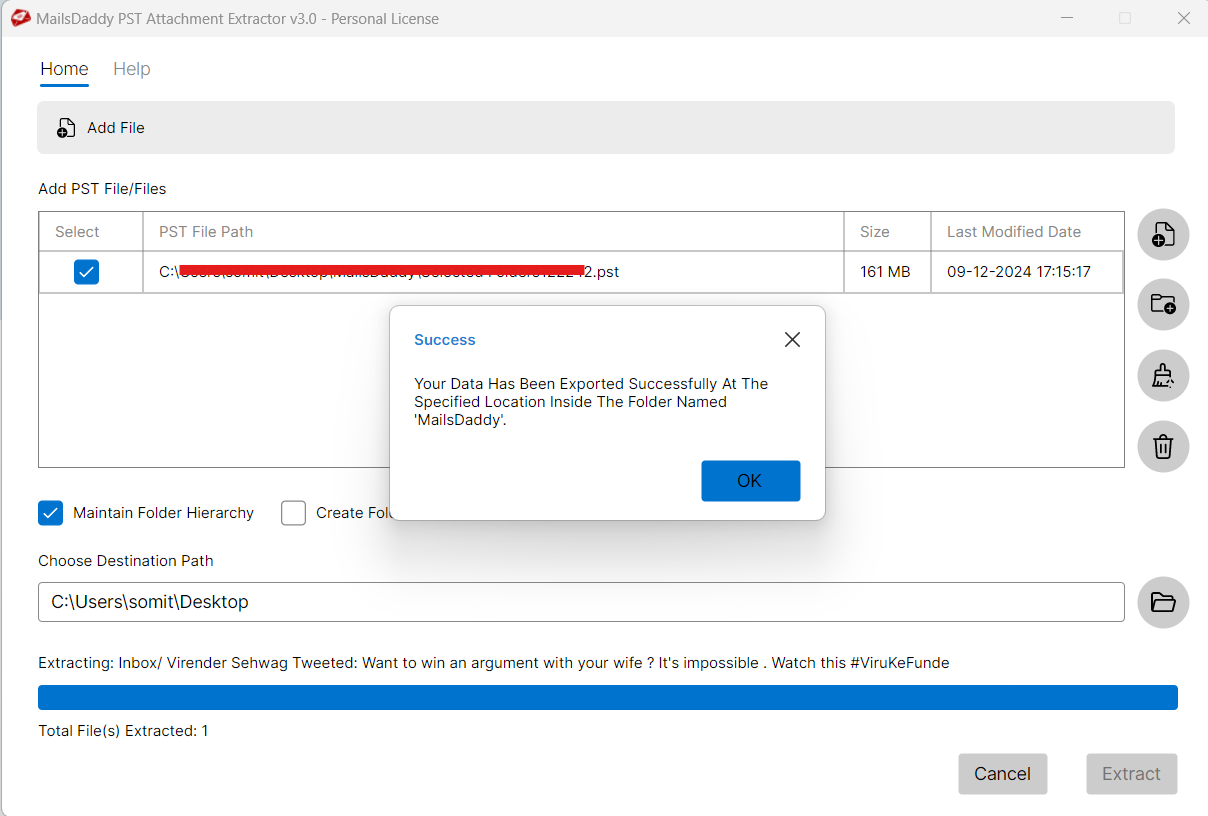
Ready to Start with PST Attachment Extractor?
Download the free trial version to preview all mailbox items or buy the full license for unlimited conversion.