Convert OST to PDF File Format
MailsDaddy OST to PDF Converter is a smart and reliable solution to convert Outlook OST emails into Adobe PDF documents. The software allows users to export emails from healthy, orphaned, inaccessible, and corrupted OST files while preserving the original folder hierarchy, email formatting, and metadata within the generated PDF files. The converted PDF files can be easily viewed, shared, printed, and archived on any device without requiring Microsoft Outlook.
- Scan and convert Outlook OST files directly to PDF format.
- Preview mailbox folders, emails, and attachments before conversion.
- Support healthy, orphaned, inaccessible, and corrupted OST files
- Preserve folder hierarchy, email formatting, and internet headers.
- The best solution to extract PDF file without Outlook installation.
- No Outlook installation required to convert OST to PDF Format
- Also Converts OST to PST, EML, MSG, MBOX, RTF, and HTML format.
- Compatible with Windows 11, 10, 8.1, 8, 7, Vista, and XP (32-bit & 64-bit)
- The tool supports OST file created in Outlook 2021, 2019, 2016, and others
Certified & Highly Reviewed By Leading Software Authorities
Features of the Convert OST to PDF File Format
Enterprise-grade recovery and conversion, packed into a simple desktop app — no technical expertise or Exchange server required.
Search or Browse OST Files
With help of this advaned software users can manually browse offline OST files from any location. The OST file converter tool perfectly fetches add complete OST files from local directories
Preview Complete Database
The OST to PDF Converter displays all mailbox folders and items before conversion. Users can preview emails, contacts, calendars, tasks, notes, journals, and attachments to verify the data before exporting.
Convert OST File to PDF
After previewing mailbox data, users can export selected folders or the complete OST file emails into PDF format. The software ensures accurate conversion while preserving all email attributes.
Support Corrupted OST Files
The application is capable to scan and fix corrupted and inaccessible OST files. So this excellent tool will let you access complete data from corrupted OST files.
Multiple Export Options
Apart from PDF, users can convert OST file into PST, EML, MSG, MBOX. RTF, HTML, & Exchange Server. It also extract Outlook contacts in CSV and calendar details in ICS format.
Advance Mail(s) Search
This software offers an advanced search option to find out a specific message from the selected OST file and export them into PDF, and other given options.
Preserve Folder Hierarchy
OST to PDF Converter maintains the original folder structure, subfolders, and mailbox hierarchy during the conversion process, making it easy to locate emails after export.
Supports Large OST Files
The application efficiently handles large OST files without performance degradation. Users can convert large mailbox databases into PDF documents without file size limitations.
Batch OST to PDF Conversion
Users can add multiple OST files and convert them simultaneously. This bulk conversion capability significantly reduces processing time for organizations and administrators.
Standalone Conversion Utility
The software performs OST to PDF conversion without requiring Microsoft Outlook, Exchange Server, or any additional application installation.
Export Date Range Emails
Users can export emails from a specific time period by applying date filters before conversion. Put the start & end date and convert OST to PDF
Compatibility with Windows
It supports Windows 11, Windows 10, Windows 8.1, Windows 8, Windows 7, Vista, XP, and Windows Server editions in both 32-bit and 64-bit environments.
We Convert All Data from OST to PDF Format!
Every folder hierarchy, email header, formatting, and message structure is preserved with 100% bit-exact fidelity into PDF documents.
Email Messages & Metadata
Complete email fidelity with zero loss
MailsDaddy OST Converter for Outlook offers an ideal solution to convert OST emails while preserving all email properties. The software always maintains the original folder structure and keeps the original formatting of the email body.
Supported Elements & Formats:
Convert OST to PDF in 4 Simple Steps
No technical skills needed. Watch each step in the live software interface or click any step below.
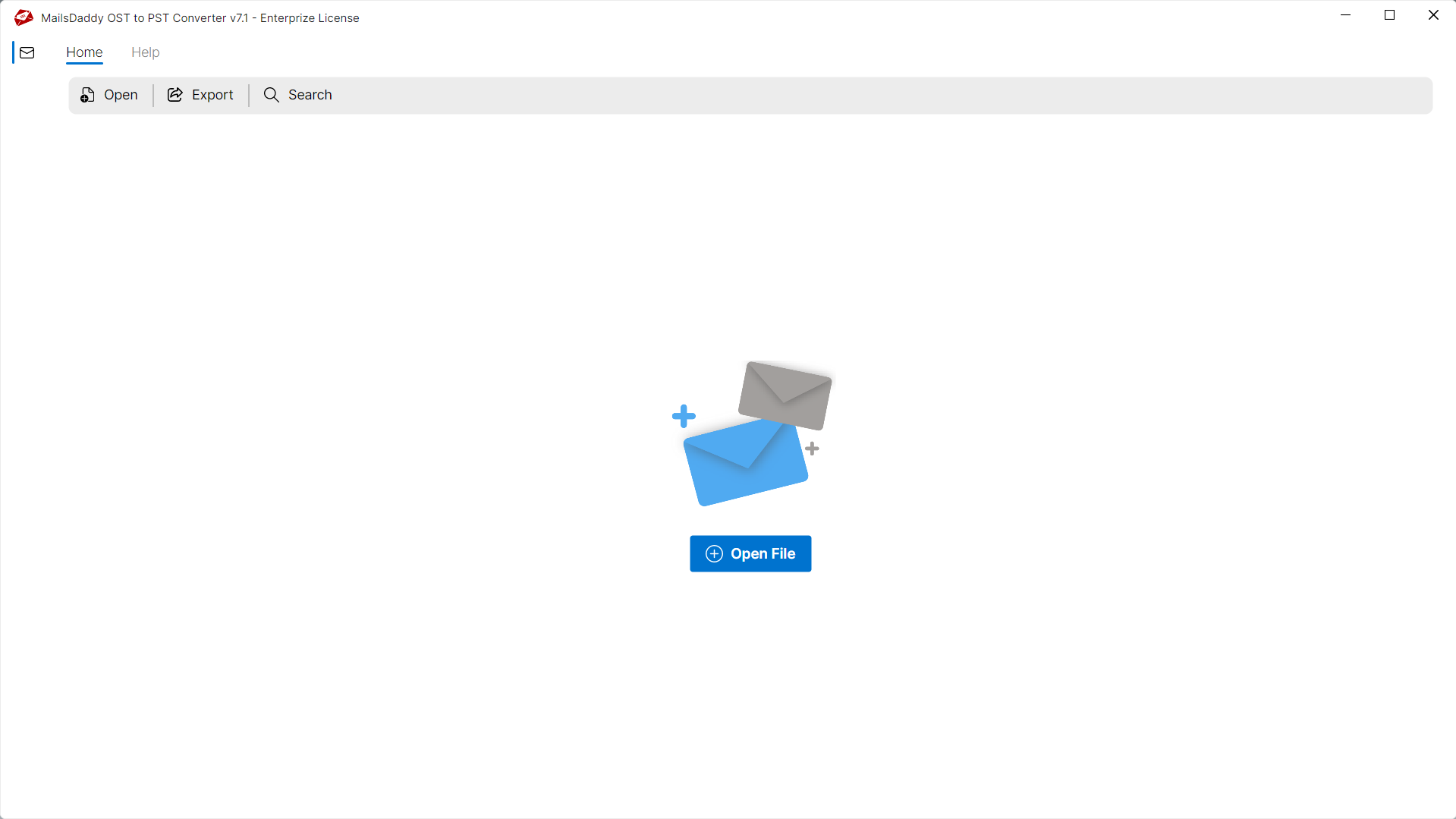
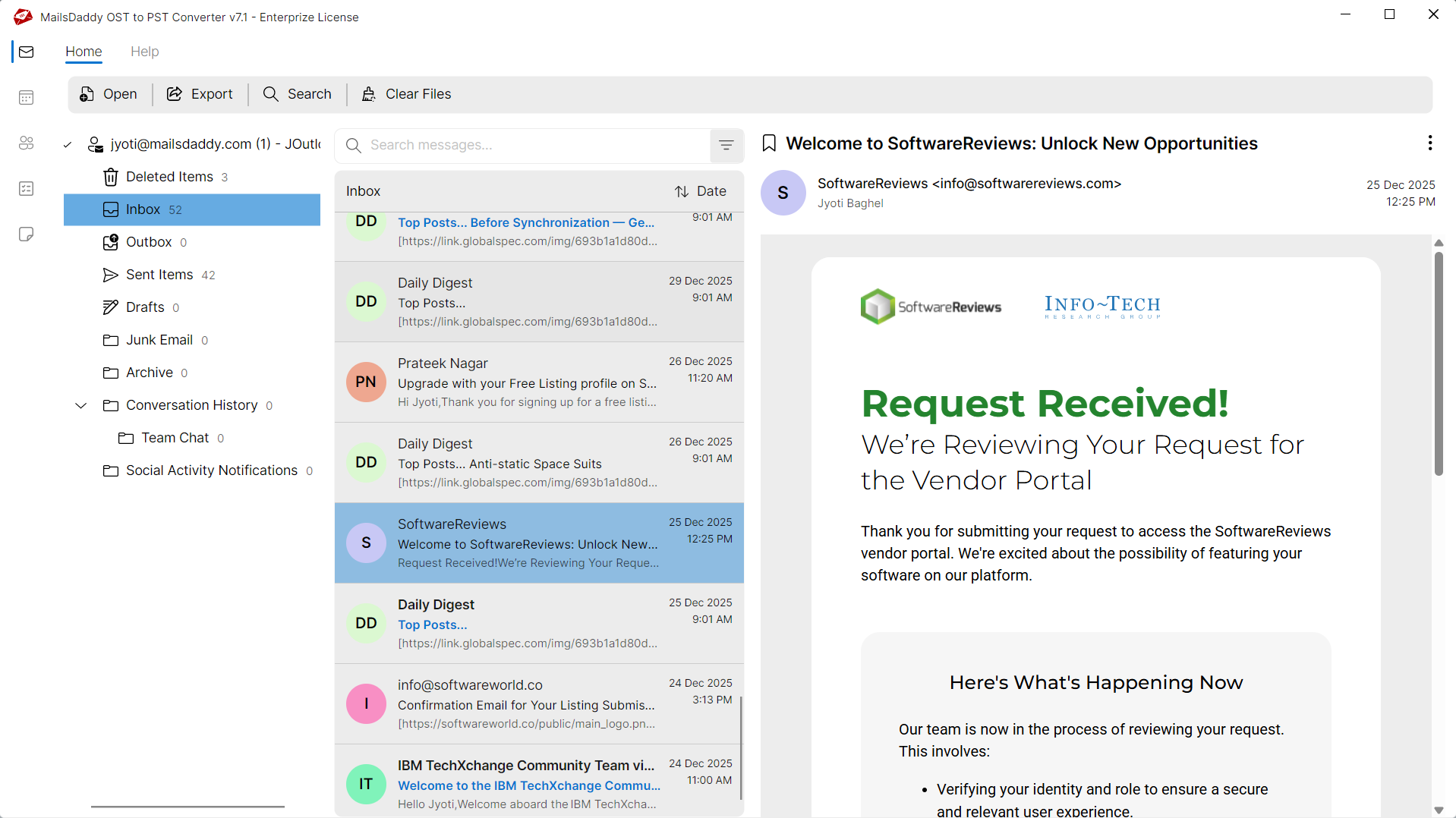
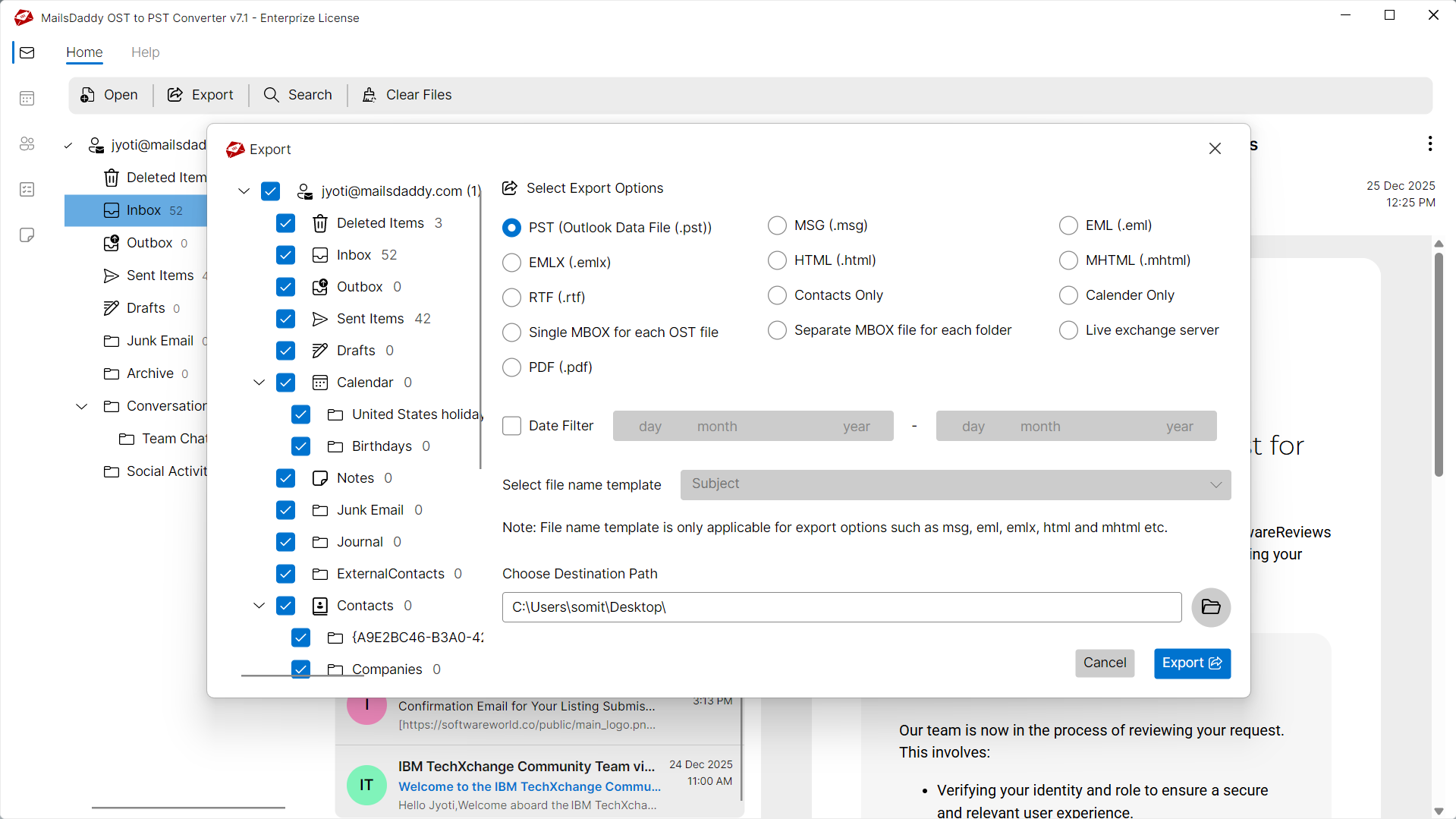
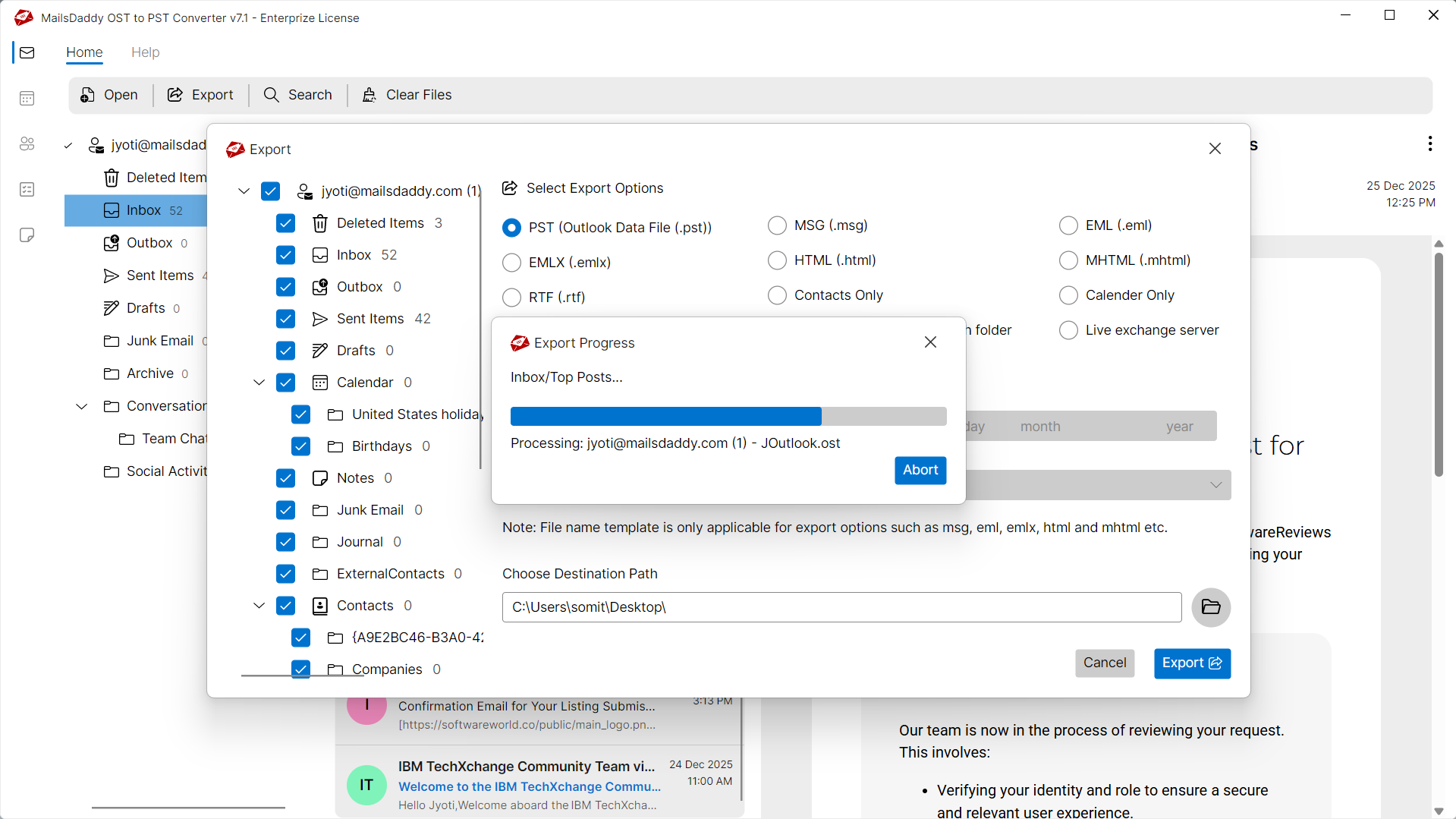
Looking for the complete user manual and working guide?
Explore comprehensive guides for standard PST conversion, search & filter migration, and Live Exchange Server export.
Technical Specifications
Engineered for lightweight footprint, standalone execution, and broad enterprise compatibility for Convert OST to PDF File Format.
System Requirements
Full support for Windows Server 2022, 2019, 2016, 2012, 2008 & 2003 (32/64-bit)
Platform Support
Supported Formats
OST (Corrupted, Orphaned, Encrypted, Password-Protected, IMAP)
Direct export to Live Exchange Server
Retains all inline, embedded & external attachments
100% Offline & Private
Zero cloud uploads or telemetry. Processing happens strictly within your local machine.
No Outlook Required
Completely standalone engine. Processes OST files without requiring host email clients.
No File Size Limits
Tested on massive 50GB, 100GB, and 500GB+ enterprise mailboxes with zero crash.
Full Windows Support
Native execution across Windows 11 down to Windows XP & all Windows Server editions.
Trusted by IT teams and professionals worldwide
Explore our client testimonials to see why users trust and recommend our solutions.
“We needed to archive several Exchange mailboxes for compliance requirements. MailsDaddy OST to PDF Converter helped us export thousands of emails into PDF format while maintaining complete folder hierarchy and formatting. The process was smooth and accurate.”
Michael Johnson
“One of our former employee mailboxes became inaccessible due to an orphan OST file. This software successfully extracted all mailbox data and converted it into PDF documents without requiring Outlook installation.”
Oliver Garcia
“We were searching for a solution to convert Outlook emails into PDF for legal documentation purposes. The software worked exactly as expected and preserved all email properties and attachments.”
Lucas van Dijk
Frequently Asked Questions
Find clear answers regarding the Convert OST to PDF File Format conversion process, file compatibility, and recovery features.
Yes, the software supports batch conversion and allows users to export multiple OST files into PDF format simultaneously.
Stop fighting with a broken OST file.
Download the free trial and see your mailbox recovered in minutes — no credit card, no commitment.