Convert OST to HTML Format
MailsDaddy OST to HTML Converter is a powerful and user-friendly solution designed to convert OST file emails into HTML and MHTML formats with complete accuracy. The software helps users save OST emails, into web-compatible HTML format without requiring Microsoft Outlook installation. Convert OST files to HTML quickly and securely for email archiving, web publishing, and browser-based access.
- Convert Outlook OST emails into HTML and MHTML formats effortlessly.
- Supports orphaned, inaccessible, and offline OST files seamlessly.
- Preview mailbox folders and email content before export process.
- Maintains original mailbox structure throughout conversion.
- Bulk convert thousands of OST emails without affecting data integrity.
- Convert OST to html with maintaining email metadata and properties.
- Supports oversized OST files without file size limitations imposed.
- Support all Microsoft Outlook versions 2021, 2019, 2016, 2013, 2010, etc.
- Compatible with all Outlook versions and Windows operating systems.
Certified & Highly Reviewed By Leading Software Authorities
Features of the Convert OST to HTML Format
Enterprise-grade recovery and conversion, packed into a simple desktop app — no technical expertise or Exchange server required.
Quick OST File Loading
The application quickly scans and loads OST files for preview and conversion. Users can access mailbox data without waiting for lengthy processing. Fast loading improves productivity and overall user experience. Even large files can be accessed efficiently.
User-Friendly Interface
The software features a simple and intuitive interface suitable for both technical and non-technical users. Every step of the conversion process is clearly organized. Users can complete the export task without specialized knowledge.
Preview OST File Emails
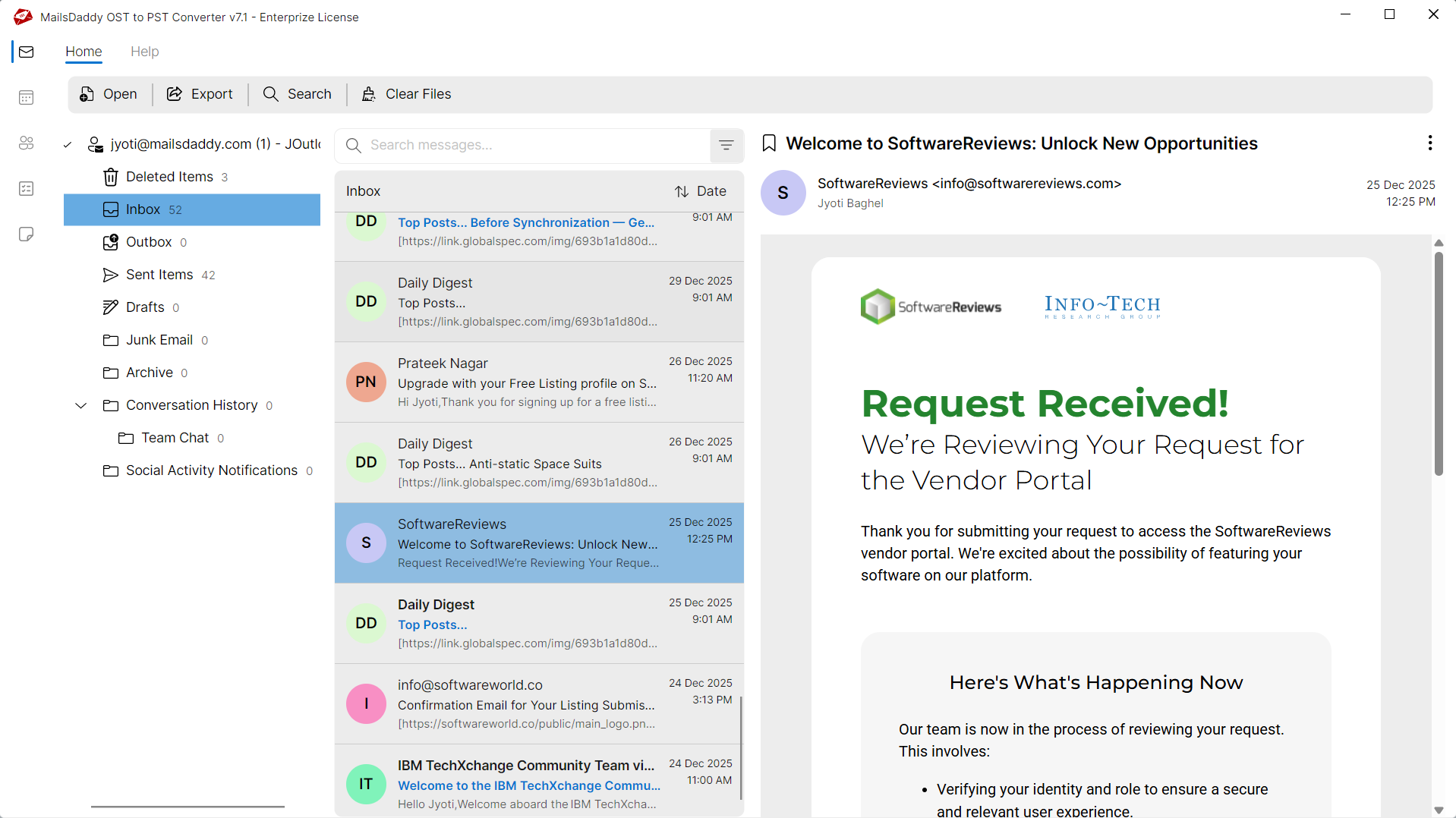
Before converting OST files, the software provides a complete preview of mailbox content. Users can examine emails and verify required data before starting the export process. This minimizes conversion errors and ensures accurate results.
Convert OST Emails to HTML
The software efficiently converts OST emails into HTML format that can be opened in any modern web browser. It generates well-structured HTML pages while preserving the original appearance of messages. Users can easily access their Outlook emails without requiring Outlook installation.
Multiple Export Options
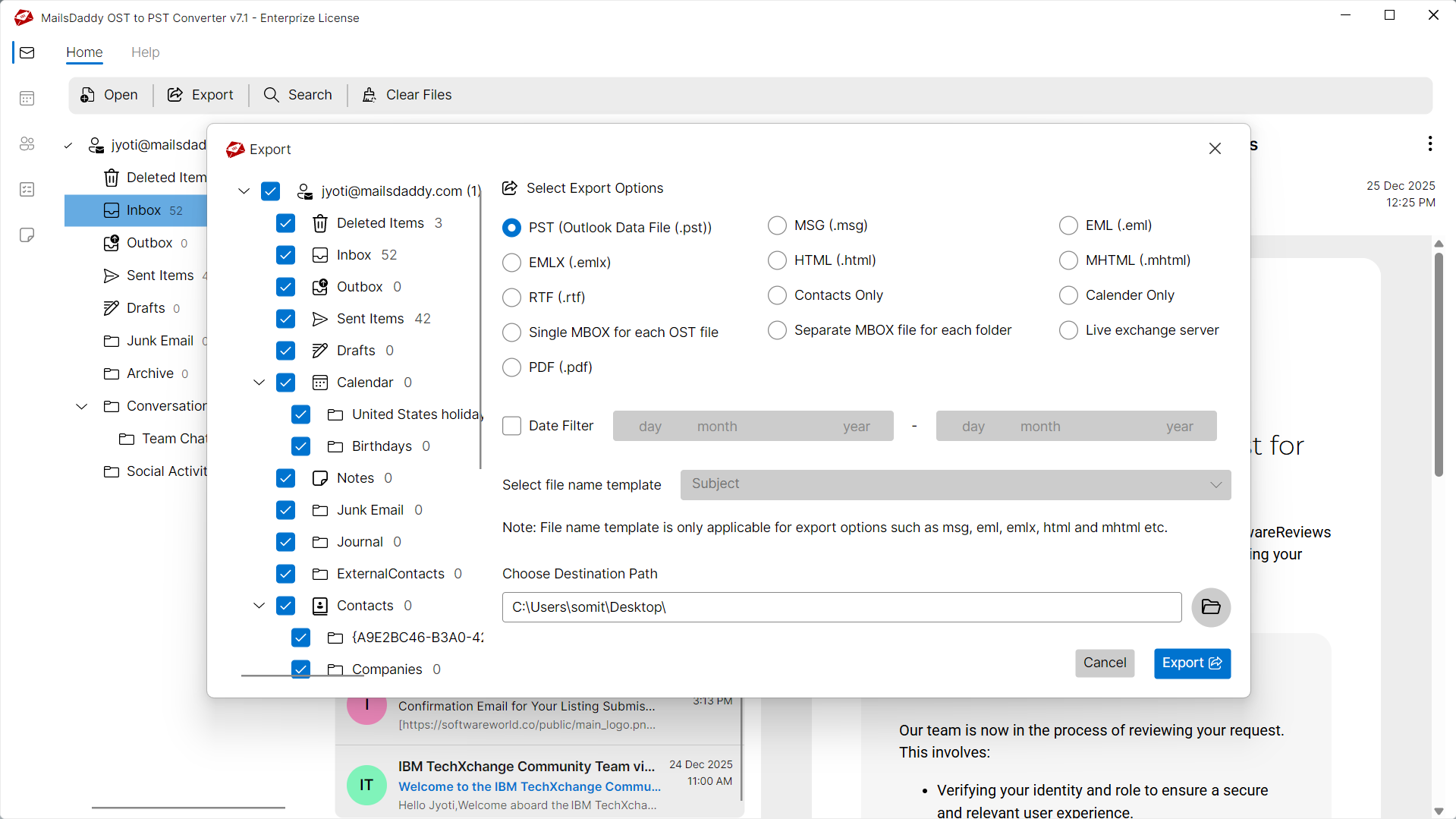
In addition to HTML, it offers multiple export options to meet different user requirements. Using this solution users can convert OST to PST, EML, MSG, MBOX, EMLX, PDF, RTF, and Exchange Server, while also exporting Outlook contacts in VCF format and calendar entries in ICS format.
Convert OST to MHTML Format
MailsDaddy OST to MHTML Converter also supports MHTML export for users who need single-file email storage. The MHTML format combines email content and formatting into one file for better portability. It is widely used for long-term email preservation and documentation purposes.
Maintains Email Formatting
During OST to HTML conversion, the software preserves original email formatting. Fonts, colors, hyperlinks, inline images, tables, and HTML elements remain intact. This ensures that converted emails look identical to the original messages. The feature is useful for legal and compliance requirements.
Bulk Email Conversion
Users can convert thousands of emails from large OST files in a single operation. The software is designed to handle bulk conversion without affecting performance. This saves considerable time when dealing with enterprise mailboxes. Large-scale email exports become simple and efficient.
Preserve Folder Hierarchy
The original mailbox folder structure is maintained throughout the export process. Inbox, Sent Items, Drafts, Deleted Items, and custom folders remain organized. Users can easily navigate converted data after export. No folder rearrangement occurs during conversion.
Date-Based Filtering
The software allows users to export emails from a specific date range. This feature is useful when creating reports or archiving a particular period of communication. It eliminates unnecessary emails from the output. Users receive focused and organized conversion results.
Support All Outlook
The utility supports OST files created by various Outlook versions, including Outlook 2021, 2019, 2016, 2013, 2010, and 2007. Users can convert mailbox data from both old and modern Outlook editions seamlessly.
Support All Windows
The software runs smoothly on all major Windows operating systems. Users can install and operate it on Windows 11, 10, 8, 7, and Windows Server editions. Compatibility remains consistent across 32-bit and 64-bit platforms. No special configuration is required.
We Convert All Data from OST to HTML Format!
Every folder hierarchy, email header, and embedded attachment is processed with 100% bit-exact fidelity into HTML format.
Email Messages & Metadata
Complete email fidelity with zero loss
MailsDaddy OST Converter for Outlook offers an ideal solution to convert OST emails while preserving all email properties. The software always maintains the original folder structure and keeps the original formatting of the email body.
Supported Elements & Formats:
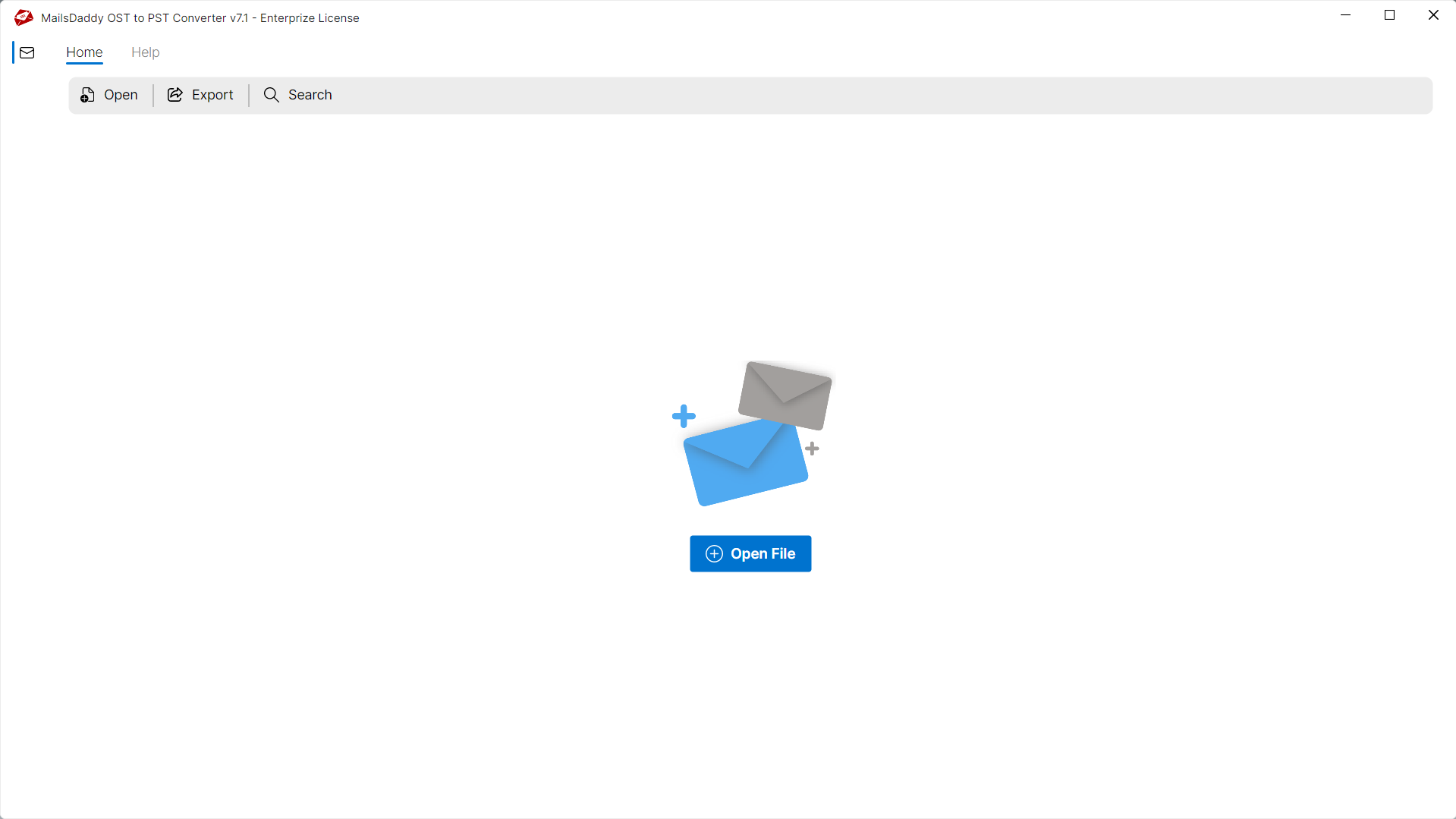
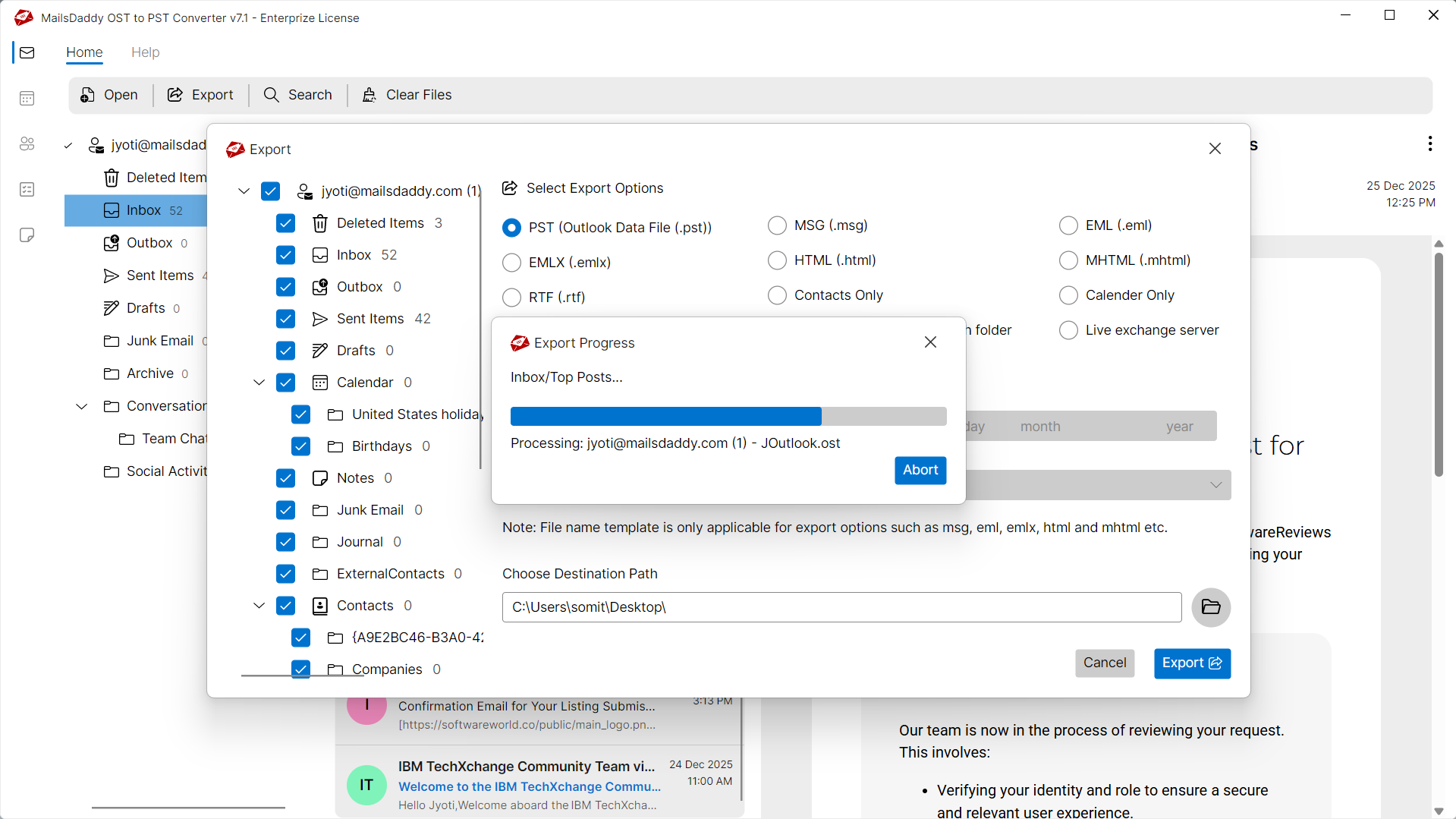
Convert OST to HTML in 4 Simple Steps
No technical skills needed. Watch each step in the live software interface or click any step below.
Looking for the complete user manual and working guide?
Explore comprehensive guides for standard PST conversion, search & filter migration, and Live Exchange Server export.
Technical Specifications
Engineered for lightweight footprint, standalone execution, and broad enterprise compatibility for Convert OST to HTML Format.
System Requirements
Full support for Windows Server 2022, 2019, 2016, 2012, 2008 & 2003 (32/64-bit)
Platform Support
Supported Formats
OST (Corrupted, Orphaned, Encrypted, Password-Protected, IMAP)
Direct export to Live Exchange Server
Retains all inline, embedded & external attachments
100% Offline & Private
Zero cloud uploads or telemetry. Processing happens strictly within your local machine.
No Outlook Required
Completely standalone engine. Processes OST files without requiring host email clients.
No File Size Limits
Tested on massive 50GB, 100GB, and 500GB+ enterprise mailboxes with zero crash.
Full Windows Support
Native execution across Windows 11 down to Windows XP & all Windows Server editions.
Trusted by IT teams and professionals worldwide
Explore our client testimonials to see why users trust and recommend our solutions.
“I needed to convert several Outlook OST files into HTML format for documentation purposes. The software preserved email formatting perfectly and completed the conversion much faster than expected. The entire process was smooth and hassle-free.”
Ethan Parker
“MailsDaddy OST to HTML Converter helped me export thousands of emails without any data loss. The folder structure remained intact, and the generated HTML files opened flawlessly in my browser. I am extremely satisfied with the results.”
Sophia Mitchell
“I was looking for a reliable solution to convert an orphaned OST file into MHTML. This tool successfully exported all emails while maintaining metadata and formatting. Its simple interface made the task easy even for a non-technical user.”
Liam Bennett
Frequently Asked Questions
Find clear answers regarding the Convert OST to HTML Format conversion process, file compatibility, and recovery features.
Yes, MailsDaddy OST to HTML Converter works independently and does not require Microsoft Outlook installation for converting OST files into HTML or MHTML formats.
Stop fighting with a broken OST file.
Download the free trial and see your mailbox recovered in minutes — no credit card, no commitment.