Migrate OST to Live Exchange Server
The MailsDaddy OST to Exchange Server Migration Tool is a perfect solution designed to import OST to Exchange Server with complete data security. The software is compatible to upload corrupted and inaccessible OST file mailbox data directly into Microsoft Exchange Server while maintaining complete mailbox integrity. Whether you're migrating a single or hundreds of OST files, the software delivers a fast and reliable OST to Exchange migration experience.
- Preview complete OST mailbox before migration to Microsoft Exchange.
- Scan and recover healthy, damaged, orphaned, and offline OST files.
- Preview mailbox folders and email content before export process.
- Compatible to migrate single or multiple OST files simultaneously.
- Maintain folder structure and email formatting without any hassle.
- Import emails, contacts, calendars, notes, tasks, and attachments.
- Supports oversized OST files without file size limitations imposed.
- Compatible with Exchange Server 2019, 2016, 2013, 2010, 2007, etc.
- Support all Microsoft Outlook versions (including Outlook 2021, 2019, 2016) and Windows operating systems.
Certified & Highly Reviewed By Leading Software Authorities
Features of the Migrate OST to Live Exchange Server
Enterprise-grade recovery and conversion, packed into a simple desktop app — no technical expertise or Exchange server required.
Add & Scan OST File
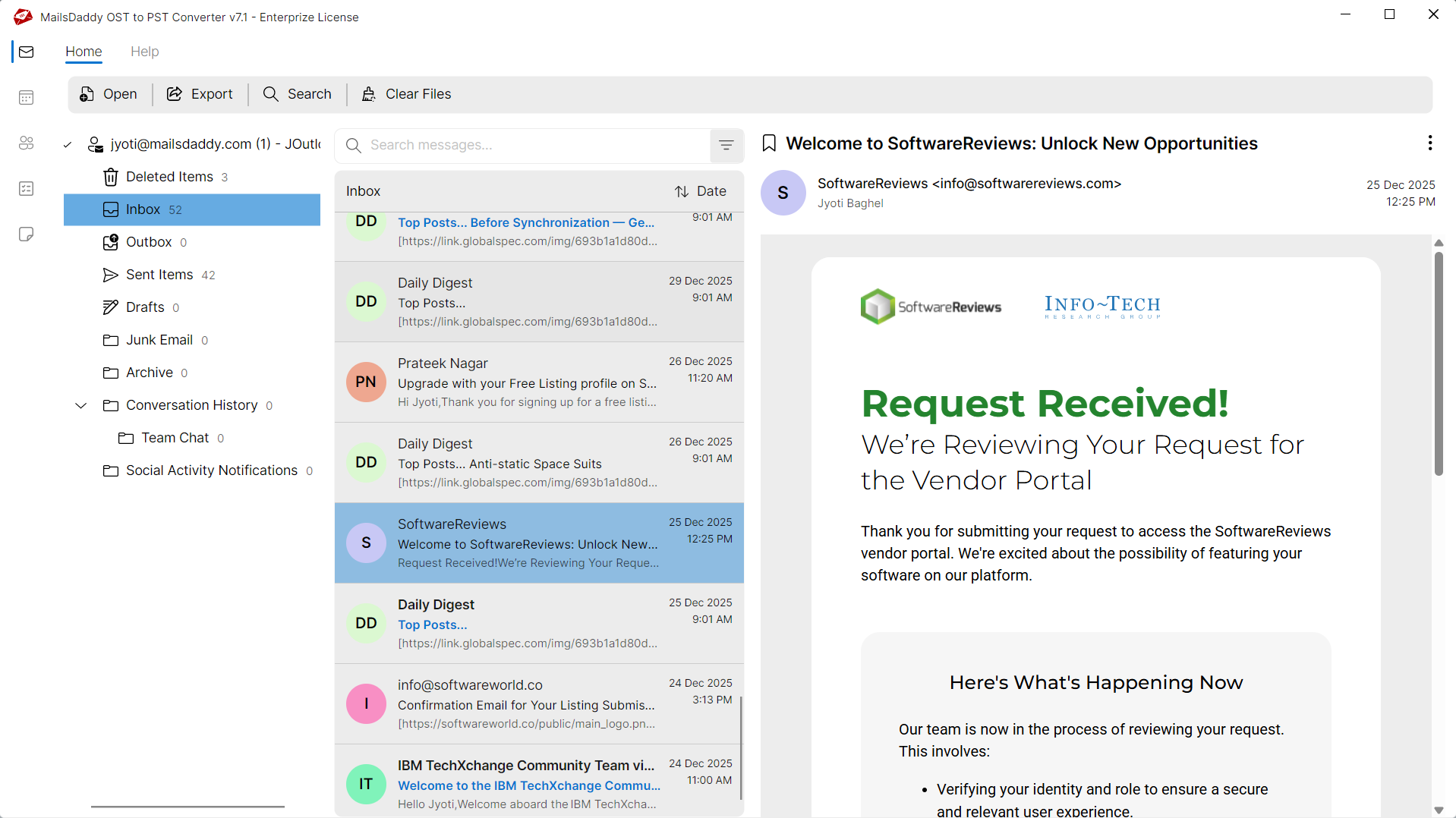
The software allows users to add one or multiple OST files for migration. Once selected, it performs a complete scan to detect mailbox items and prepares them for migration. It supports healthy, inaccessible, orphaned, and offline OST files while maintaining complete mailbox accuracy.
Preview OST Mailbox
Before starting the migration process, users can preview every mailbox item stored inside the OST file. The preview section displays emails, contacts, calendars, journals, notes, tasks, and attachments. This feature helps verify mailbox content before importing it into Exchange Server.
OST to Exchange Migration
The software directly imports OST mailbox data into Microsoft Exchange Server without converting the OST file into another format first. It establishes a secure connection with the destination Exchange mailbox and transfers mailbox data while maintaining complete mailbox consistency.
Batch OST Migration
Organizations often need to migrate multiple employee mailboxes simultaneously. The software supports batch migration, allowing administrators to upload multiple OST files and migrate them to Exchange Server in a single operation.
Maintain Folder Hierarchy
During the migration process, the software preserves the complete folder and subfolder structure of the original OST file. Inbox, Sent Items, Drafts, Deleted Items, Archive folders, and custom folders remain organized exactly as they appear in Microsoft Outlook.
Multiple Export Options
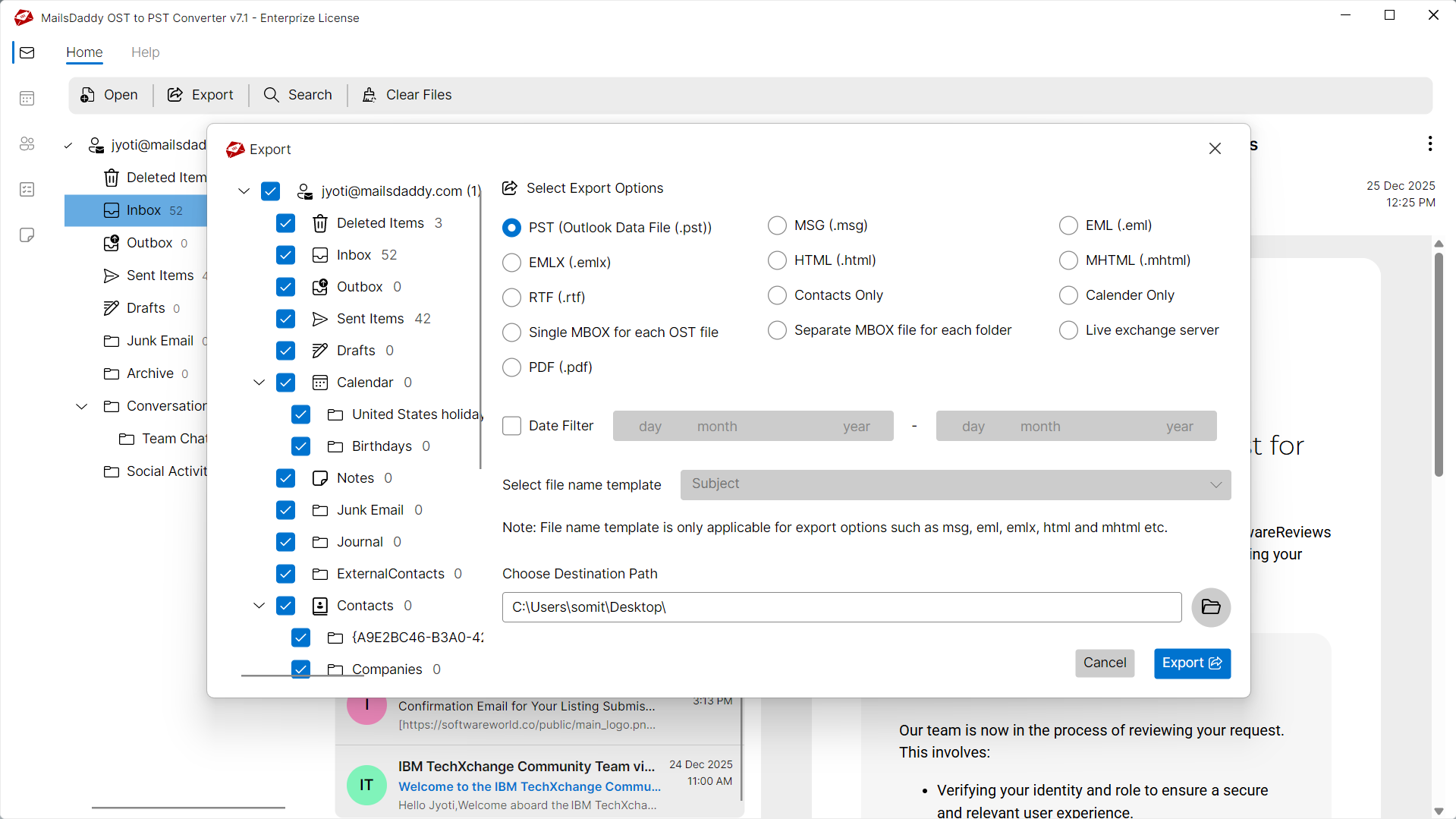
With the help of this advance software users can easily convert OST files into PST, EML, MBOX, MSG, RTF, HTML, and other formats. Using this solution users can also save their OST file contacts in .csv and calendar details in .ics format without hassle.
No File Size Limitation
There are no restrictions on the size of the OST file. Whether your mailbox is a few gigabytes or several hundred gigabytes, the software performs a secure migration without splitting or modifying the mailbox database.
Selective Mailbox Migration
Instead of migrating the complete mailbox, users can select specific folders or mailbox items for migration. This feature is useful when only certain folders or business-critical emails need to be transferred to Exchange Server.
Migrate Emails & Attachments
The application migrates emails together with all associated attachments, including documents, PDFs, spreadsheets, presentations, images, ZIP files, and embedded files. Attachment integrity is preserved throughout the migration process.
Preserve Email Properties
The software preserves all original email properties during OST to Exchange Server migration, including Sender, Recipient, CC, BCC, Subject, Date & Time, Internet Headers, Read/Unread Status, Importance, Inline Images, Rich Text Formatting, and Hyperlinks. Every email is migrated accurately without modifying its content, structure, or metadata.
Migration Log Report
After completing the OST to Exchange Server migration, the software automatically generates a detailed log report containing the migration start and completion time, source OST file, destination Exchange mailbox, migrated, skipped, and failed items along with error details. This report helps administrators verify migration results and simplifies auditing and troubleshooting.
Windows Compatibility
The MailsDaddy OST to Exchange Server Migration Tool is fully compatible with Windows 11, 10, 8.1, 8, 7, and Windows Server 2022, 2019, 2016, and 2012 R2. It delivers reliable performance across both desktop and server environments, ensuring a smooth and efficient OST to Exchange Server migration experience.
We Migrate All Data from OST to Live Exchange!
Every folder hierarchy, email header, contact, calendar, and embedded attachment is processed with 100% bit-exact fidelity into Live Exchange.
Email Messages & Metadata
Complete email fidelity with zero loss
MailsDaddy OST Converter for Outlook offers an ideal solution to convert OST emails while preserving all email properties. The software always maintains the original folder structure and keeps the original formatting of the email body.
Supported Elements & Formats:
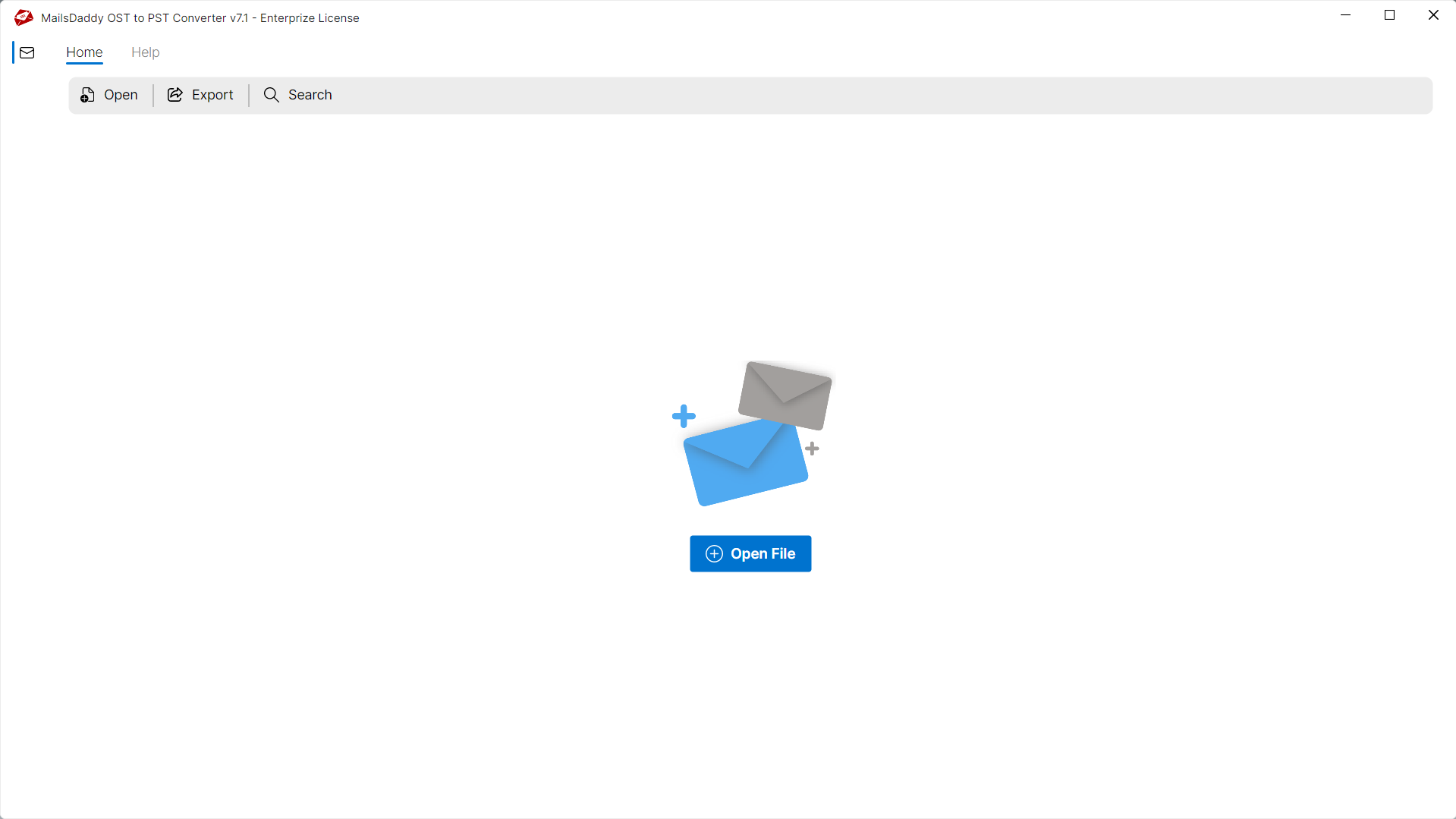
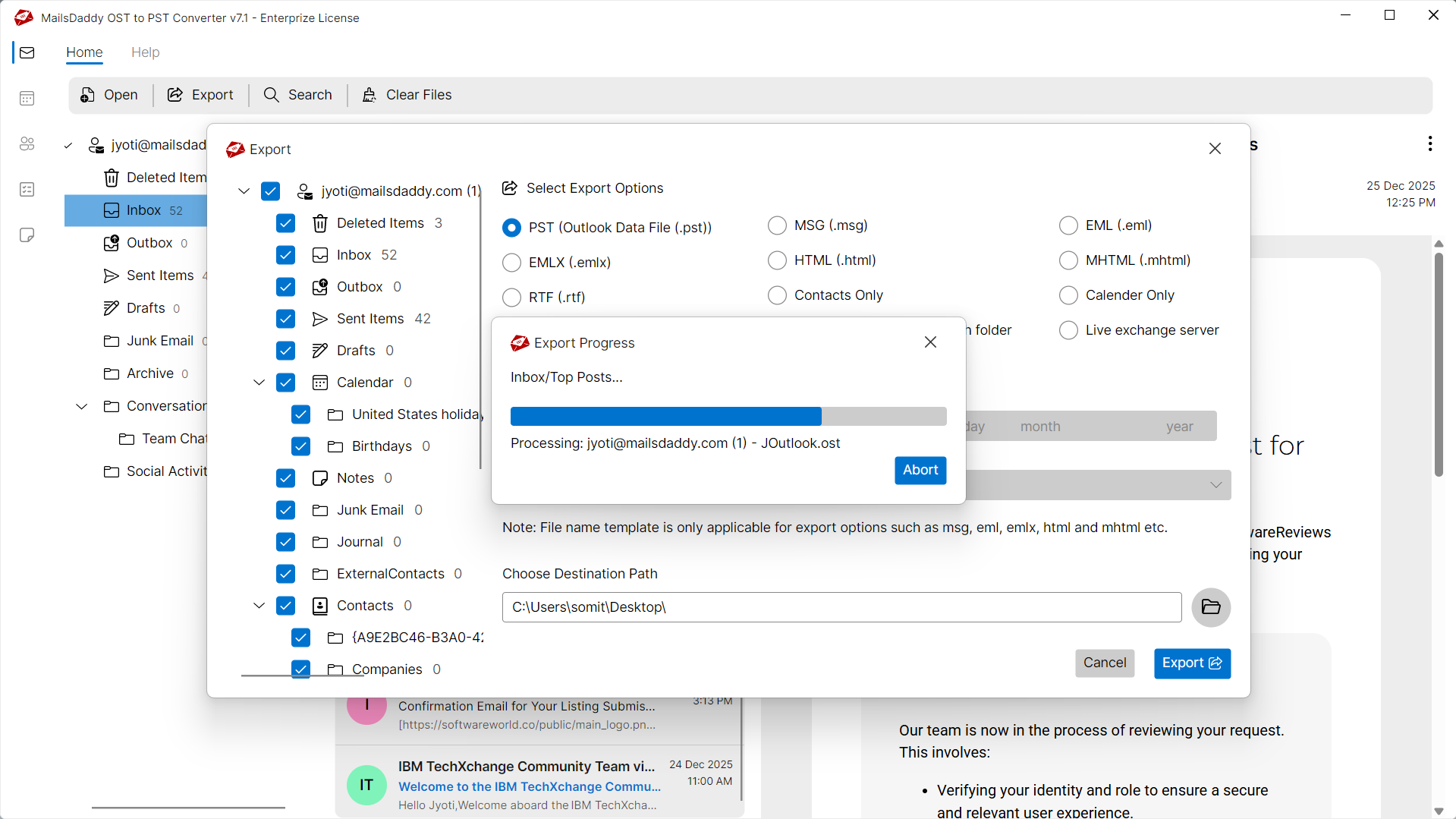
Migrate OST to Live Exchange in 4 Simple Steps
No technical skills needed. Watch each step in the live software interface or click any step below.
Looking for the complete user manual and working guide?
Explore comprehensive guides for standard PST conversion, search & filter migration, and Live Exchange Server export.
Technical Specifications
Engineered for lightweight footprint, standalone execution, and broad enterprise compatibility for Migrate OST to Live Exchange Server.
System Requirements
Full support for Windows Server 2022, 2019, 2016, 2012, 2008 & 2003 (32/64-bit)
Platform Support
Supported Formats
OST (Corrupted, Orphaned, Encrypted, Password-Protected, IMAP)
Direct export to Live Exchange Server
Retains all inline, embedded & external attachments
100% Offline & Private
Zero cloud uploads or telemetry. Processing happens strictly within your local machine.
No Outlook Required
Completely standalone engine. Processes OST files without requiring host email clients.
No File Size Limits
Tested on massive 50GB, 100GB, and 500GB+ enterprise mailboxes with zero crash.
Full Windows Support
Native execution across Windows 11 down to Windows XP & all Windows Server editions.
Trusted by IT teams and professionals worldwide
Explore our client testimonials to see why users trust and recommend our solutions.
“The MailsDaddy OST to Exchange Server Migration Tool made our Exchange migration project much easier. It migrated all mailbox folders, emails, contacts, and calendars without changing the original folder structure.The migration completed quickly, and the log report helped us verify every mailbox item successfully.”
James Carte
“The interface is clean and easy to understand, even for non-technical users. The preview option, advanced filters, and incremental migration worked exactly as expected. Overall, it is a dependable solution for anyone looking to migrate OST files directly to Exchange Server.”
Ethan Walker
“I had several orphaned OST files that needed to be imported into our Exchange Server. This software handled them perfectly without requiring Outlook. The batch migration feature saved a significant amount of time, and every attachment and email property remained intact after migration”
Anna Weber
Frequently Asked Questions
Find clear answers regarding the Migrate OST to Live Exchange Server conversion process, file compatibility, and recovery features.
Yes, the software supports batch migration, allowing users to migrate multiple OST files to Exchange Server in a single operation.
Stop fighting with a broken OST file.
Download the free trial and see your mailbox recovered in minutes — no credit card, no commitment.