MailsDaddy OST Recovery
A professional and standalone utility to repair severely corrupted, inaccessible, or orphaned Outlook OST files. Deep scans the mailbox database and exports emails, contacts, calendars, and attachments into healthy PST, and other formats.
- Deep scan algorithm to repair severely corrupted and damaged OST files
- Restore all mailbox components: emails, attachments, contacts, tasks, calendars
- Export recovered OST to PST, EML, MSG, MBOX, HTML, RTF, and Live Exchange
- Directly migrate recovered OST mailbox into Microsoft 365 / Office 365
- Supports orphaned OST files without requiring the original Exchange profile
- Split oversized PST files during recovery to prevent future data corruption
Certified & Highly Reviewed By Leading Software Authorities
Award-Winning & Recommended by Independent Editors
100% Clean & Secure Certification
MailsDaddy OST Recovery provides verified security and fast performance with zero malware or adware detected during rigorous laboratory testing.
Supreme Software & Verified Quality Award
Recognized for high user satisfaction, intuitive mailbox processing speed, and comprehensive format support for enterprise users.
Top Rated Migration Utility
Praised by IT administrators for reliably parsing corrupted and oversized Source files with minimal manual intervention.
Features of the OST Recovery
Enterprise-grade recovery and conversion, packed into a simple desktop app — no technical expertise or Exchange server required.
Repair Corrupted & Inaccessible OST Files
Deep hex-level scanning engine identifies and fixes corruption caused by abrupt system shutdowns, malware infections, Exchange server crashes, or oversized OST file limits.
Restore Complete Mailbox Components
Recovers all mailbox items including emails, folder hierarchies, appointments, calendars, address book contacts, distribution lists, tasks, notes, journals, and attachments.
Export to Multiple Healthy Formats
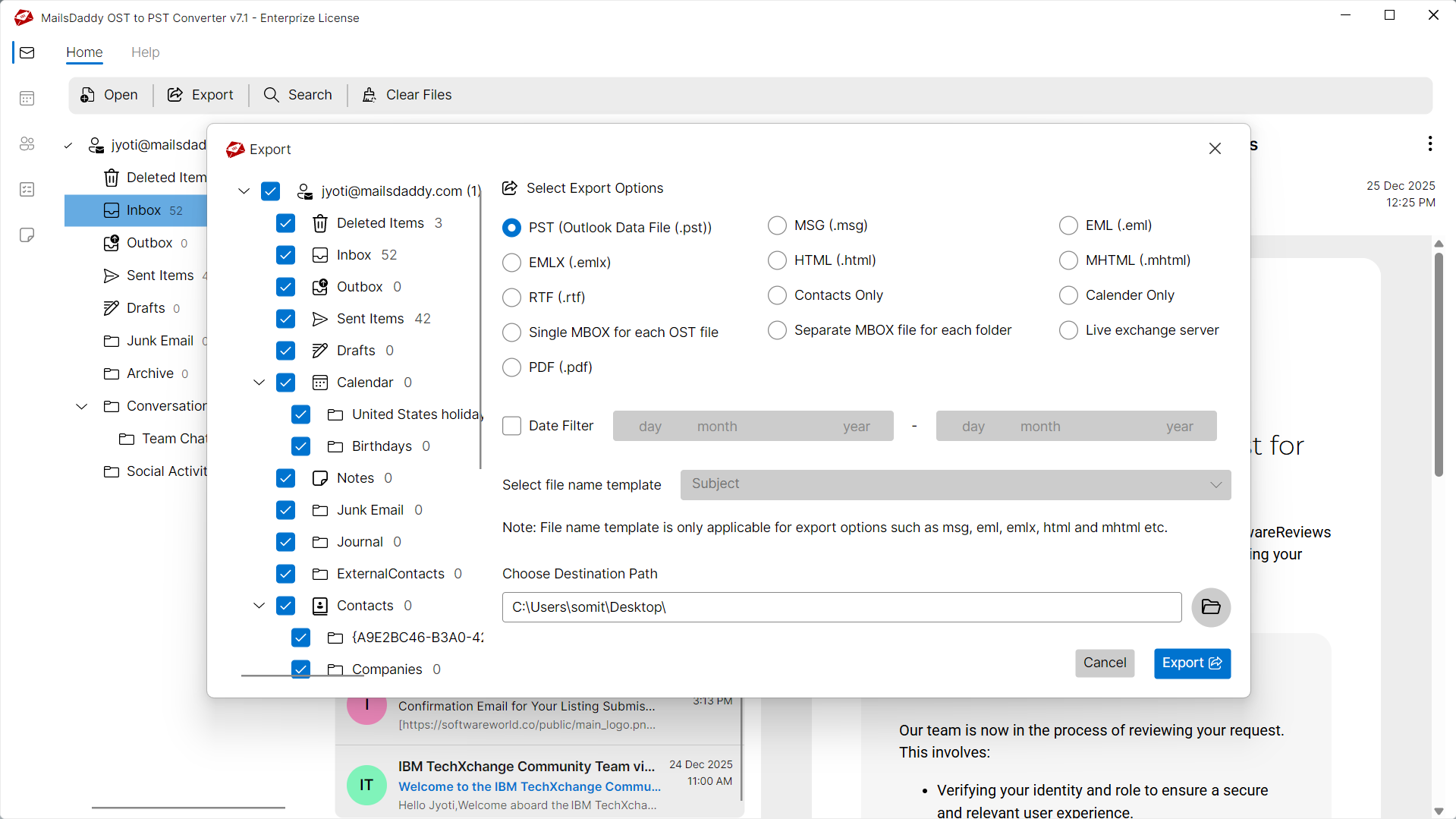
Save recovered OST items into Outlook PST, individual EML files, MSG files, universal MBOX format, HTML web archives, RTF, and MHTML.
Direct Upload to Office 365 & Exchange
Directly import repaired OST files into Microsoft 365 mailboxes or Live On-Premises Exchange Server with automated mailbox mapping and secure authentication.
Support for Orphaned & Disconnected Files
Easily access and restore mailboxes from orphaned OST files where the original user profile or Exchange server is no longer accessible.
Preview Recovered Items Before Saving
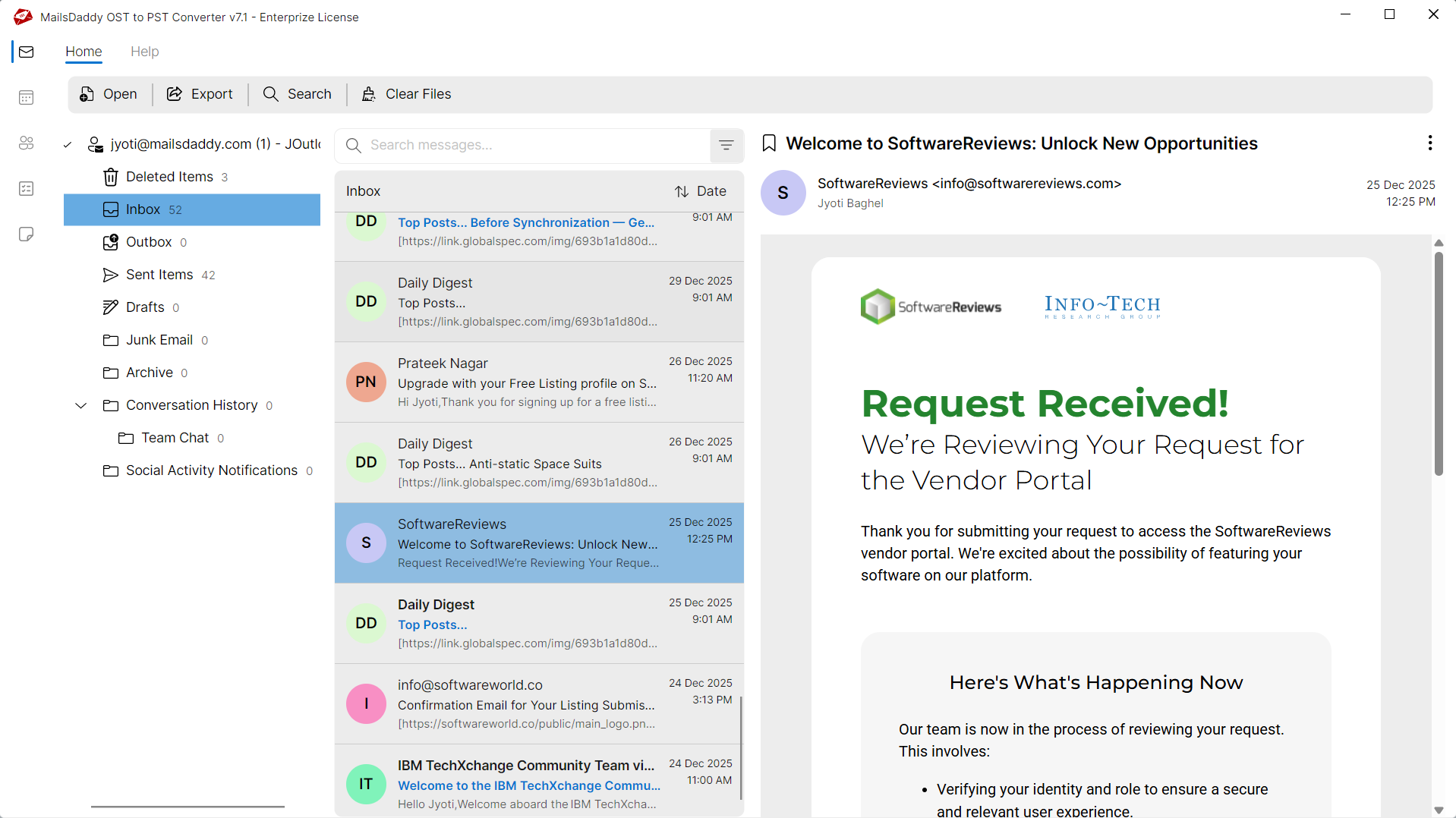
Full hierarchical tree preview with individual message viewer showing headers, HTML/plain text body, and attachments before committing to export.
PST Split Option for Large Databases
Avoid large PST size limits by splitting output PST files into manageable sizes (such as 2GB, 5GB, 10GB, or 20GB) during conversion.
Date Range & Search Filtering
Filter emails by Subject, From, To, and Date Range to selectively restore only required communication threads.
No Microsoft Outlook Requirement
The recovery engine works completely standalone without requiring Microsoft Outlook or active Exchange connection.
Supports All Outlook & Windows Versions
Compatible with OST files generated by Outlook 2021, 2019, 2016, 2013, 2010, 2007, 2003, and runs on Windows 11, 10, 8, 7, and Windows Server.
Eye-Catching Features of MailsDaddy OST Recovery software
100% Source Mailbox Data Integrity
Guarantees that no email properties, HTML formatting, headers (To, From, CC, BCC, Date, Subject), or attachments are altered during conversion from Source to Destination.
- Retains internal folder tree hierarchy from Source
- Supports inline images and nested email attachments
- Preserves unread/read flags and importance status
Advanced Recovery & Scanning Engine
High-speed scanning algorithms process damaged, inaccessible, or orphaned Source files without requiring host email server connectivity.
- Recovers inaccessible or damaged Source archives
- Supports large mailbox files without size barriers
- Fast multi-threaded extraction engine
Comprehensive Destination Compatibility
Export your converted data to Destination with complete compatibility across Microsoft Outlook and host messaging platforms.
- Generates clean Destination compatible with all target platforms
- Option to split large output files by size
- Supports selective batch export with custom filters
We Recover All Data from OST to PST Format!
Every folder hierarchy, email header, embedded attachment, contact attribute, calendar recurrence, task, and note is processed with 100% bit-exact fidelity.
Email Messages & Metadata
Complete email fidelity with zero loss
MailsDaddy OST Recovery offers an ideal solution to repair and recover damaged OST emails while preserving all email properties. The software always maintains original folder structure, unread status, and formatting of the email body.
Supported Elements & Formats:
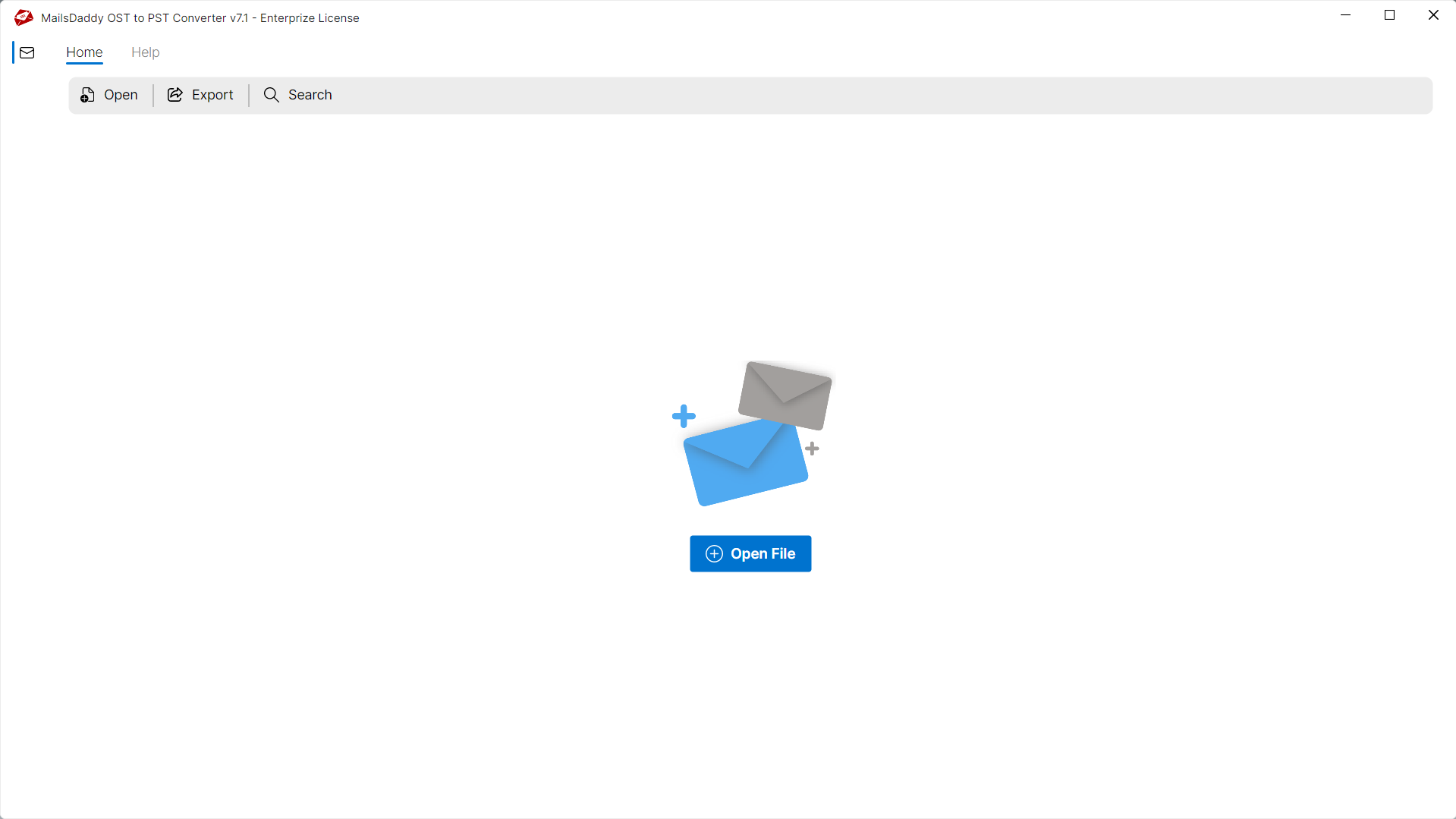
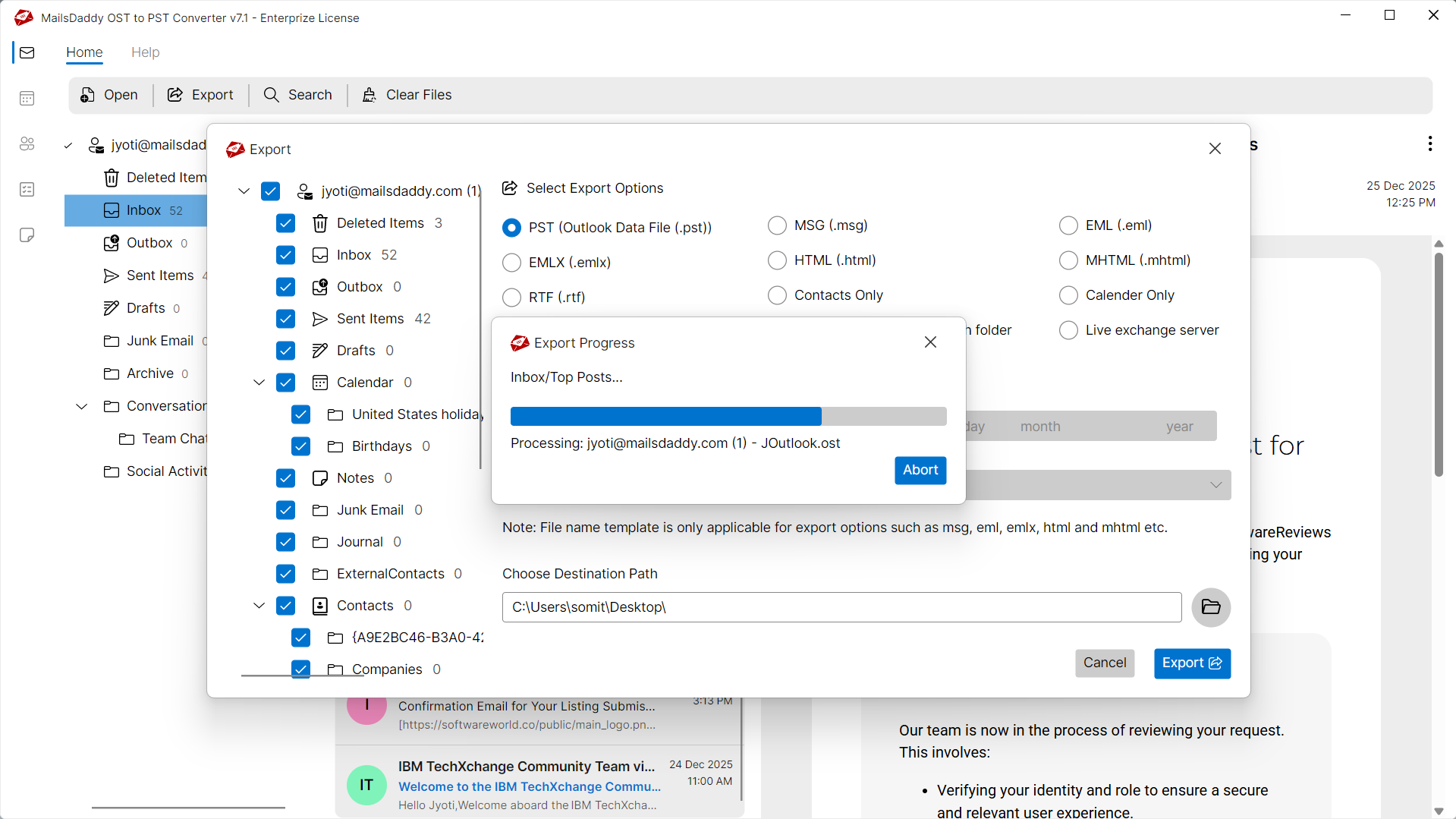
Recover Corrupted OST Files in 4 Simple Steps
No technical skills needed. Watch each step in the live software interface or click any step below.
Looking for the complete user manual and working guide?
Explore comprehensive guides for standard PST conversion, search & filter migration, and Live Exchange Server export.
Understanding Source Files & Why Need Safe Migration
Understanding Cached Exchange Mode, reasons for offline file inaccessibility, and how conversion resolves corruption.
Resolving Common Source File Issues
Damaged, orphaned, or inaccessible Source files can prevent users from accessing crucial mailbox messages. MailsDaddy OST Recovery repairs and extracts data from problematic files without modifying original contents.
Common Causes of Source Corruption
Mailbox files can become unreadable or unstable due to several unexpected environment factors:
Sudden Application Termination
Abrupt power cuts or crashes while writing to Source files can leave header indexes inconsistent.
Oversized Mailbox Files
Exceeding recommended mailbox capacity can lead to performance degradation and corruption.
Hardware or File System Failure
Bad sectors on the storage drive or network transfer drops can damage database sectors.
Typical Source Error Messages
If you encounter any errors while accessing your mailboxes, converting with MailsDaddy OST Recovery resolves them immediately:
How OST Recovery Resolves the Problem
By bypassing the native email client's corrupt cache and performing low-level binary reading, OST Recovery extracts all healthy and orphaned items directly into clean Destination files.
Technical Specifications
Engineered for lightweight footprint, standalone execution, and broad enterprise compatibility for MailsDaddy OST Recovery.
System Requirements
Full support for Windows Server 2022, 2019, 2016, 2012, 2008 & 2003 (32/64-bit)
Platform Support
Destination, Microsoft Outlook, Webmail & Desktop Clients
Supported Formats
Source (Healthy, Corrupted, Orphaned, Large Archives)
Retains 100% attachments, inline images, headers, and metadata
Preserves complete folder hierarchy, read/unread flags, and timestamps
100% Offline & Private
Zero cloud uploads or telemetry. Processing happens strictly within your local machine.
No Outlook Required
Completely standalone engine. Processes Source files without requiring host email clients.
No File Size Limits
Tested on massive 50GB, 100GB, and 500GB+ enterprise mailboxes with zero crash.
Full Windows Support
Native execution across Windows 11 down to Windows XP & all Windows Server editions.
Trusted by IT teams and professionals worldwide
Explore our client testimonials to see why users trust and recommend our solutions.
“Thanks for providing such a reliable and effective Source to Destination conversion solution. It successfully recovered my corrupted and orphaned Source files without any hassle. The advanced search option and flexible naming conventions are standout features that made the process smooth and efficient.”
Michael Angelo
“I was encountering an error while trying to open my Source file with Microsoft Outlook. I'm thankful to MailsDaddy Source to Destination Converter, which helped me resolve the issue quickly and access my mailbox data without any trouble.”
Jessica Schofield
“This Source recovery solution truly impressed me when I needed to access an offline, orphaned Source file. The software provided a complete preview of all mail items and allowed me to export the required data to Outlook Destination format with ease.”
Alexander Smith
Need Help with OST Recovery?
Our dedicated 24/7 technical team is available to assist you with any migration or recovery challenge.
The free demo version lets you preview all items and export up to 20 emails per folder.
Frequently Asked Questions
Find clear answers regarding the OST Recovery conversion process, file compatibility, and recovery features.
Yes, MailsDaddy OST Recovery Tool scans the database for soft-deleted or recently purged email items and highlights them in the preview window for recovery.
Start migrating with OST Recovery today.
Download the free trial and inspect your recovered mailbox in minutes.