MailsDaddy MBOX to Office 365 Migration
Our MailsDaddy MBOX to Office 365 is an email migration solution that imports multiple MBOX files into Office 365 Primary, Shared, In-Place Archive and, Group mailboxes. Effortlessly upload emails and attachments from .mbox files into your Office 365 or Live Exchange Server.
- The software supports .mbox/.mbx/.mbs files of several email clients.
- Preview all e-mails & attachments before moving them to Office 365.
- MBOX to Office 365 tool allows transferring selected folders/messages.
- Import MBOX data to O365 Primary, Shared, Group & In-Place Archive Mailbox.
- Transfer large size MBOX files to Office 365 or Exchange On-Premise.
- Mbox to Office 365 Import Solution with 100% Secured Migration.
- MBOX to Office 365 migration software supports Windows 11, 10, Win8, 7, XP & Vista (32-bit & 64-bit are supported)
- Migrate mailboxes of Apple mail, Mozilla Thunderbird, entourage, Eudora, PocoMail, SeaMonkey, PowerMail, Opera Mail, Webmail and many more mbox supported email clients.
Certified & Highly Reviewed By Leading Software Authorities
Award-Winning & Recommended by Independent Editors
Sourceforge Review: MBOX to Exchange Online
MailsDaddy MBOX to Office 365 Migration tool has been awarded by a well-known B2B software review platform Sourceforge. The review editor described that this software has all possible options for importing PST file data into Exchange Online account. MBOX to Office 365 migration software is the most reliable and trustable platform that is capable of migrating unlimited MBOX data into the O365 account. Therefore, its use is completely simple and easy, so that you will always get accurate results.
A pleasant review on Cnet
MailsDaddy MBOX to Office 365 Migration Tool is also supported by the Spiceworks Review Platform. You do not need the skill to use this professional solution. You can download it from home and perform a conversion. It easily migrates data from MBOX to Office 365 primary, in-place archive, and Shared mailbox. To know how it properly works on the MBOX file you can use the demo version of this MBOX converter.
Filehippo - MBOX to Exchange Onlie Exporter
Filehippo is the most advanced business software discovery platform out there. It provides the best services to buyers & also helps to easily compare the different software before purchase. Its editor’s check the software their bases & when they fully satisfied with the application then they add they software on their website for buyers.Filehippo team gives the “Excellent” reward to MailsDaddy MBOX to Office 365 Migration tool. The application provides a safe & secure result when users going to import MBOX file into Office 365 platform.
Features of the MBOX to Office 365 Migration
Enterprise-grade recovery and conversion, packed into a simple desktop app — no technical expertise or Exchange server required.
Search or Browse MBOX Files
The software allows adding MBOX file manually, browsing a folder where MBOX files are stored and searching MBOX files form pointed location.
Advanced GUI Solution
The MBOX to Office 365 Migration Tool is developed with an advanced algorithm that performs the MBOX to Office 365 Migration with an ease.
Keeps Same Folder Structure
The MBOX to Office 365 converter preserve the original folder names as well as folder structure even after migration into Office 365 mailbox.
Preview Emails and Attachments
The MBOX file to Office 365 migrator show all selected files. Just click on any file to load and preview its e-mails with corresponding attachments.
Migrate Selected Data to Office 365
If you don't want to move all e-mails of MBOX files to Office 365 then you can select required messages and click on the Export button to migrate them.
Search and Upload needed items
This is another advance option to apply the filter on emails through To, CC, Subject, Date, and Has Attachments before migrating to Office 365.
Migrate MBOX to Exchange On-premise
The software allows multiple MBOX files migration from Apple Mail, Thunderbird, Postbox, Eudora & other email clients to Live Exchange.
Import MBOX Structure in Primary Mailbox
The software allows users to upload MBOX data files to the Primary mailbox of Live Exchange and Office 365 in a few clicks.
Transfer MBOX File to Archive Mailbox
Including primary mailbox, the tool also includes the option to import the MBOX file into the Archive mailbox of Office 365 or Live Exchange.
Import MBOX File to Office 365
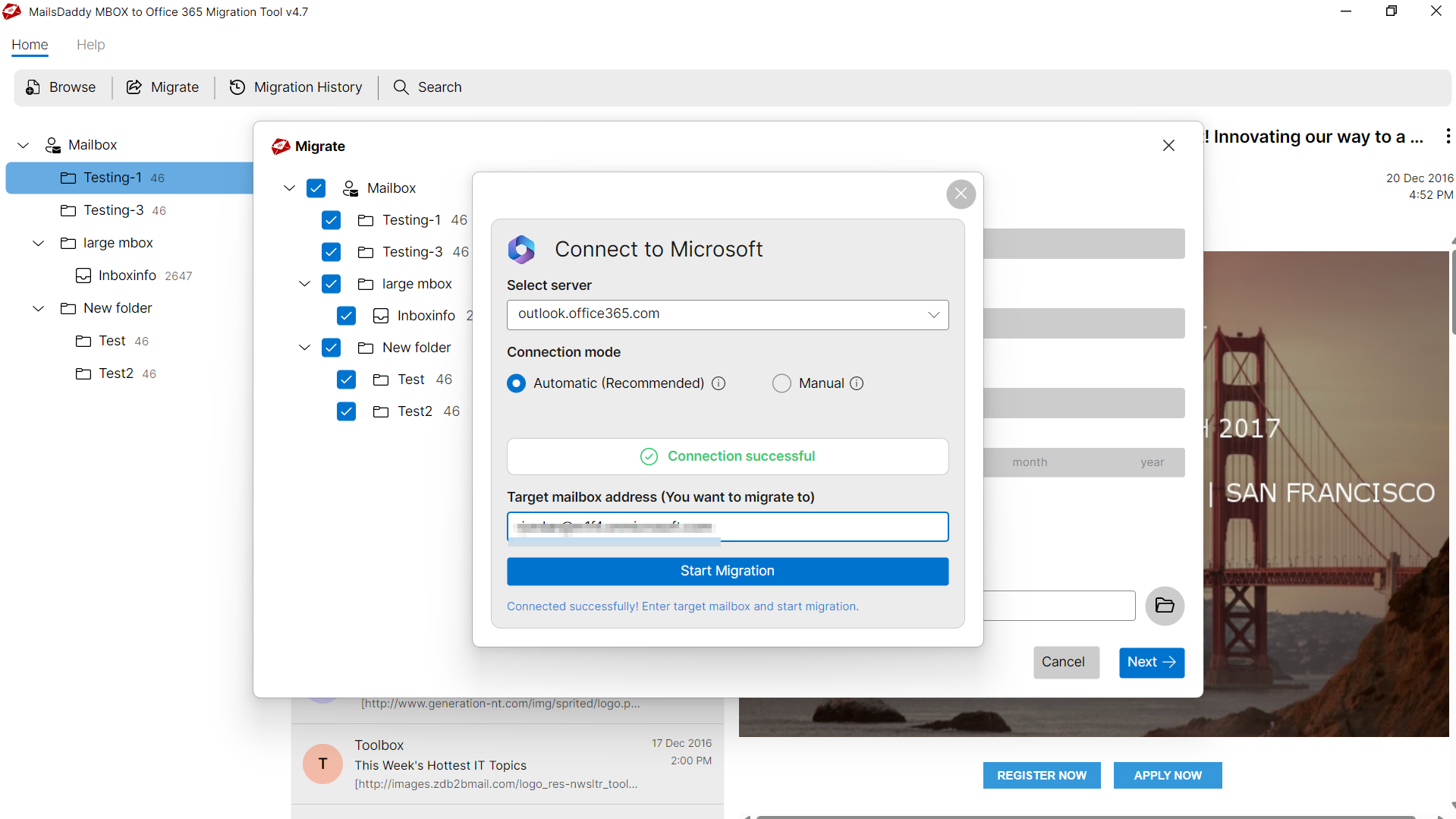
After previewing messages you can migrate mailbox to Office 365 account. You only need to provide your Office 365 login credentials for migration.
Compatible with Windows 10
The MBOX to Office 365 import tool is compatible with Windows 11, 10, 8.1, 8, 7, Vista, and Windows XP. So you can use this application on All Windows OS.
Independent Email Migration tool
This is a standalone application that does not require MS Outlook, Exchange Server, or any other application for uploading MBOX folders to Office 365.
Run-on all Window-based Operating System
The MBOX to Office 365 converter is compatible with all Window version such as Win 11, 10, 8.1, 8, 7, XP & other older editions of 64 & 32 bits.
Migrate Thunderbird email to Office 365
The software is also used for Thunderbird to Office 365 migration. You can directly move Thunderbird mail to Office 365 platform by using its MBOX files.
Move Apple Mail to Office 365 Mailbox
If you want to import Apple Mail to Office 365 then this tool will help you. Initially, export Mac Mail folders to MBOX files and migrate them into Office 365.
Transfer Entourage Database to Office 365
Copy Entourage database .mbox files on Windows machine and easily migrate entourage to office 365 with the help of this excellent solution.
Import .mbs Files of Opera Mail to Office 365
If you have .mbs files to import on Office 365 which was created by Opera Mail then its good news for you. Because this software also supports .mbs files.
Migrate Webmail to Office 365 Mailbox
The software allows moving from Webmail to Office 365. You can backup Godaddy or other Webmail into MBOX and migrate them into Office 365 account.
Export Evolution Mail to Office 365 Account
MBOX to Office 365 migration tool is applicable to import Evolution mail (.mbox) files to Microsoft Office 365 within a few simple clicks.
Transfer Netscape to Office 365 Off-premise
Netscape Mail was an email and news click which supports .mbox files. So you can transfer Netscape MBOX files to Office 365 using this tool.
Upload MBX Files of Eudora to Office 365
The software also supports .mbx files created by Eudora mail. So now you can migrate Eudora mail messages into Office 365 off-premise platform.
Eye-Catching Features of MailsDaddy MBOX to Office 365 Migration software
Import MBOX files in Different Office 365 Mailbox
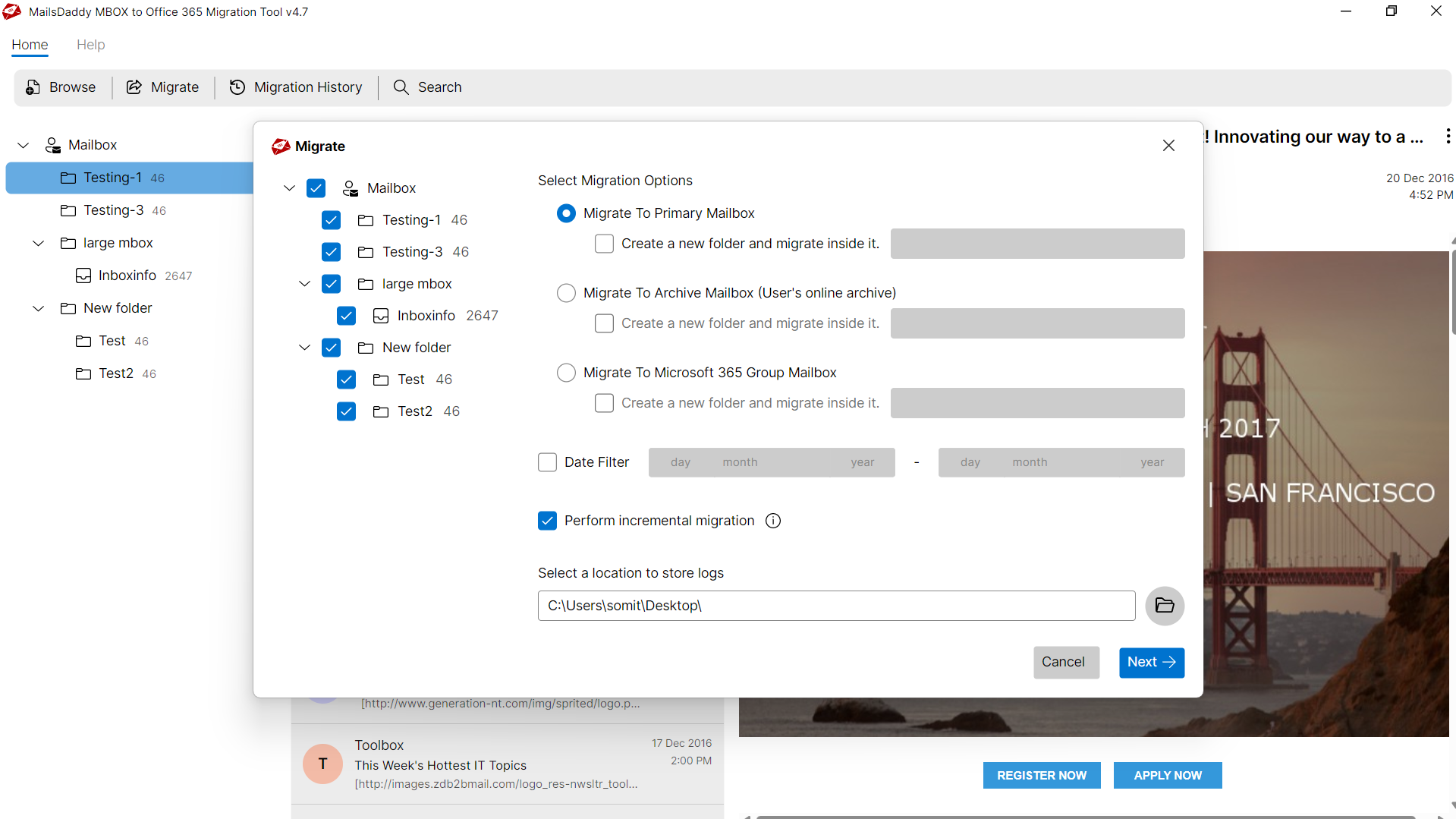
The best thing about this software is that it provides the option to shift complete MBOX file data in O365 Primary, Shared and In-place Archive mailbox. Users just need to select that mailbox where you want to import entire emails. Here users can also create a new folder in each mailbox and import all data inside that folder.
- Direct cloud mailbox migration into Office 365 or Live Exchange Server.
- Zero downtime migration preserving full folder trees and meta properties.
- Supports primary mailboxes, archive mailboxes, and custom folder trees.
Batch MBOX to Office 365 Migration
Importing MBOX files one by one can take a long time. To solve this problem, an advanced bulk export feature has been provided in this software. Using this technology, users can easily transfer a single as well as multiple MBOX files to Office 365 platform simultaneously. Also, here users are compatible to transfer the unlimited size of the MBOX file in Exchange 365 without tampering any data.
- Processes multiple mailbox archives simultaneously in a single batch session.
- No file size restrictions when processing massive mailbox databases.
- Significantly reduces administrative migration time with zero data loss.
Compatibility with Selected Data Migration
We at MailsDaddy always provide the best software so that users can easily maintain their database. Our primary objective is customer satisfaction. We have 10000+ happiest clients who have purchased the MBOX Office 365 migration tool and successfully transferred their MBOX file data in Office 365 account
- Compatible with Windows 11, 10, 8.1, 8, 7, and Windows Server (32/64-bit).
- Supports all Microsoft Outlook editions without requiring Outlook pre-installed.
- Independent standalone utility engineered for high enterprise stability.
We Migrate Emails & Related Information
Every folder hierarchy, email header, MIME attribute, and embedded attachment is processed with 100% bit-exact fidelity.
Emails
This convenient & unique software can transfer MBOX file emails i...
This convenient & unique software can transfer MBOX file emails in Office 365 & Live Exchange cloud platforms with all meta properties. Some of the properties are mentioned below:
Supported Elements & Formats:
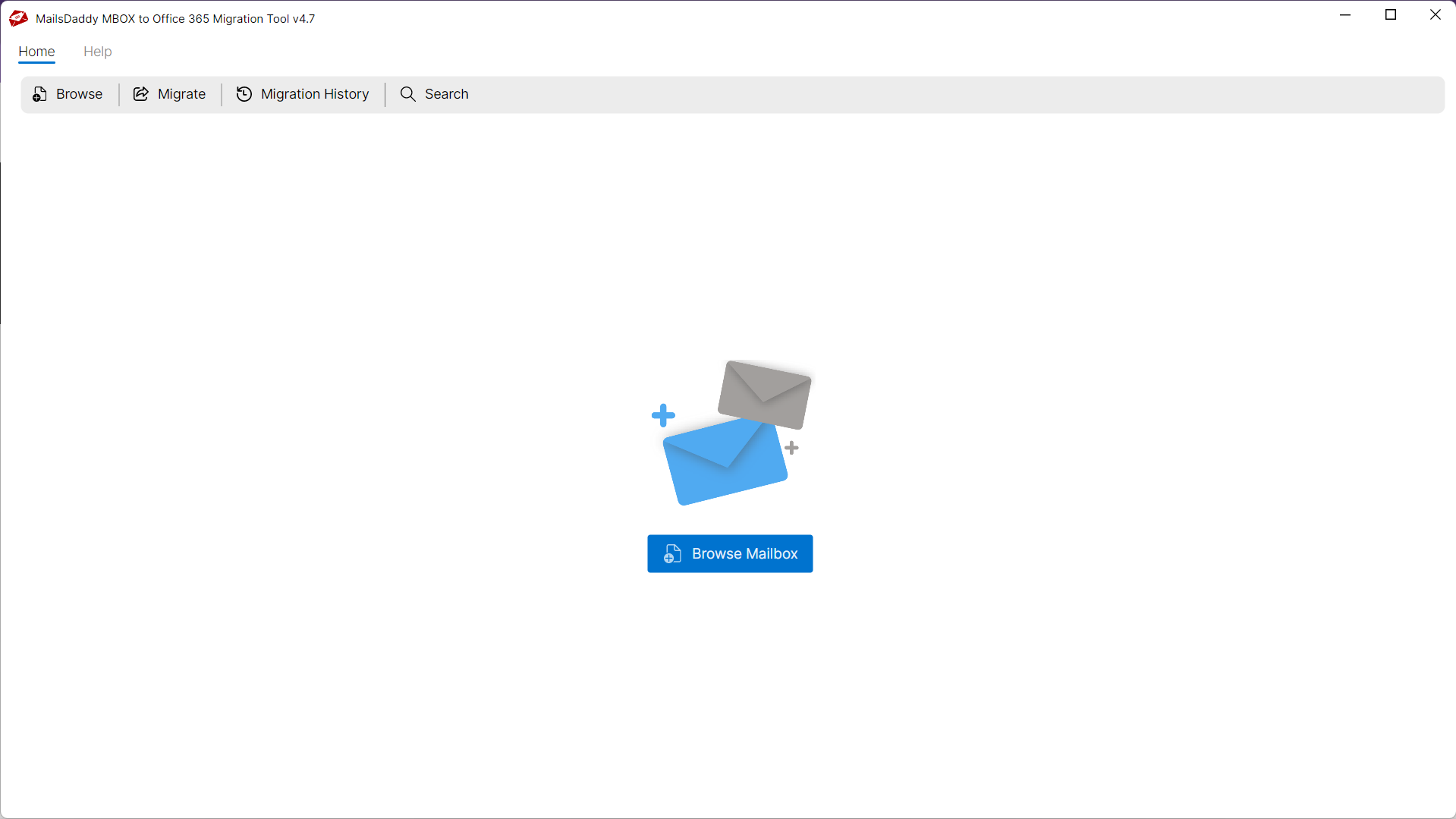
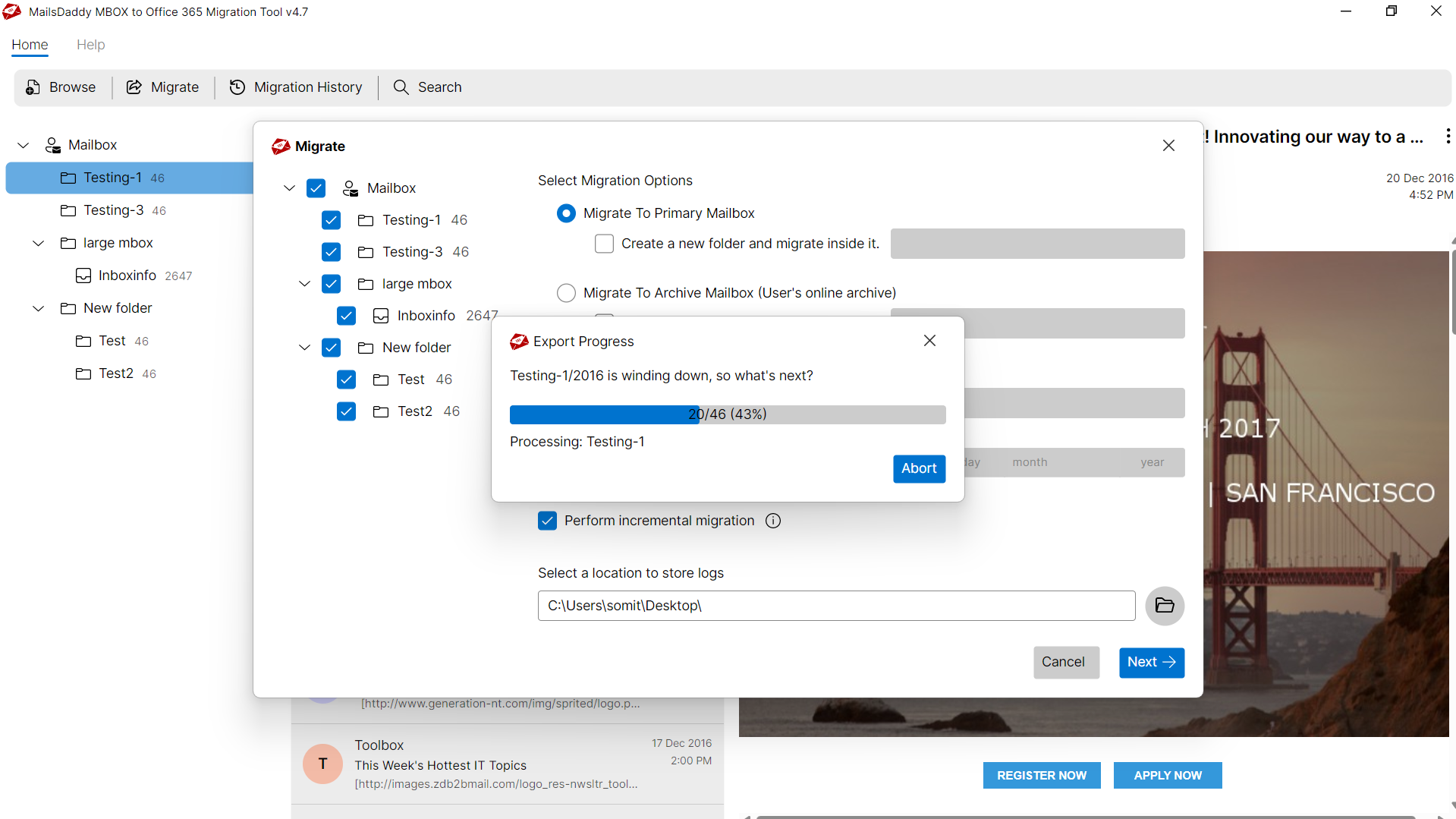
Convert MBOX to OFFICE-365 in 5 Simple Steps
No technical skills needed. Watch each step in the live software interface or click any step below.

Looking for the complete user manual and working guide?
Explore comprehensive guides for standard PST conversion, search & filter migration, and Live Exchange Server export.
Technical Specifications
Engineered for lightweight footprint, standalone execution, and broad enterprise compatibility for MailsDaddy MBOX to Office 365 Migration.
System Requirements
Full support for Windows Server 2022, 2019, 2016, 2012, 2008 & 2003 (32/64-bit)
Platform Support
Supported Formats
MBOX
Retains 100% attachments, inline images, headers, and metadata
Preserves complete folder hierarchy, read/unread flags, and timestamps
100% Offline & Private
Zero cloud uploads or telemetry. Processing happens strictly within your local machine.
No Outlook Required
Completely standalone engine. Processes MBOX files without requiring host email clients.
No File Size Limits
Tested on massive 50GB, 100GB, and 500GB+ enterprise mailboxes with zero crash.
Full Windows Support
Native execution across Windows 11 down to Windows XP & all Windows Server editions.
Trusted by IT teams and professionals worldwide
Explore our client testimonials to see why users trust and recommend our solutions.
“I was using Thunderbird for my business emails but recently we migrated to Office 365 platform. I was very anxious about Thunderbird mail migration but this MBOX to Office 365 importer gave me happiness with accurate migration results. Thank you MailsDaddy for making my task easier.”
Alexander Smith
“I was in need to migrate Godaddy webmail to Office 365 mailbox. I exported webmail folders to MBOX format manually but there was no method to import them in Office 365. I got surprised when I came to know about MailsDaddy MBOX to Office 365 migration tool. Thank you, guys!!!”
James Smith
“Our Company was planning to import Eudora .mbx files into Office 365 account. We were thinking that this software supports the migration of .mbox files only. But your support team clear this myth of mine and helped me to migrate Eudora mailboxes to Office 365 in a few simple steps.”
Jayden Finn
Need Help with MBOX to Office 365 Migration?
Our dedicated 24/7 technical team is available to assist you with any migration or recovery challenge.
The free demo version lets you preview all items and export up to 20 emails per folder.
Frequently Asked Questions
Find clear answers regarding the MBOX to Office 365 Migration conversion process, file compatibility, and recovery features.
Yes, you can browse and convert multiple MBOX files to Office 365 mailbox at once without no limits.
Start migrating with MBOX to Office 365 Migration today.
Download the free trial and inspect your recovered mailbox in minutes.