Working Guide of MailsDaddy EML to PST Converter Tool
Read the complete step-by-step working process to convert EML files to Outlook PST format.
Convert EML to PST (6 Steps)
Click on any screenshot to view full resolution.
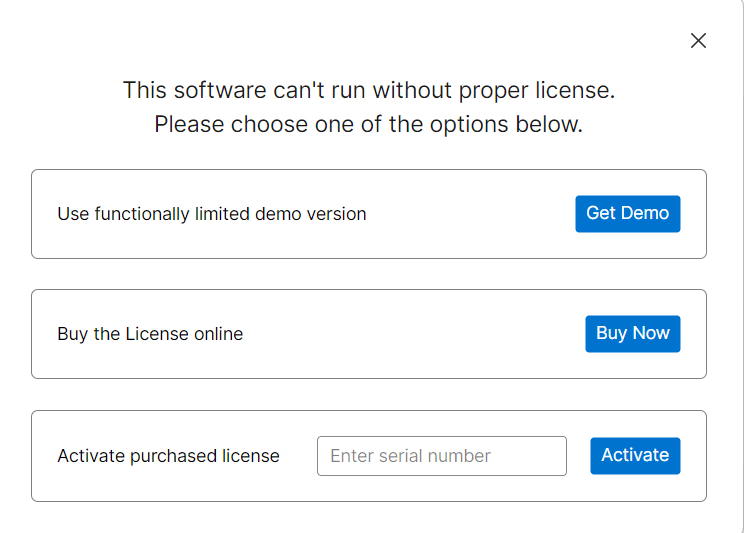
Launch & Activate the Application
Launch MailsDaddy EML Converter tool and activate full or demo version. (Note: Demo version exports only 20 emails/folder).
Browse & Locate EML Data Files
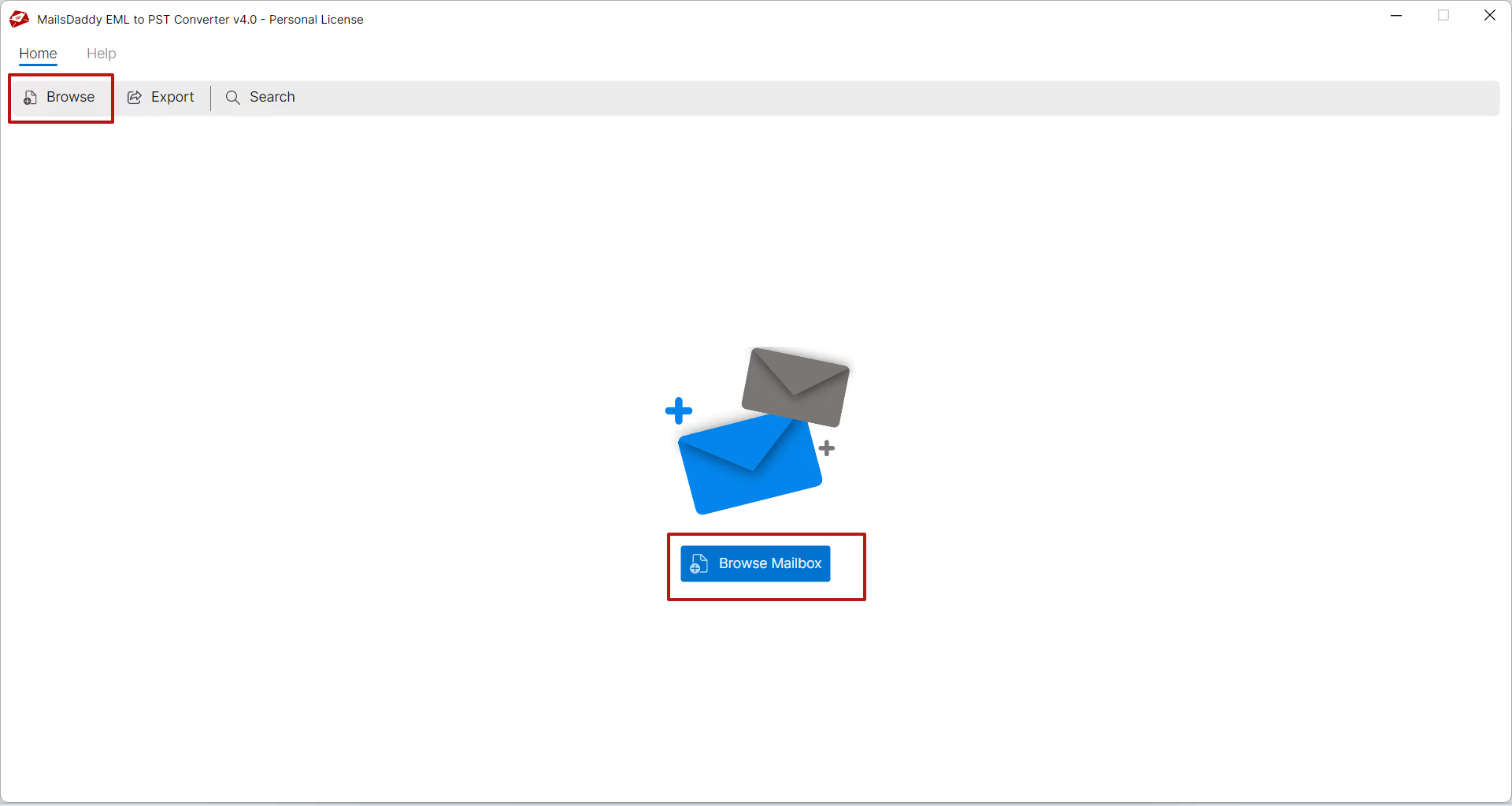
Click on Browse button to locate EML data files in your local system.
Preview Emails & Attachments
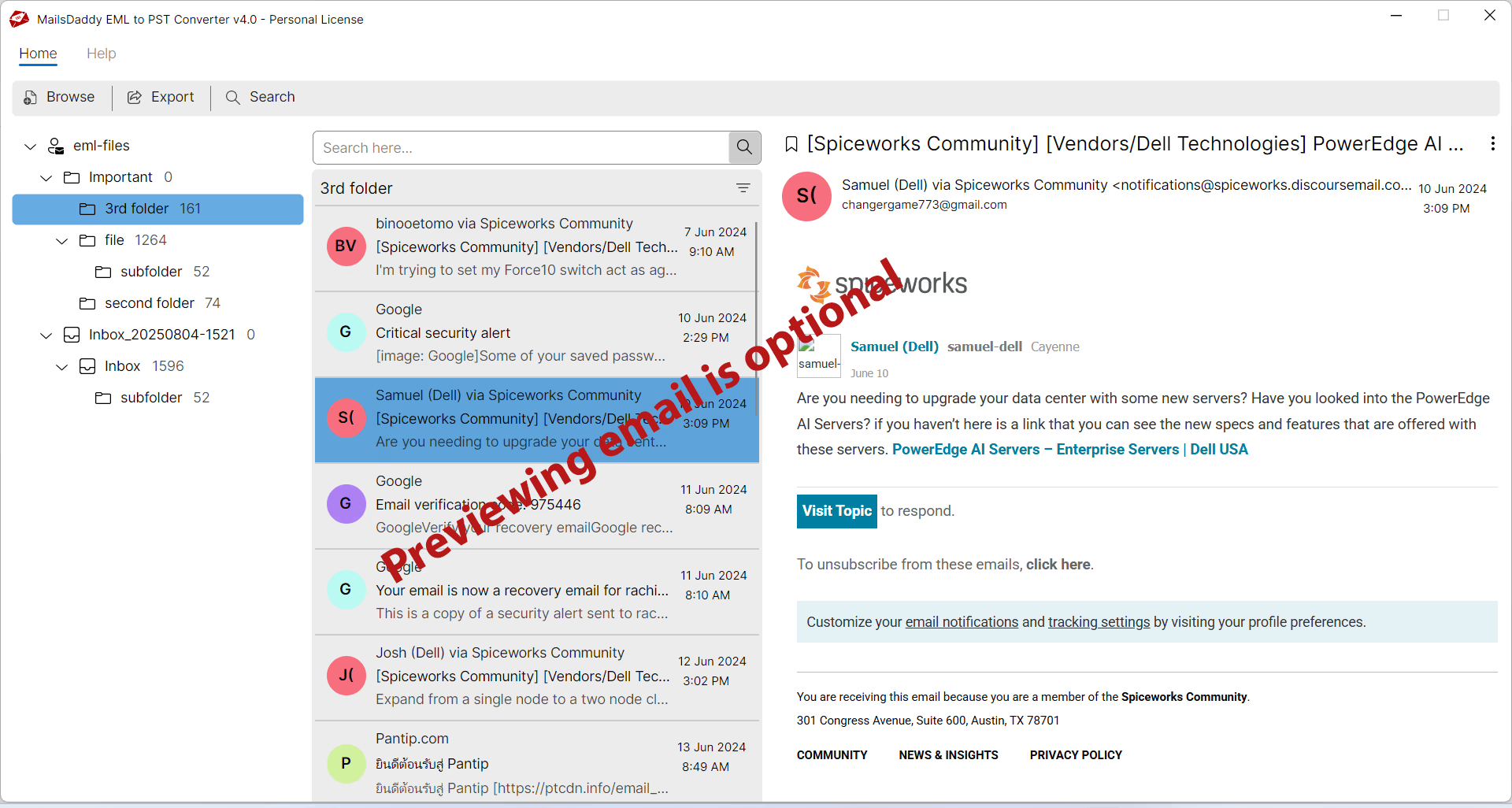
After loading mailbox, user can check the preview of emails and attachments. Previewing email is an optional choice.
Click on Export Button
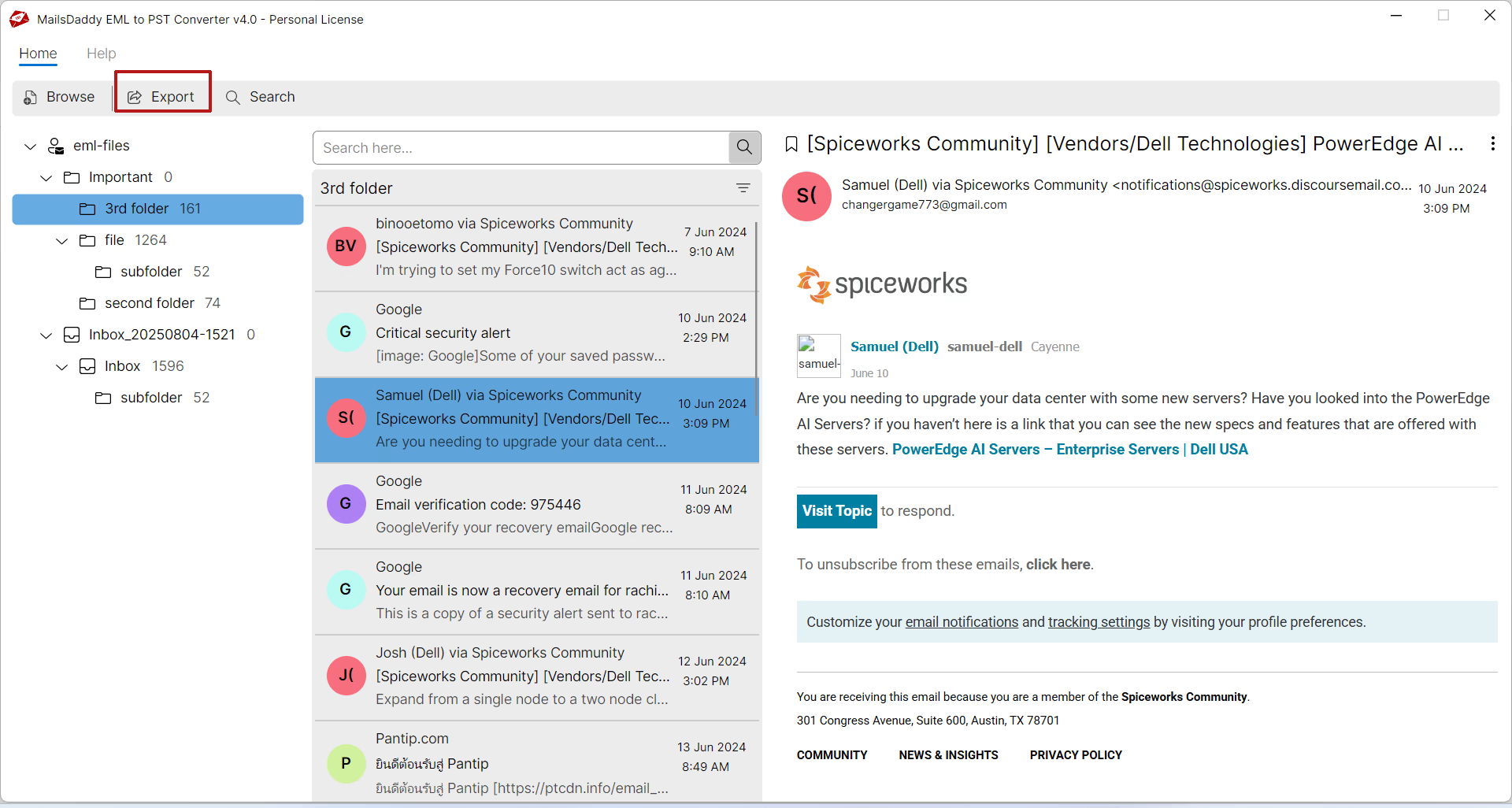
Press on Export button to go to the conversion window.
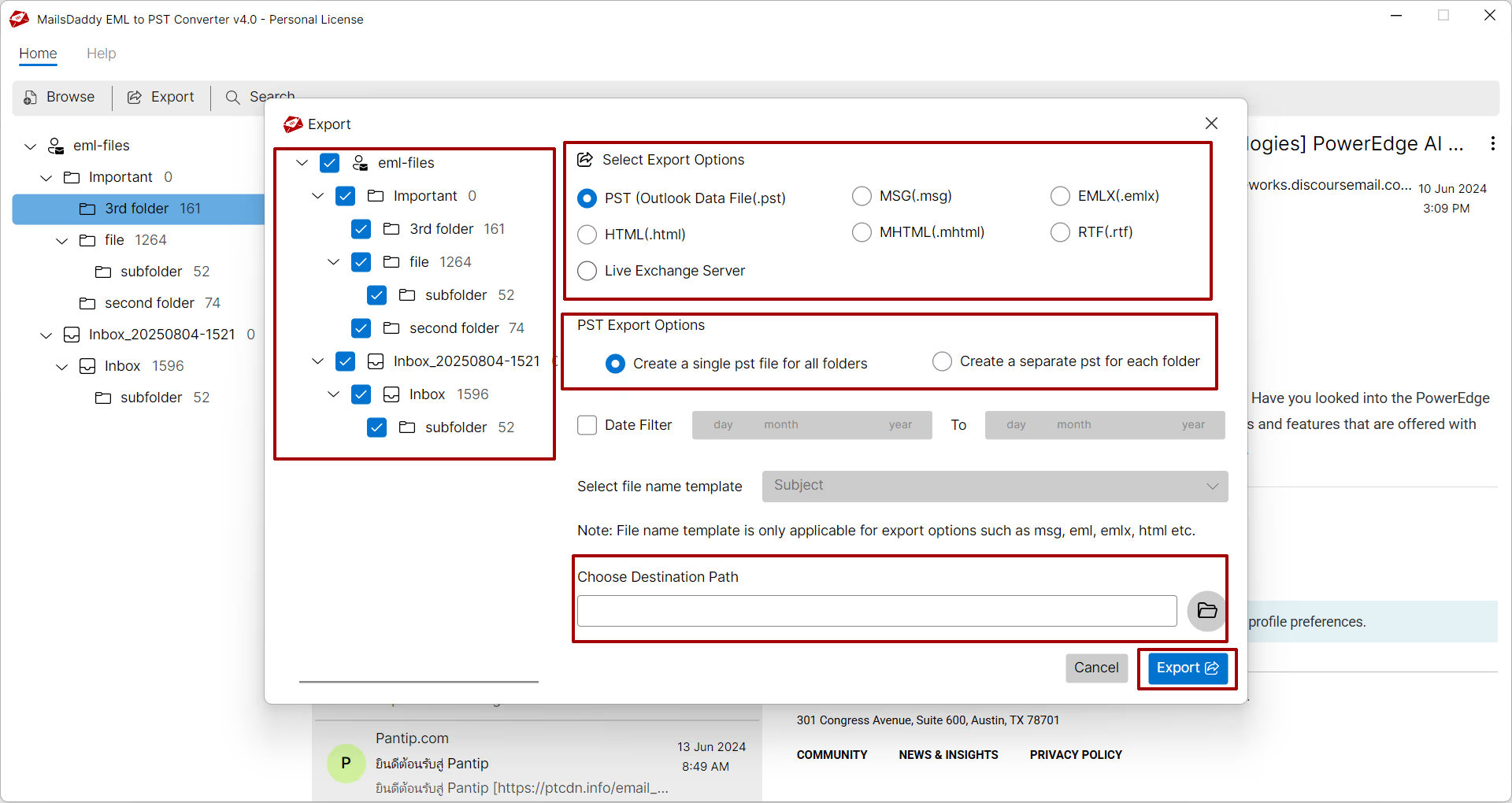
Select Export Option & Destination
Select desired export option for PST file and save the destination then click on Export button. According to the size of the EML files, it will take some time to process and deliver the desired output.
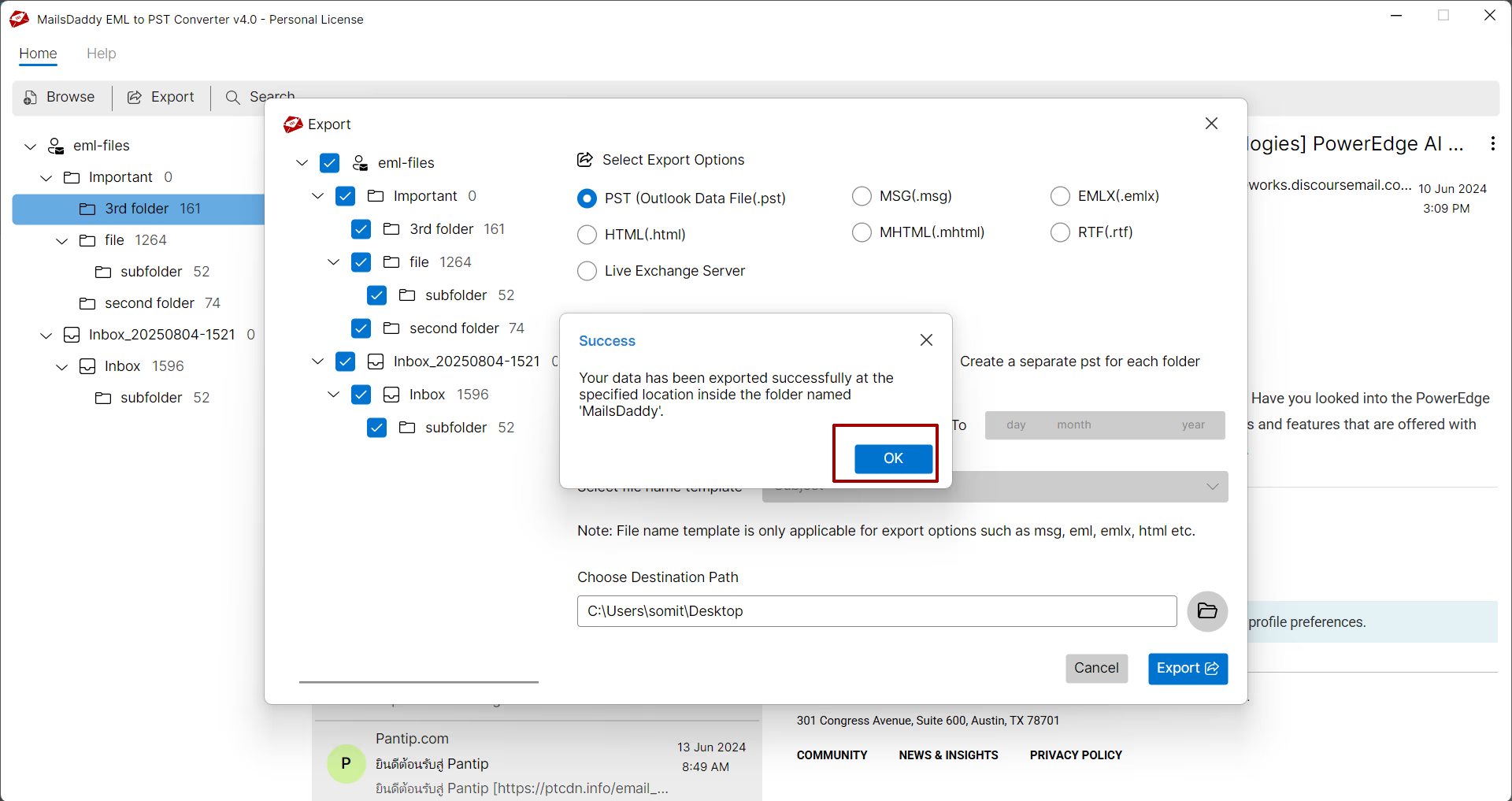
Complete Migration & Import into Outlook
Now click on Ok button to navigate to destination to import or open EML file into Outlook and other platforms.
Ready to Start with EML to PST Converter?
Download the free trial version to preview all mailbox items or buy the full license for unlimited conversion.